Avoid support scams. We will never ask you to call or text a phone number or share personal information. Please report suspicious activity using the “Report Abuse” option.

Learn More
Open

Can't connect to my live and outlook accounts since 2 weeks

oONekoGirloO

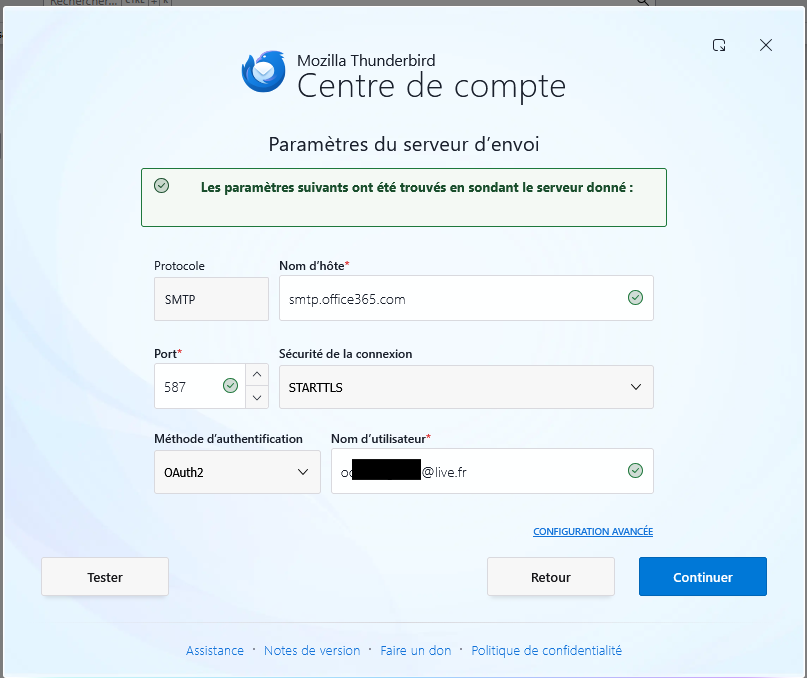
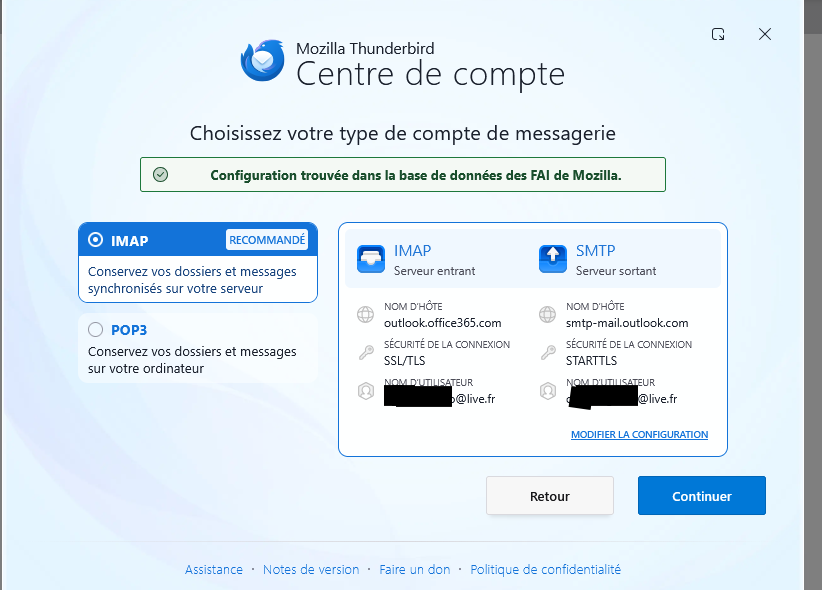
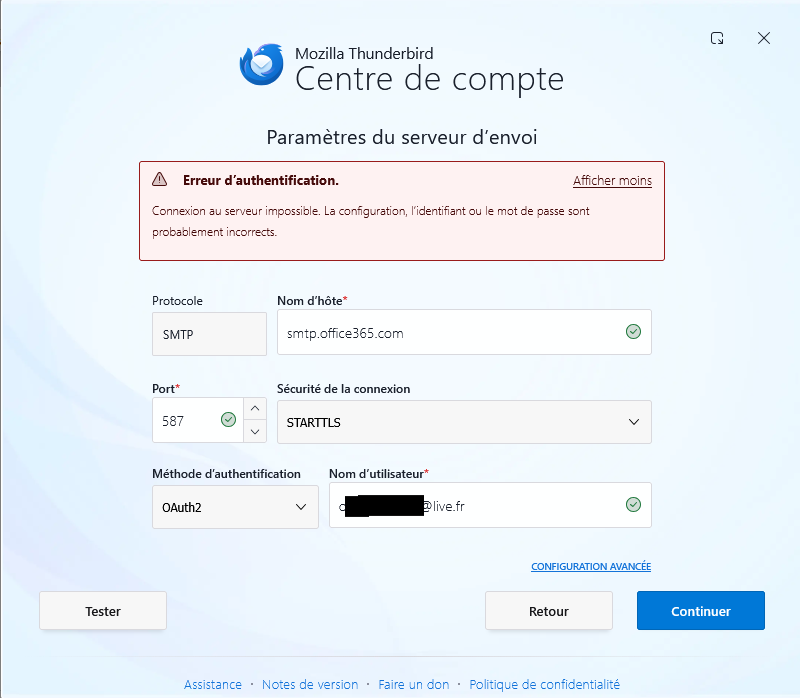
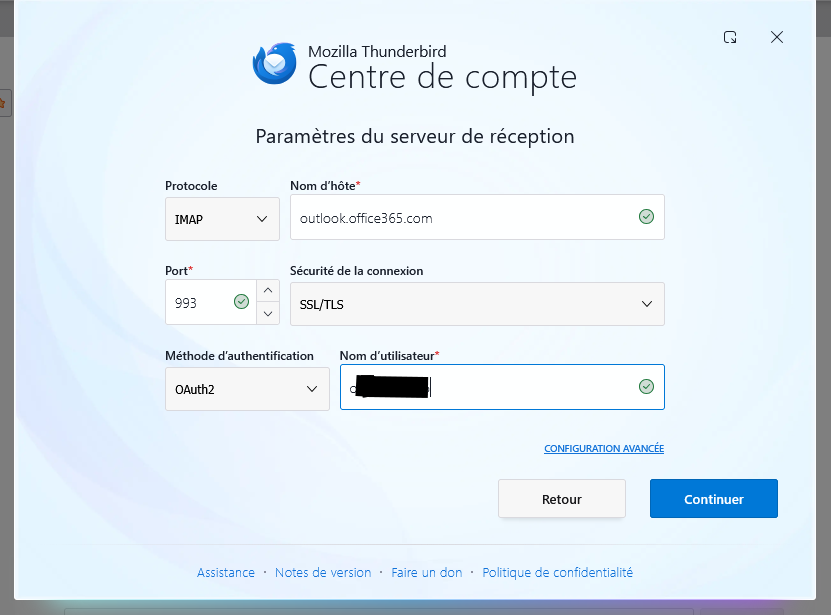
Hello, since 2 weeks the IMAP settings don't work. I didn't change anything with the accounts. Regularly I had to update the settings on my android version and it works well. But on my windows version ou on my linux version it doesn't work. I enter different name (the surname only, user name, or the mail address or name and surname). I tried all the options but it didin't word. I stopped trying last week on Thursday and tried again friday afternoon. I tried again several options and it works until saturday. Again I didn't change anything. I receive the notifications (in french) : "can't access the server outlook.office365.com" for the accounts. It was on my windows version AND on my linux version. I really don't know how I can fix it. I cleared the cache several times. Verified the server names. Today I serched for the settings on outlook for the IMAP server but didn't find how to change or disable it (the option were not visible on the setting page). I deleted the accounts to add them later but when the windows popup open even if I enter my password, and the code (if necessary) thunderbird send a message like "error. verify the id, username, address or password". I tried with the new thunderbird version on windows (because mine was old) - didn't work either. I don't know what to do or try now.

I have the android version and it works well, but this is on a secondary device and I absolutely need my mails on my main device and I really love using thunderbird. I even installed it on my kids devices. I really don't want to install another email client.... and absolutely not outlook T-T.... My thunderbird on linux is updated and didn't work too. But it's on my main device too, so if you can help me make it work on linux, I'll be happy ^-^.

I thought it was a connexion problem but even when I change it, it didn't work (on windows or linux).

Please can you help me fix this problem ?

Edit : Just wanted to add that the version on Linux (Mint) is the 140.12.0esr
Hello, since 2 weeks the IMAP settings don't work. I didn't change anything with the accounts. Regularly I had to update the settings on my android version and it works well. But on my windows version ou on my linux version it doesn't work. I enter different name (the surname only, user name, or the mail address or name and surname). I tried all the options but it didin't word. I stopped trying last week on Thursday and tried again friday afternoon. I tried again several options and it works until saturday. Again I didn't change anything. I receive the notifications (in french) : "can't access the server outlook.office365.com" for the accounts. It was on my windows version AND on my linux version. I really don't know how I can fix it. I cleared the cache several times. Verified the server names. Today I serched for the settings on outlook for the IMAP server but didn't find how to change or disable it (the option were not visible on the setting page). I deleted the accounts to add them later but when the windows popup open even if I enter my password, and the code (if necessary) thunderbird send a message like "error. verify the id, username, address or password". I tried with the new thunderbird version on windows (because mine was old) - didn't work either. I don't know what to do or try now. I have the android version and it works well, but this is on a secondary device and I absolutely need my mails on my main device and I really love using thunderbird. I even installed it on my kids devices. I really don't want to install another email client.... and absolutely not outlook T-T.... My thunderbird on linux is updated and didn't work too. But it's on my main device too, so if you can help me make it work on linux, I'll be happy ^-^. I thought it was a connexion problem but even when I change it, it didn't work (on windows or linux). Please can you help me fix this problem ? Edit : Just wanted to add that the version on Linux (Mint) is the 140.12.0esr
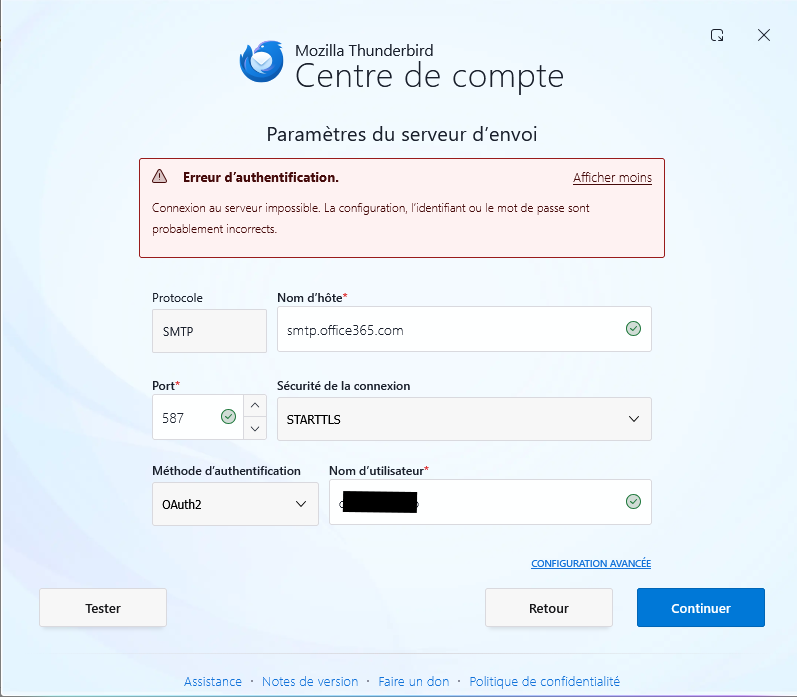
Attached screenshots

Modified by oONekoGirloO

You must log in to your account to reply to posts. Please start a new question, if you do not have an account yet.