Update available!?!?!?

Everytime I open firefox, a small window opens that tells me "Update available Download the latest version of firefox, Download or Dismiss". Hitting download saves the update for ver 151.0.4 to my harddrive. I have several of these files because of all the times I've updated forgetting that its already been updated to 151.0.4!
Why do you keep asking me to upgrade when I already did?
To get here I went to "mozilla support" and I clicked the box requesting you send me an email when someone replies to this. This "someone" implies that this person is part of your "community" not a mozilla employee, which is what "mozilla support" implies. After taking my time to follow your vague directives, I dont expect to get any help from you but I am hopeful.
I tried adding images which took me away from this page and when I tried coming back to this page, everything I typed was gone so I had to start over. So I'm not going to click on "share data" for the fear the same thing will happen. Thanks for that
All Replies (7)
I'll make the first update. When checking your support page about the 151.0.4 update, it says; " 151.0.4 Firefox Release
June 9, 2026 Version 151.0.4, first offered to Release channel users on June 9, 2026" Today is June 13, June 9 was only 4 days ago? I've been having this problem for at least 2 months, how can that be?
Wake up mozilla support! Time to do some work>>>
I'm sorry but it doesn't look like you've updated — at least this question appears to be posted from version about 3–4months old. If you go to about:support page, what do the first lines list as your version/build?
It looks like the updater is no longer able to do the incremental background update, or it's failing on some missing permissions — the easiest is to just go to firefox.com, download the installer, and run it over the existing app to get it up to date.
There's some scheduler–specific advice here in the thread: https://support.mozilla.org/questions/1587819 if you want to follow there.
I'm surprised as it said "jbr replied to my comment" is that a real human?!?! Not sure but if so he didnt read my initial comment nor did your auto response because you are suggesting things that I told you Ive already done!
Quit offering fake solutions or fake service offerings and wasting my [edited] time thinking that someone at mozilla is actually trying to help me when there is not!
I will just start making every attempt to avoid all mozilla software, which as you know is difficult because you [edited] have a monopoly. Something your company needs reminded of, "With great leadership comes great responsibility, you have neither". Companies that practice this always win. This makes mozilla a loser. [edited] you very much!
Modified by Denys
Hi,
Obscene language is forbidden here, according to our rules and guidelines. I've edited your post for now, but such kind of language won't be tolerated here. Please treat this as the first and the last warning.
Please also note that the people who answer questions here, for the most part, are other users volunteering their time (like me or jbr), not Mozilla employees or developers. And your tone definitely doesn't motivate to try to help.
Last but not least, nothing from jbr's posts is mentioned in your question or the follow-up. Actually, you haven't mentioned anything that you have tried to do in order to resolve the issue. While that's fine in geberal (after all, you are reaching out for help), please don't disinform our contributors.
Hello
Maybe, you can try Use the Troubleshooting Information page to help fix Firefox issues https://support.mozilla.org/en-US/kb/use-troubleshooting-information-page-fix-firefox
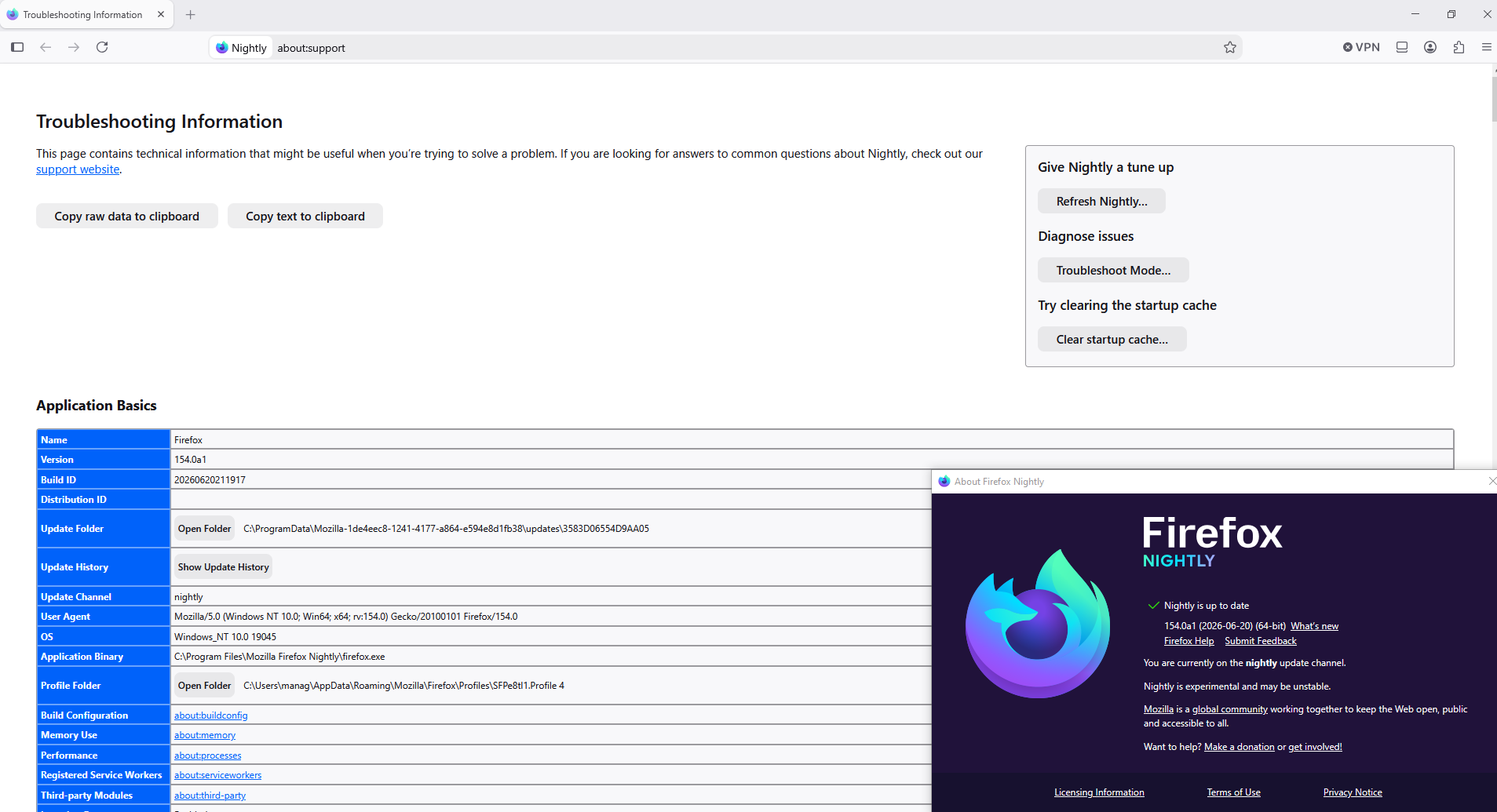
Update Folder: Shows the path to the folder containing the files update-config.json, updates.xml, active-update.xml (if an update was downloaded but not yet applied) and the updates subfolder. Clicking Open Folder will take you to the update folder.
Go to your Update Folder
You can try, i performed these actions below I accessed to my Update Folder I stopped Firefox I deleted my folder 3583D06554D9AA05 I started Firefox I'm waiting the next updates
For illustration https://www.youtube.com/watch?v=BH5gu3Pv930
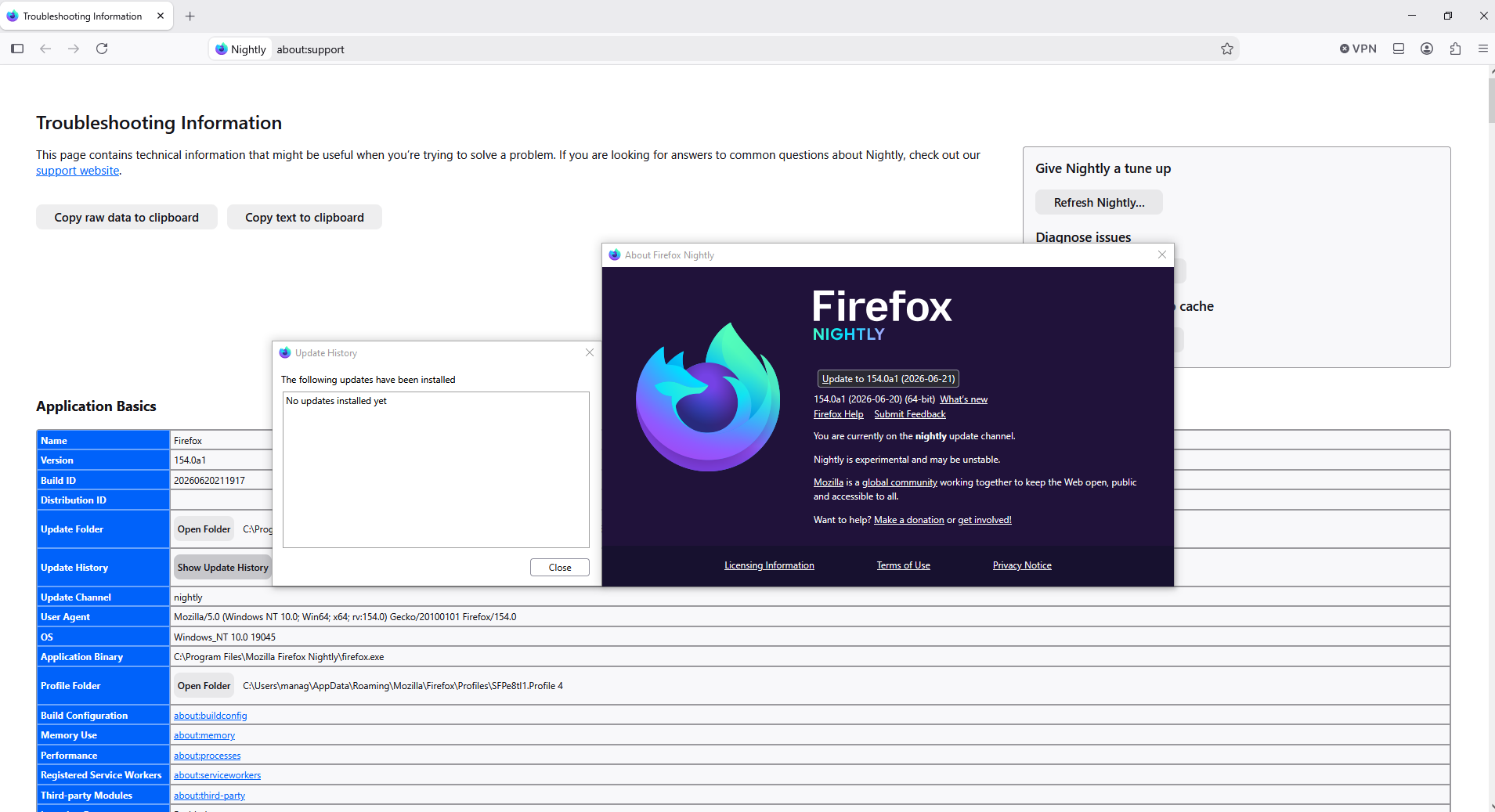
Currently Firefox Nightly 154.0a1 (2026-06-20), i'm waiting the next updates
Modified by Agent virtuel
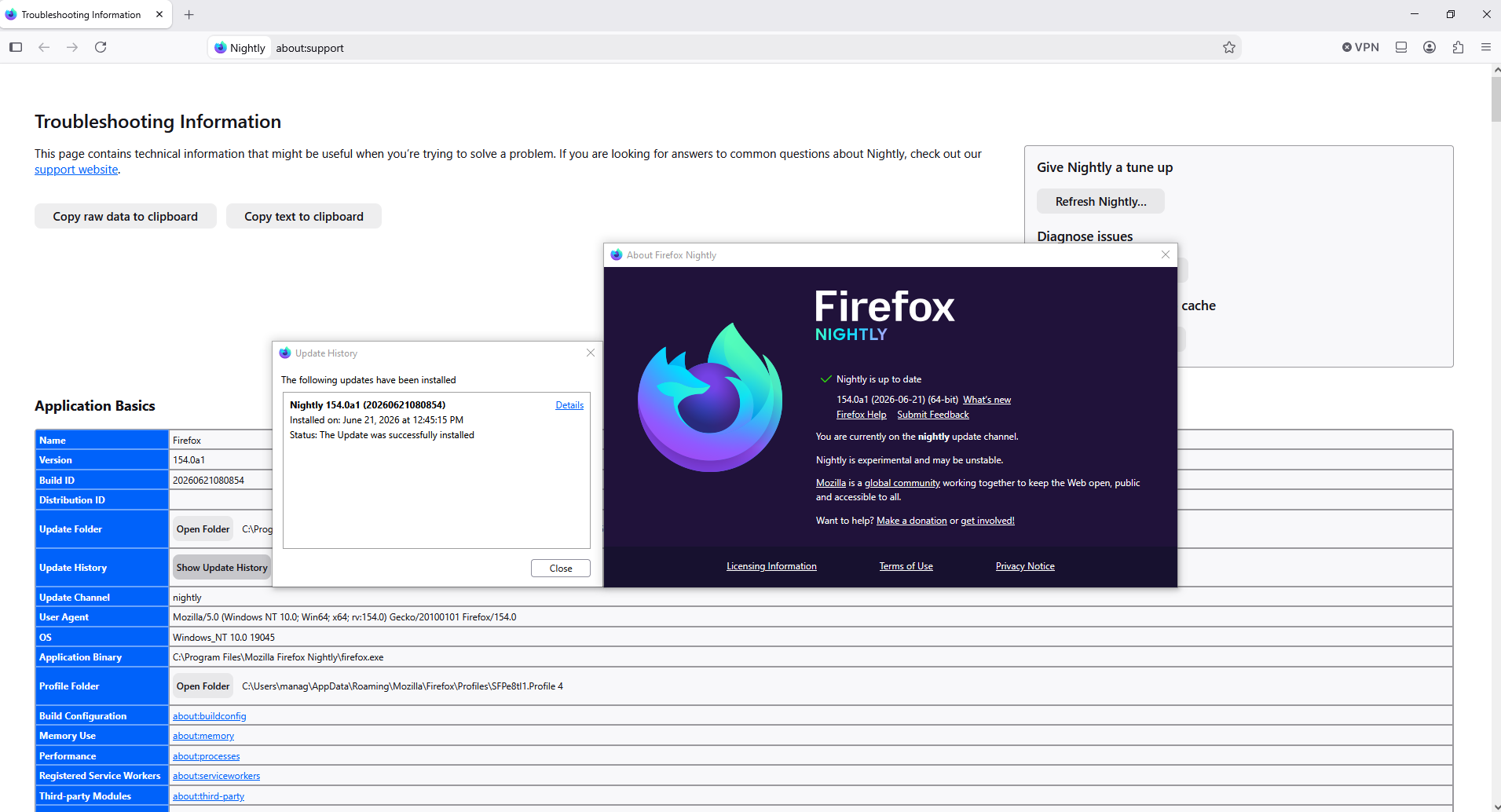
To continue Screenshot 1, the list of Update History is empty I performed the new updates Screenshot 2, list of Update History Nightly is up to date Version 154.0a1 (2026-06-21)