


Extensions
I downloaded a couple extensions to my Account, But how do I Activate them and use then and turn them on and where to go to see that there on and currently working? I'm using an Android Phone
I downloaded a couple extensions to my Account, But how do I Activate them and use then and turn them on and where to go to see that there on and currently working? I'm using an Android Phone
All Replies (2)
To browse all available Firefox for Android extensions, visit addons.mozilla.org/android. You can also discover extensions within the browser’s Extensions Manager.
Here are the instructions for installing from the Extensions Manager:
- Tap the menu button android menu icon

-
- Tap the
 Extensions menu item.
- Tap on an extension to learn more. To install it, tap on the + button.
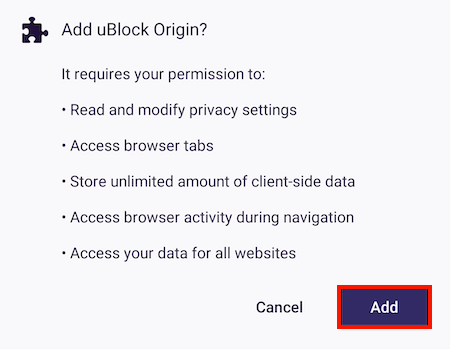
- This will then show you the access that extension requires.
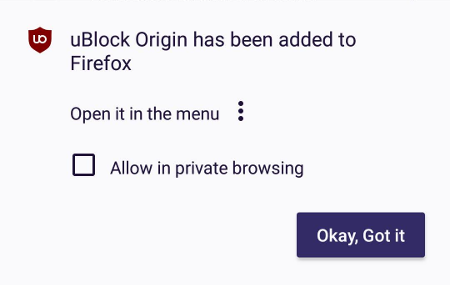
Tap Add to install the extension. - After installing the extension, Firefox will give you the opportunity to enable it in private browsing. You can check mark Allow in private browsing now or enable it later (see below).
- Tap OK to finish.

Warning: Some extensions may not be compatible with Firefox for Android.

This did not answer the question. We have it installed, we've chosen the settings. Now we need to know how/where it is to access it - for example the GitHub cookie manager - there's nothing to click on to access it and edit cookies.