


Folders not showing on left of screen

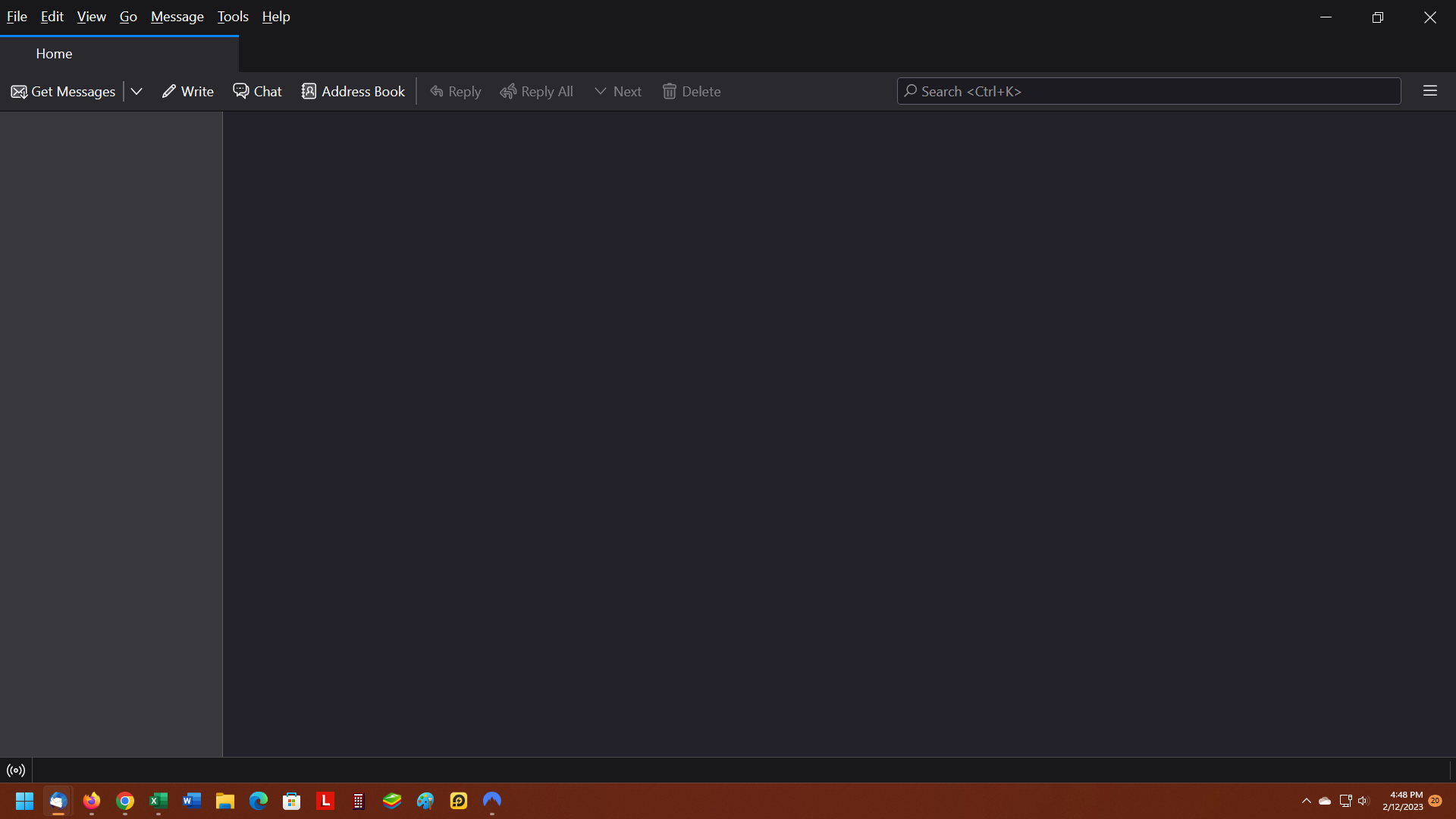
Hi. I downloaded TB successfully and added my gmail account successfully but the folder(s) for it are not showing on the left of the screen. I checked View > Folders > All but that had no effect. Everything went well when I added the account and I got the screen saying "Account Added Successfully". Anyone know why I can't see the folders for the account? Thank you.
All Replies (9)
Assuming IMAP, hightlight account in left pane, rightclick, select 'subscribe' to see if folders need to be ticked.
Hi David. I can't "highlight account in left pane" because there's nothing there. I have the menu bar at the top of my screen, the Home tab below that and then the "Get Messages" line of buttons below that. There is nothing but black below that. This is in spite of the fact that it said "Account Added Successfully". I am using Win 11 on a new desktop if that makes any difference.
Modified by AtownPA
Any chance of posting a screenshot of what you see? That may help.
Sure thing David. Screenshot is here.
Try clicking view>layout>folder pane.
It's already checked.
I am at a loss here.
Thank you for trying David. If I ever get it fixed I'll let you know what worked.
Please try Deleting session.json in the thunderbird profile