


one website stops being able to load further pages after initially loading, and only on firefox browsers

this issue has arisen suddenly over the last month. so i try to load bandcamp and for a few moments i'm able to go from page to page. after a certain short amount of time has passed between me opening the site and using it, just seconds, upon me clicking a link, pages initially appear to load [the refresh button switches to the X icon] before they quickly halt and keep me stuck on the same page. attempting to open a link in a new tab in this state gives a blank page - not showing as about:blank in the url but the intended destination. sometimes when i try to confirm a change on something i have uploaded to the site or try to log in, bandcamp gives an error reading "There was network error. Please try again."
so i originally thought it had something to do with using a VPN; initially i thought it was alleviated when i turned it off but i was wrong, problem soon reappeared. i've actually been using zen browser for a while, so maybe it was localised to that? i switch back to regular firefox and it was there too. troubleshooting mode didn't yield any difference either, so there's no conflict with extensions... clearing all bandcamp site data hasn't worked either, now because of this issue i just can't log back in lol. i ended up testing on a non-firefox browser, microsoft edge, and found that this issue isn't present there. so i'm kind of stumped on how to figure this out by myself now. keep in mind this is the only website that is affected by this issue
Opaite Mbohovái (5)
Could you provide a link that doesn't work to the site you have an issue with, so I can test it, unless of course it is after a login
it'd be hard to provide a proper link cos the issue's widespread across any page on bandcamp.com for me, whether it be my own or any random page u can visit from the front page, these pages do open as they should on other devices and browsers. idk how this could be replicated... like i'd think it'd be some hardware problem and that could be a cause but it also just works on non-firefox browsers on the same pc, so maybe something messed up with shared assets between these versions of the software or smthng? something's corrupted somewhere maybe? im no expert on how that all works lol, just speculation. also i should mention that if i leave the tab open for some period of time and come back it is once again accessible for a time but soon becomes unusable again.
one thing i haven't tried yet is just wiping all site data from both browsers. i haven't done this yet because i would've thought clearing the site data for the only site that is affected would've been reasonable, but ig not... and also just because the process of logging back in to everything i use afterward would be a bit laborious :p but if nothing else can be suggested i'll just do that
image is just the state of things i mentioned when i attempt to open a new tab of bandcamp after the issue starts. all navigation / refresh options are greyed out and selecting the url and pressing enter to go makes no change after a short attempt @ loading. bottom-left corner when this happens does show TLS handshake being made with bandcamp.com so something was happening somewhere
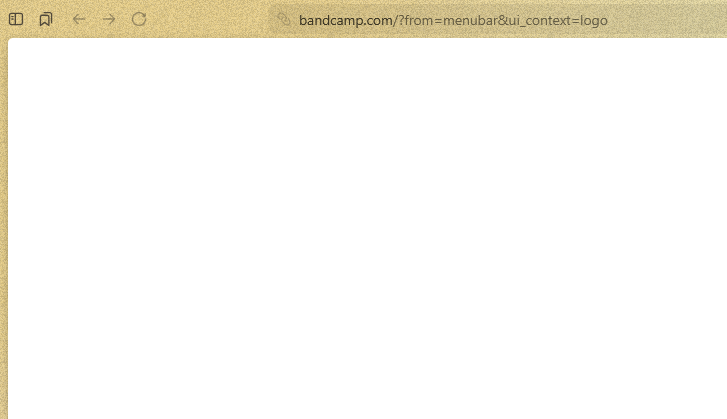
Basically the server stops responding.
Instead of wiping all site data, you can just a) try Private Window instead, b) set up a new Profile just to test this, that will give you a clean slate, and you can remove it afterwards.
oh damn i forgot the profiles even existed...
right so the site's fully working when using a private window. can log in and navigate without issue. however i tried a new profile but even with that clean slate the problem persisted
The only difference between our fresh profiles might be "DNS over HTTPS" — mine's off, and bandcamp seems to work — not sure how that'd yield differently PBM or not, but worth a shot. Either disabling/enabling, or changing its service provider in settings.