


Windows 10 reached EOS (end of support) on October 14, 2025. If you are on Windows 10, see this article.

Eheka Pytyvõha

Emboyke pytyvõha apovai. Ndorojeruremo’ãi ehenói térã eñe’ẽmondóvo pumbyrýpe ha emoherakuãvo marandu nemba’etéva. Emombe’u tembiapo imarãkuaáva ko “Marandu iñañáva” rupive.

Kuaave
Oĩporãmava

Use system print preview instead of Firefox

Royal Montgomery

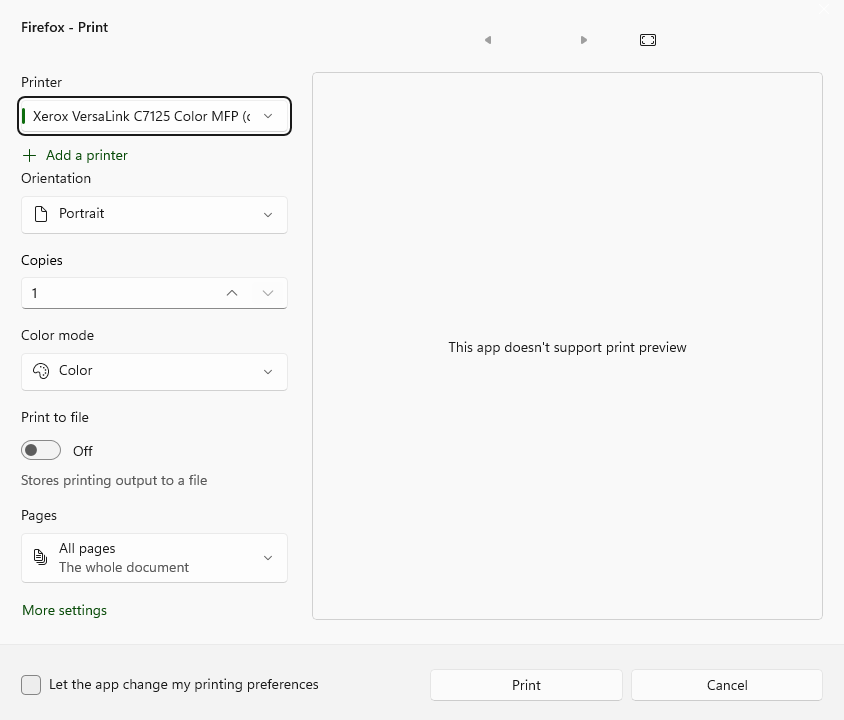
We recently had an update on our printer drivers and somehow this has swapped settings from the previous system print dialogue to "Firefox - Print". The Firefox print dialogue does not have print preview and I need to be able to see a print preview. I've noticed that this was an issue in the past and people have solved it by going into about:config and setting print.tab_modal.enabled to false, but this hasn't worked for me. I am asking this question because if I can't find a solution I will have to switch to Chrome so I can see a print preview and I would rather not. If there is another way to force the system print dialogue instead of Firefox, please let me know.
We recently had an update on our printer drivers and somehow this has swapped settings from the previous system print dialogue to "Firefox - Print". The Firefox print dialogue does not have print preview and I need to be able to see a print preview. I've noticed that this was an issue in the past and people have solved it by going into about:config and setting print.tab_modal.enabled to false, but this hasn't worked for me. I am asking this question because if I can't find a solution I will have to switch to Chrome so I can see a print preview and I would rather not. If there is another way to force the system print dialogue instead of Firefox, please let me know.
Mba’erechaha japyhypyre oñondivegua

Opaite Mbohovái (3)

https://www.thewindowsclub.com/open-printer-settings-page-in-windows-10

Pretty much the same for Win 11 I would imagine

Ñemoĩporã poravopyre

@jbr Mahalos!!! Really appreciate it

Eporandumína

Nde eikéke nde mba’etepe embohovái hag̃ua ñe’ẽmondo. Ikatúpa, emoñepyrũ peteĩ porandu, ndereguerekói gueteriramo nemba’ete.