


I forgot my password for the "browser backup" file, can I recover it?
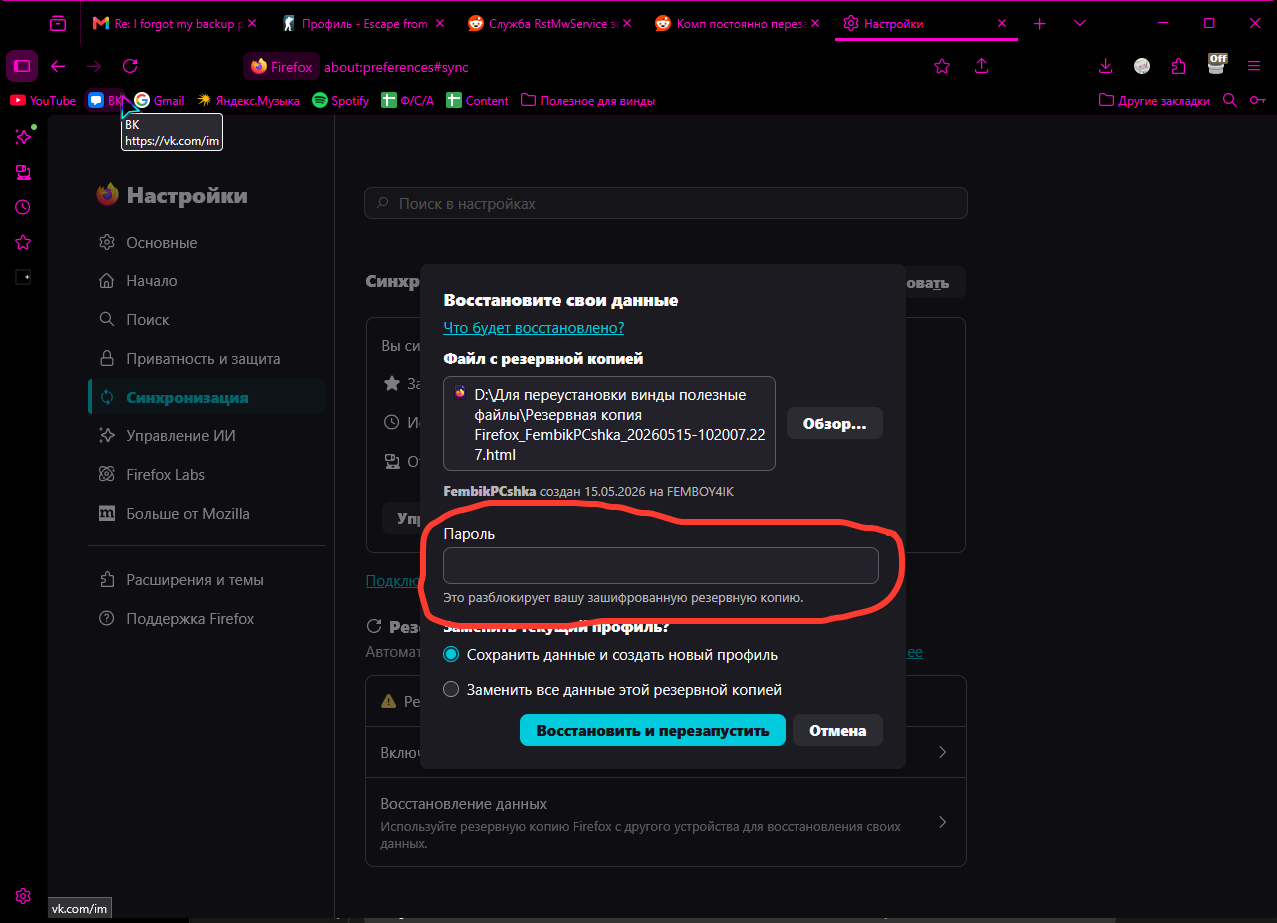
Before reinstalling Windows, I made a backup, but since I didn't update the system until a day later due to work, I forgot the backup password. I've tried every password I could think of, and I don't know what to do now.
Ñemoĩporã poravopyre
Hello! Regarding your question, I’m sorry to say that the password for your browser backup cannot be recovered. Firefox allows you to export bookmarks, passwords, history, etc., into an encrypted backup file. For security reasons, when you set a password, Firefox encrypts the file directly with that password — the password itself is not stored anywhere. In other words, Firefox only keeps the encrypted file, not your password. That’s why it’s nearly impossible to decrypt the file once the password is forgotten — only you know the password. Здравствуйте! К сожалению, пароль от резервной копии браузера невозможно восстановить. Firefox позволяет экспортировать закладки, пароли, историю и т.д. в зашифрованный резервный файл. Из соображений безопасности, когда вы устанавливаете пароль, Firefox шифрует файл напрямую с помощью этого пароля — сам пароль нигде не хранится. Другими словами, Firefox сохраняет только зашифрованный файл, но не ваш пароль. Именно поэтому после того, как пароль забыт, расшифровать файл практически невозможно — пароль известен только вам.
Emoñe’ẽ ko mbohavái ejeregua reheve 👍 1Opaite Mbohovái (1)
Ñemoĩporã poravopyre
Hello! Regarding your question, I’m sorry to say that the password for your browser backup cannot be recovered. Firefox allows you to export bookmarks, passwords, history, etc., into an encrypted backup file. For security reasons, when you set a password, Firefox encrypts the file directly with that password — the password itself is not stored anywhere. In other words, Firefox only keeps the encrypted file, not your password. That’s why it’s nearly impossible to decrypt the file once the password is forgotten — only you know the password. Здравствуйте! К сожалению, пароль от резервной копии браузера невозможно восстановить. Firefox позволяет экспортировать закладки, пароли, историю и т.д. в зашифрованный резервный файл. Из соображений безопасности, когда вы устанавливаете пароль, Firefox шифрует файл напрямую с помощью этого пароля — сам пароль нигде не хранится. Другими словами, Firefox сохраняет только зашифрованный файл, но не ваш пароль. Именно поэтому после того, как пароль забыт, расшифровать файл практически невозможно — пароль известен только вам.