

Ko téma oñeñongatúma.
Ejapo porandu pyahu eikotevẽramo pytyvõ.

Ñongatupyre
how to share URL on firefox PC

Windows 11 fire fox up to date, I never had a share button to share URL. suppose to be a airplane ?
Windows 11 fire fox up to date, I never had a share button to share URL. suppose to be a airplane ?
Opaite Mbohovái (1)
Hi,
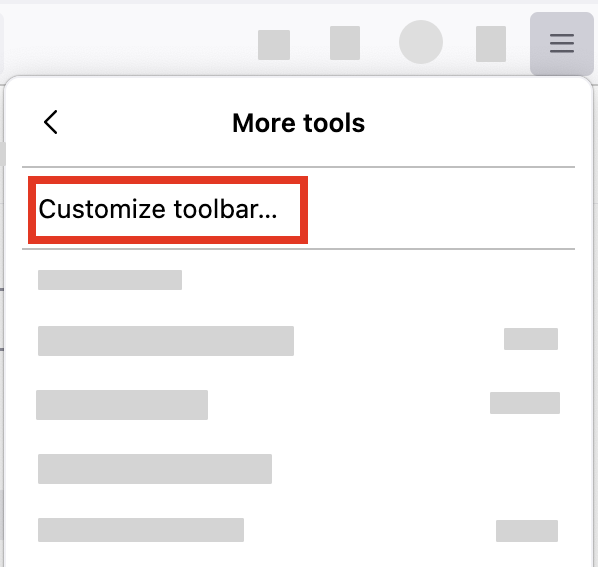
It's not an airplane anymore and you heave to bring it from the "Customize" menu.
- Click the menu button
 , select "More tools" and click "Customize toolbar…"
- A special tab will open which allows you to drag and drop items in or out of the overflow menu and the toolbar.
-
- Drag the Share item to the toolbar.
- Click the Done button.
Let us know if this solves the problem.
- For other ways to customize Firefox, see Customize Firefox controls, buttons and toolbars.