


Can't activate 2FA on my firefox account

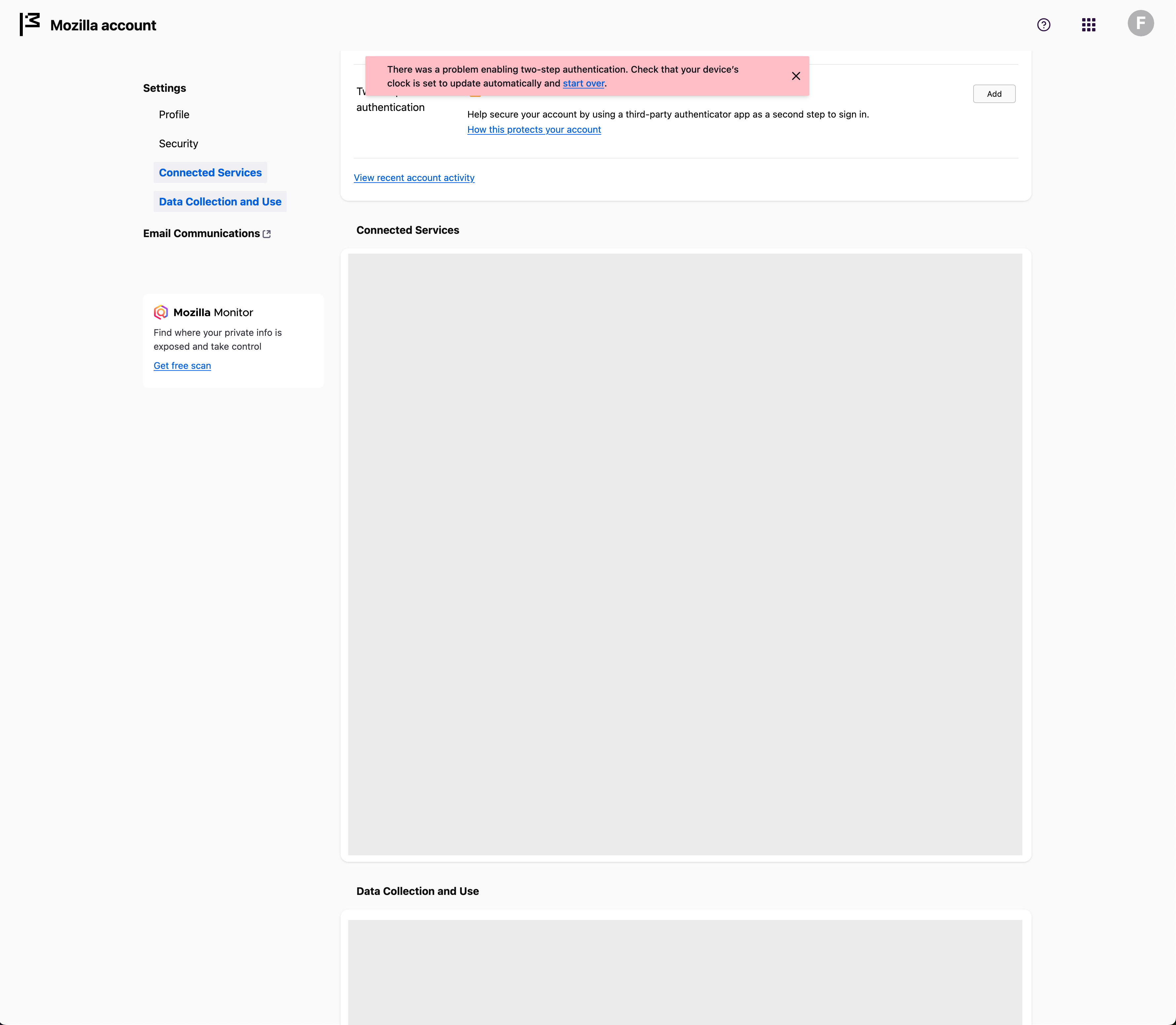
For a while already (week or 2) i'm trying to activate 2FA on my account, but i always get the following error
"There was a problem enabling two-step authentication. Check that your device's clock is set to update automatically and start over."
I tried it on multiple laptops (all macbooks) with and without VPN and on an iPhone, but the error is the same everywhere.
The error shows in the final steps, after i downloaded and entered a security code. It brings me back to the account page with the error
Ñemoĩporã poravopyre
Hi,
Looks like you're dealing with a Mozilla account issue. We have a direct one-to-one support for Mozilla account (which is a different thing from peer to peer support forum like this one).
Please submit a new ticket from this page so our support agent can assist you further.
Emoñe’ẽ ko mbohavái ejeregua reheve 👍 1Opaite Mbohovái (1)
Ñemoĩporã poravopyre
Hi,
Looks like you're dealing with a Mozilla account issue. We have a direct one-to-one support for Mozilla account (which is a different thing from peer to peer support forum like this one).
Please submit a new ticket from this page so our support agent can assist you further.