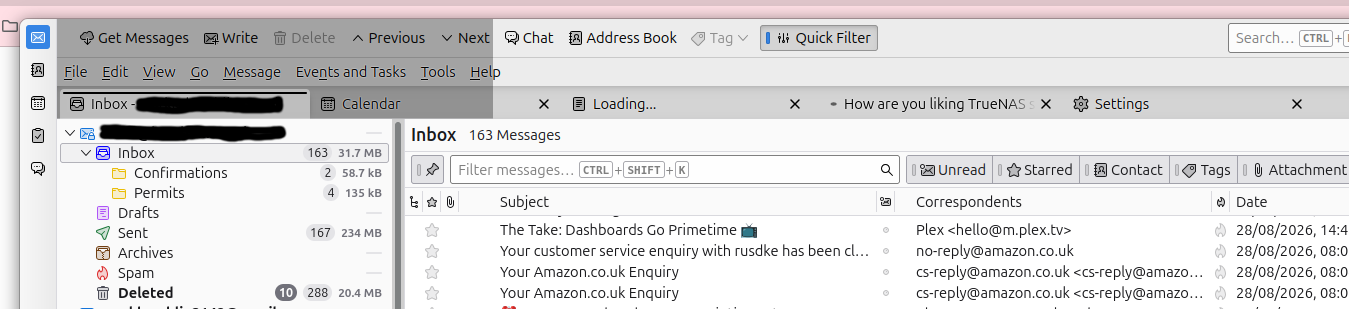
Blackish rectangulars top en bottom left

My Thunderbird does look strange, though it works alright. It annoys me, there are black-gray rectanguler spots left top and bottom. It dissapears when in full screen mode. It is not in any other program. I add a picture. Is there anybody who knows how to solve this. Thanks, Hans, Netherlands
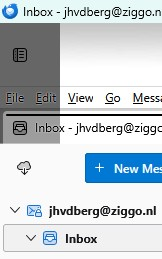
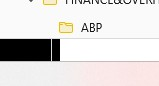
All Replies (5)

Try disabling Hardware Acceleration in Thunderbird. This feature is intended to improve performance, but it can conflict with some computer's video subsystems, and in my experience doesn't really make much of a performance difference anyway.
That setting can be found at <Settings | General> - scroll down to the bottom and untick the "Use hardware acceleration when available" option.
Thanks Lin, but no, didn't help.
Does it happen when you restart Thunderbird in Troubleshoot Mode (see <Help | Troubleshoot Mode>)?
Lin modificouno o
I am going to have a look at that. Thanks again. Keep you informed.

Running TB 154.0 (64-bit),.. ubuntu-snap-build - 1.0,.. Ubuntu 26.04 - Just to add to this thread,. I have a similar artifact,.. The darkness of the artifact changes when enabling/disabling 'Hidesystem window titlebar',.. When title bar is enabled,.. the shadow is darker,.. its size does not change. enabling or disabling h/w acceleration makes no difference. starting TB in trouble shooting mode ( shift key down ) makes no difference if there's anything else you need let me know and will see what I can do.. --- I am running the 'Japenese flower 4' theme,.. disabling this theme cause the dark area to extend the full width of the window. with theme disabled,.. dragging window via top window bar causes the dark areas affected to change to top window bar and email and calendar tabs to stay dark, whilst the menu menu and search areas go light coloured, releasing mouse all bar areas go dark..