


Firefox access to websites hang on cloudfare service

when accessing websites where Cloudfare is part of the sequence the page hangs on cloudfare and the page is not displayed. Every time data is transferred through cloudfare the page hangs on cloudfare rending the search useless.

All Replies (8)
Your system info shows you're using some "privacy protecting" addon like CCleaner's Kamo that confuses major sites to the extent they might not even serve you any response. Please try with these protections disabled if you see any improvement.
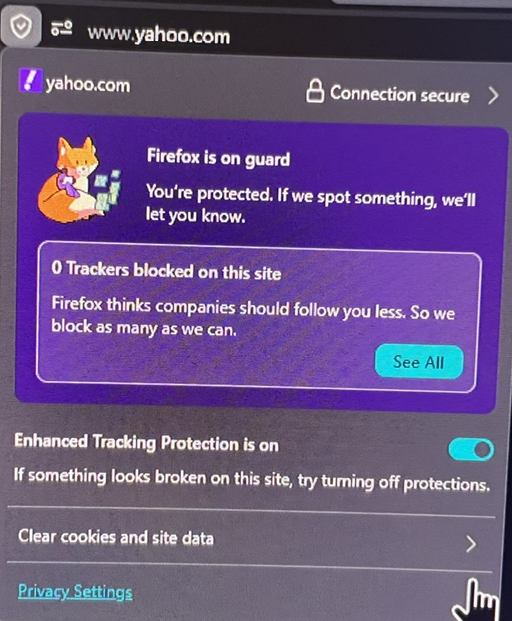
Thank you for the suggestion. I turned off the only extension and still have the issue. It is only when I use the FF clear site cookies and turn off FF enhanced tracking, I get access to a website that is blocked by Cloudfare and get the Recaptcha puzzle to show. This is primarily a FF issue. Please see the screenshot. Even though the Yahoo homepage shows no trackers, turning off the features shown grant access to blocked websites and allow the Recaptcha puzzle to show. Thank you.
Can you go to https://www.whatsmybrowser.org/ and post here the shortlink they give you in the blue header? Thanks.
The problem still seems to be with FF blocking sites especially sites using Cloudfare. Also, FF also is crashing lately.
There seems to be something messing with your secure connection headers then, if it's not an addon. If you're using AVG, Avast or similar and use some of their "privacy" or "anti-fingerprinting" features, you might need to reach out to their support how to proceed.
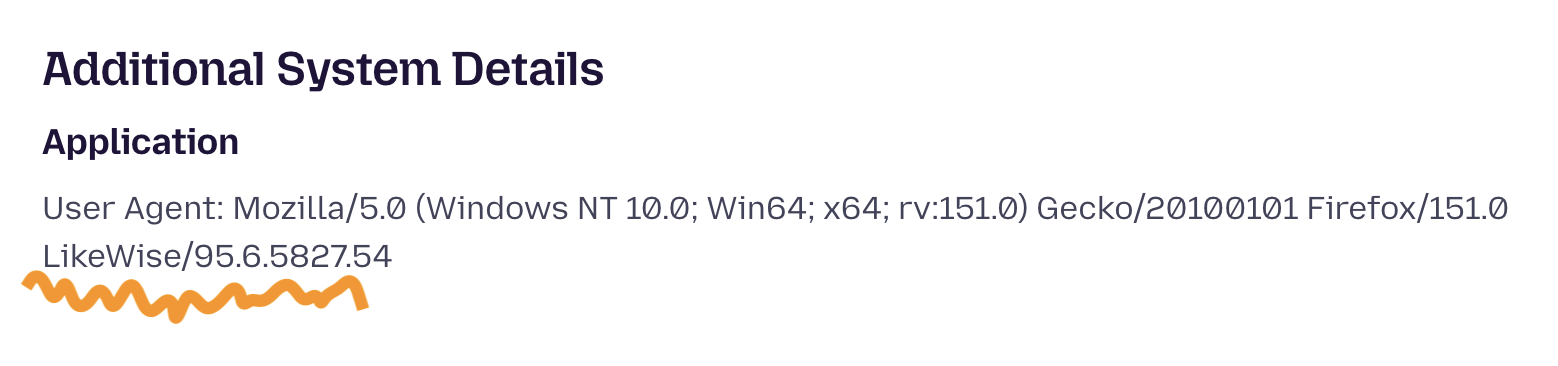
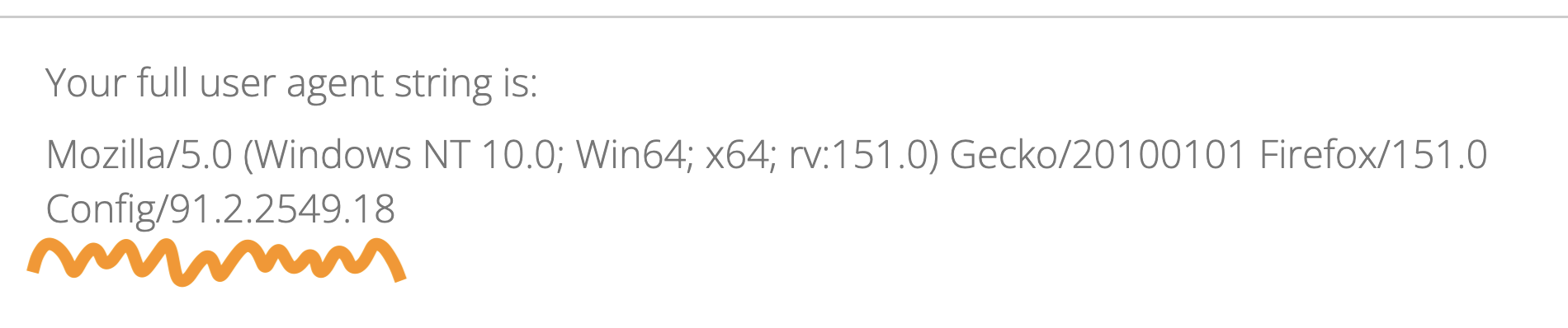
Your fingerprint is definitely out of the ordinary, stands out more, and changes between requests, which looks dubious — and doesn't come from Firefox, some of your other appliances must have been adding it to the connection. These random additions shouldn't be there:
Thank you for the reply. I have uninstalled AVG products multiple times and FF blocks the same websites. I used to be able to clear the cookies and turn off enhanced tracking in the FF is on guard icon and it usually solved the problem but not lately.
Could you please elaborate or point to a web explanation of your statement: "Your fingerprint is definitely out of the ordinary, stands out more, and changes between requests, which looks dubious — and doesn't come from Firefox, some of your other appliances must have been adding it to the connection. These random additions shouldn't be there:"
The fingerprint changes hourly per settings so I am not sure of the changes between requests. The "other appliances" is not understood. Please explain.
Thank you.
This is an identification of the browser. If another piece of infrastructure, software, hardware, on the networking layer or snooping into the connections changes that identification, you'd need to liaise with their support regarding impacts to the browsing experience, in case it triggers bot protections on the sites accessed.
(Without messing with the fingerprint, you look the same as millions of other users. With this thing being added, you a) look absolutely unique during the time frame, b) between the time frames you still stand out, maybe not unique over time, but different enough over time standing out from the whole user base — so it's doing you disservice; besides any compatibility breakage.)
It can also be unrelated, and it's just a networking issue. (My tip would be to check "DNS over HTTPS" settings in Firefox to either enable/disable or change the provider to something else — to see if that affects which Cloudflare/CDN location serves your connection, and if a different region potentially picked by triggering that change has any effect on the response quality.)
Firefox doesn't block any of the sites and providers. These providers evaluate and limit/restrict/block users' connections based on trust and suspicion scoring. If there's a pending connection and it's hanging, it is not a browser blocking a service (if that was e.g. a tracker being blocked, it would never get loaded at all and shimmed with just a local placeholder — that won't appear as a network request, and would not be blocking the loading events). It's most often a service not providing the results over the connection. HTTPS connections are most frequently stalled by security software (AV interference / VPN "extras").