Windows 10 reached EOS (end of support) on October 14, 2025. If you are on Windows 10, see this article.

Search Support

Avoid support scams. We will never ask you to call or text a phone number or share personal information. Please report suspicious activity using the “Report Abuse” option.

Learn More

Right click on LinkedIn

  • No replies
  • 1 has this problem
  • Open

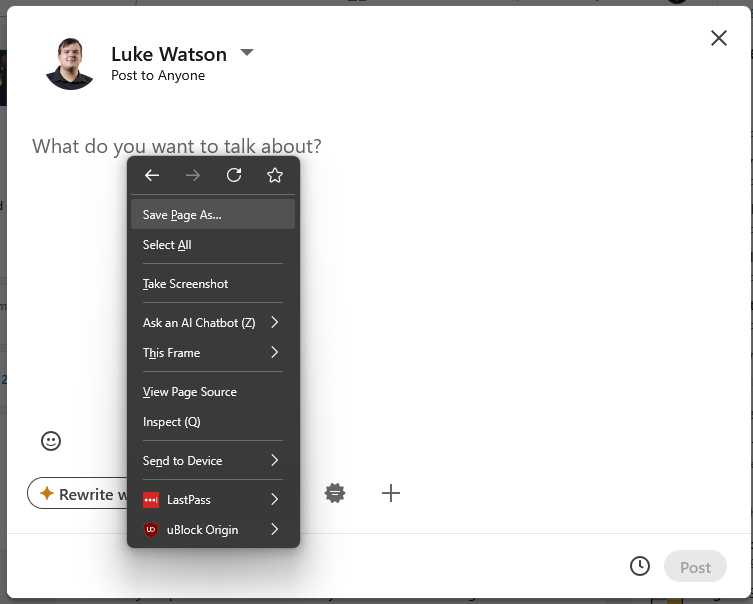
A client of ours has recently raised an issue with with us stating where right-click, Paste does not work when adding text to a new LinkedIn post

After investigating, we have been able to reproduce the same behavior on our devices.

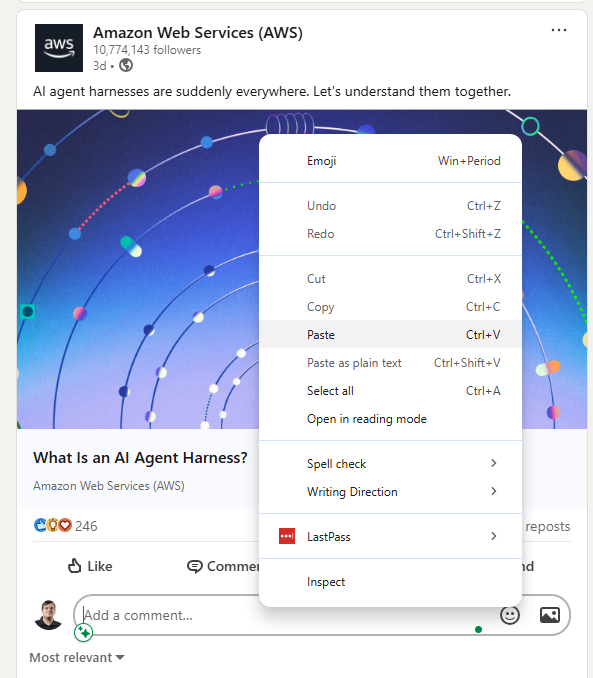
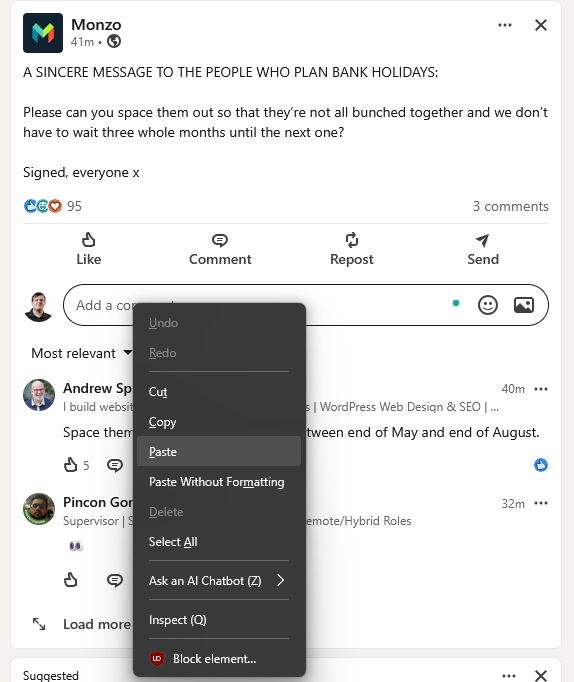
However, from our testing, we can right click to past on comments, messages and searches just fine

Troubleshooting already attempted:

Cleared Firefox cache Performed Firefox refresh Tested across multiple devices

We have confirmed this occurs on:

Clients device My work desktop My work laptop My personal desktop My Personal Macbook

This issue appears to have started after updating to Firefox version 151.0.0. I know this as i have tested this on my work laptop, appeared to work fine then stopped working after manually updating from 150.0.3 to 151.0.0.

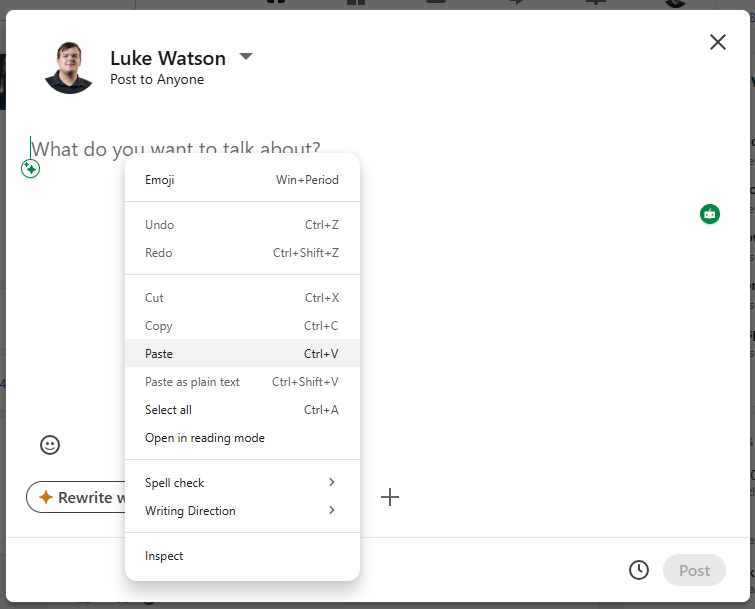
Please let us know if there are any known issues, additional troubleshooting steps, or if further diagnostic information would help I have attached screenshots of the issue.

I have also tested this in the Google Chrome web browser and appears to be working correctly as also seen in the screenshots.
A client of ours has recently raised an issue with with us stating where right-click, Paste does not work when adding text to a new LinkedIn post After investigating, we have been able to reproduce the same behavior on our devices. However, from our testing, we can right click to past on comments, messages and searches just fine Troubleshooting already attempted: Cleared Firefox cache Performed Firefox refresh Tested across multiple devices We have confirmed this occurs on: Clients device My work desktop My work laptop My personal desktop My Personal Macbook This issue appears to have started after updating to Firefox version 151.0.0. I know this as i have tested this on my work laptop, appeared to work fine then stopped working after manually updating from 150.0.3 to 151.0.0. Please let us know if there are any known issues, additional troubleshooting steps, or if further diagnostic information would help I have attached screenshots of the issue. I have also tested this in the Google Chrome web browser and appears to be working correctly as also seen in the screenshots.
Capturas de pantalla anexas

You must log in to your account to reply to posts. Please start a new question, if you do not have an account yet.