


Snooze tabs not working after update, suggestions please?
Hi all,
After the last update the former Mozilla Test Pilot "Snooze Tabs" isn't working for me any more, I tell a tab to snooze and it just stays where it is. https://addons.mozilla.org/en-GB/firefox/addon/snoozetabs/
I've tried running with addons disabled and then running with addons active again and the behaviour is the same. It's the same behaviour whether I run from the toolbar or the context menu.
I'm presuming this problem is related to Firefox update mechanics. Any suggestions for how to get this working again please?
Cheers :)
All Replies (6)
Hi all, Any suggestions? I've found that on another computer that the addon still works. The only obvious difference is that one computer runs Win10Pro and the other is Win11Home. Cheers :)
The extension may not be compatible. You can check the Browser Console for relevant-looking messages.
Hi cor-el,
I had a look at the browser console and couldn't see any error messages, but I did get a load about the font on the firefox-source-docs not being downloadable for some reason! :D
I tried removing the addon, restarting Firefox and then re-adding the addon, and it didn't fix it. I tried refreshing Firefox and that didn't fix it.
I tried another profile on the same install and it had the same behaviour.
Oddly, after a restart it worked once, but then not again.
I tried reinstalling Firefox, that didn't work.
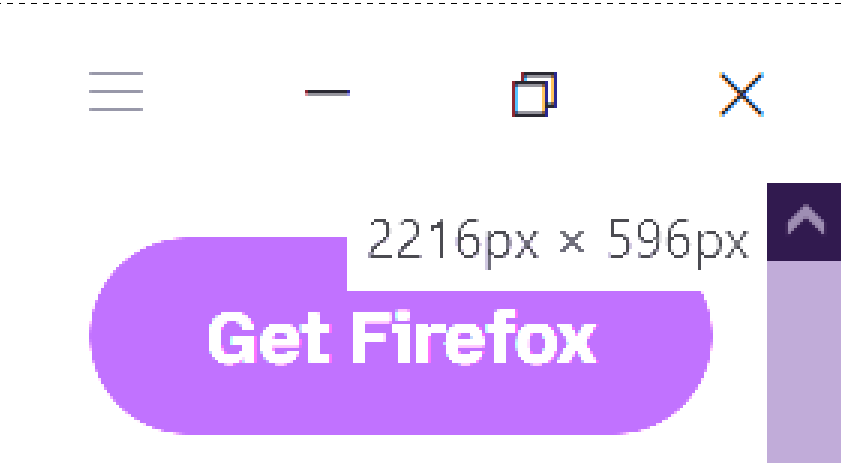
I noticed that when trying to Snooze a tab, this sort of pixel dimension text appears in the top right corner.
Edit: To clarify, that text which appeared was 2216px x 596px
madbilly modificouno o
Hi all, That text doesn't appear each time, it only appears on certain websites, I've not found the cause.
I've found that two pages from two domains can be snoozed:
No other mozilla.org subdomains and no other domains or subdomain that I've tried can be snoozed at all.
What changed recently to stop this addon working?
Also tested on Dev (v151) and Nightly (v152) and the addon behaves the same there too.