


I can't access RBS digital banking on Firefox

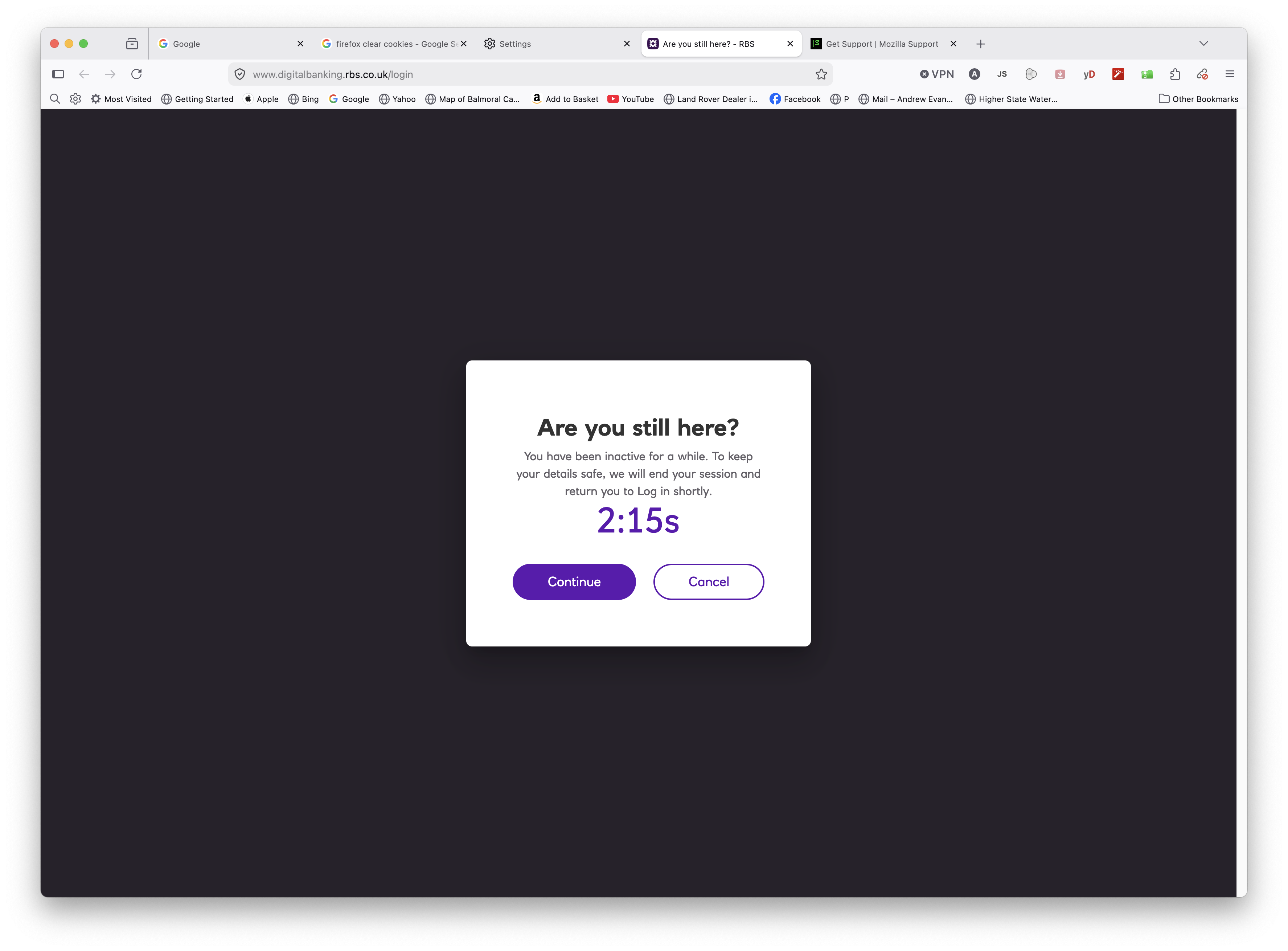
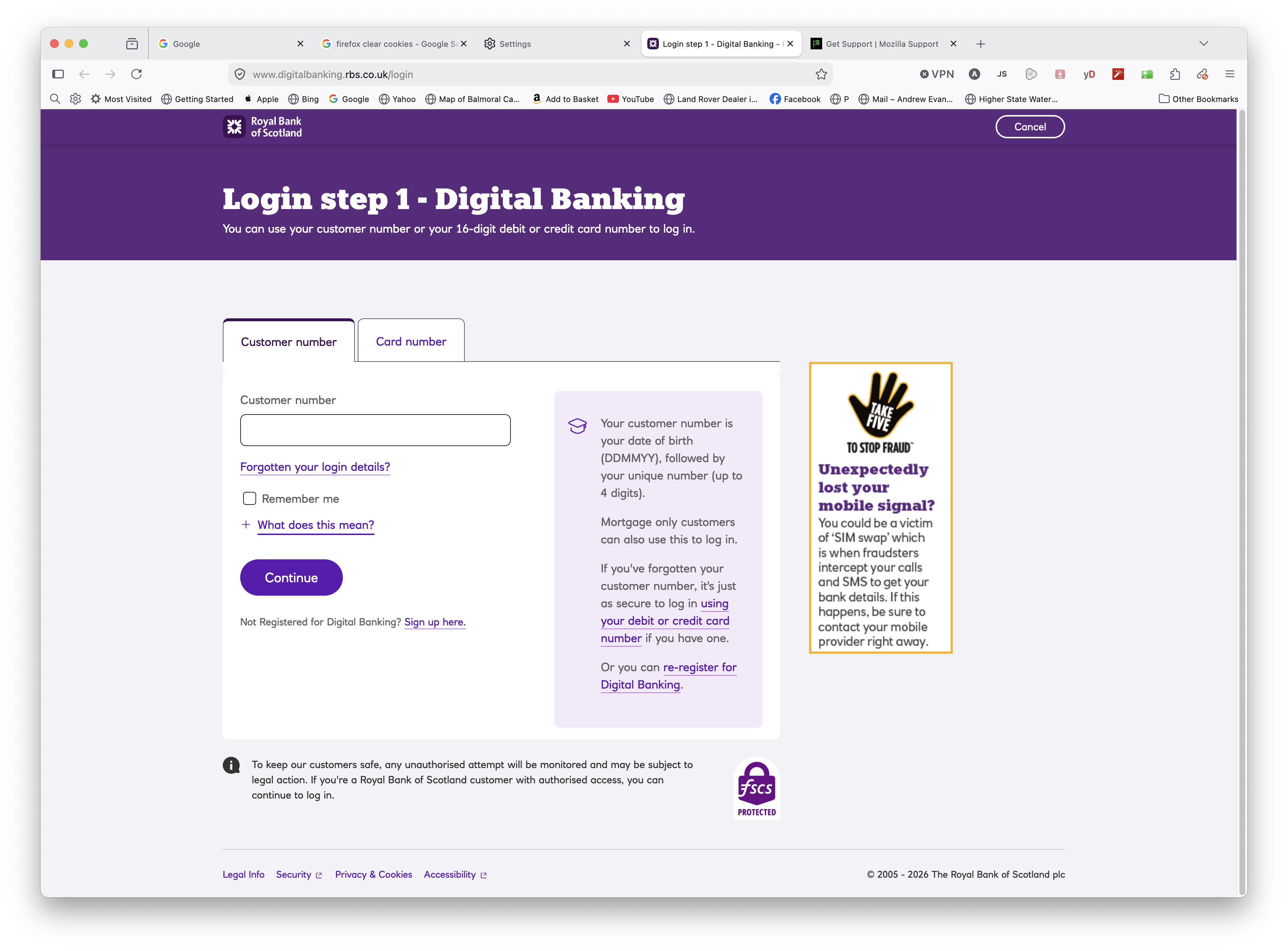
I can't sign into my RBS Digital Banking page using Firefox. The display flips back and forth uncontrollably from Login page to Are You still Here? page. Login via Safari is as normal .. but Firefox is my preferred browser.
All Replies (4)

Here are a few basic troubleshooting steps to try to resolve your issue:
1. Clear RBS Cookies and Cache
-On the top right, click on the three horizontal lines (Firefox menu).
-Click "Settings" toward the bottom of the window.
-Locate "Privacy & Security" found on the left side panel and select it.
-Scroll down to "Manage browsing data" and click on it.
-Find RBS in the "Manage Cookies and Site Data" window.
-Click to highlight RBS and then select "Remove Selected" and "Save Changes."
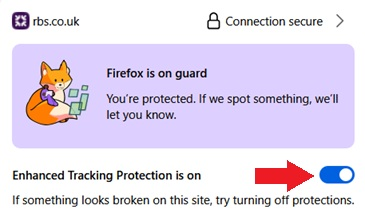
2. Turn off Firefox Enhanced Tracking Protection
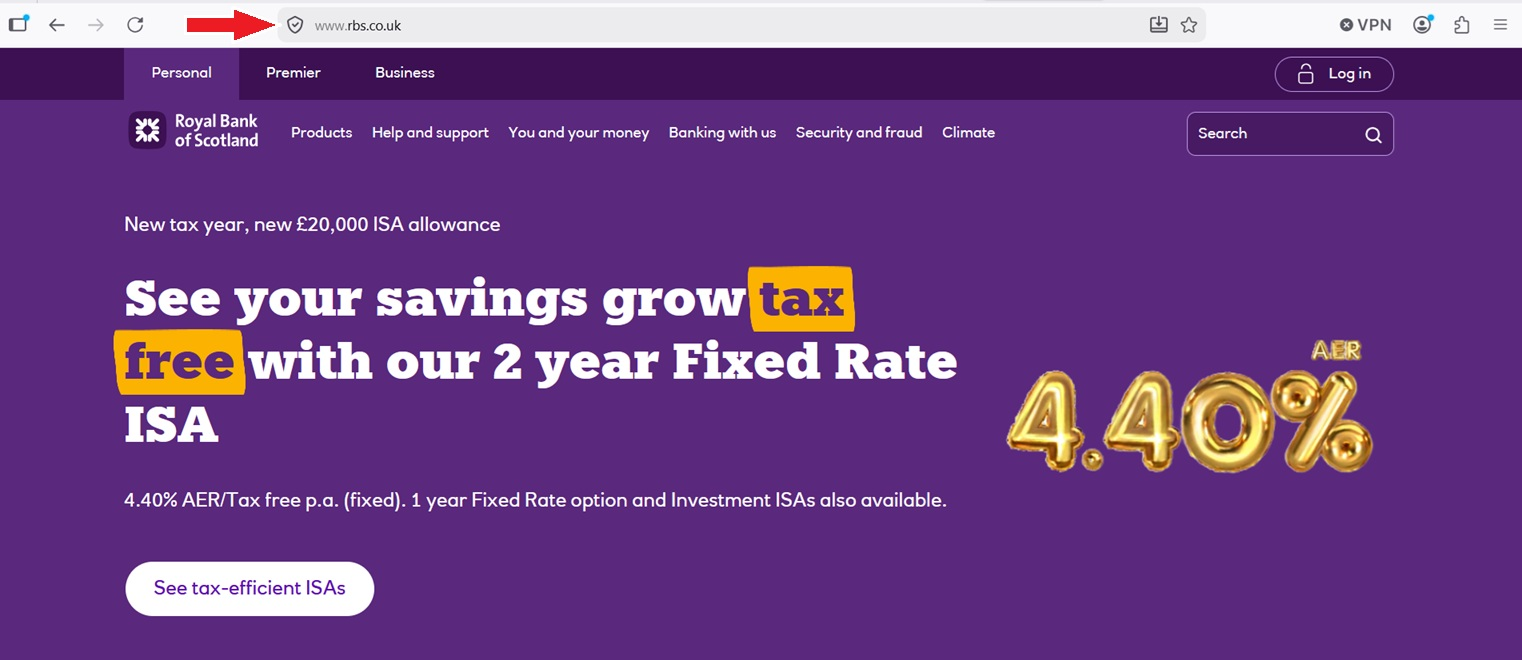
-On the RBS website, locate a shield icon on the address bar. [See Screenshot]
-Click on the shield, and a small window will open.
-Toggle the "Enhanced Tracking Protection is on" switch to off. [See Screenshot]
- Information was gathered first-hand with some A.I. assistance
shaneschmid01 modificouno o
Thanks for the suggestion. Tried it but hasn't stopped it.
Something did happen earlier today and the situation stabilised, allowing me to log on. But it's not stable and went back to flicking between the log-on and 'are you still here?' windows.
Solved the problem - conflict with latest version of Adblocker. Everything stabilised once I made the RBS site an exception. Oddly, this digital banking site doesn't post adverts..
I'm glad you were able to solve the issue. Disabling any ad blockers or other extensions would've been one of my next suggestions. Even though RBS doesn't display advertisements, some ad blockers can misinterpret elements of a webpage, seeing them as ads (even though they aren't). These elements can be fundamental to the website loading and working properly. As you noted, adding an exception for RBS is the correct method to resolve the problem.
I pulled the information from this article: https://www.suped.com/learn/email-deliverability/why-do-website-pages-fail-to-load-or-display-content-with-ad-blockers