


Unhable to login, Thunderbird in Windows

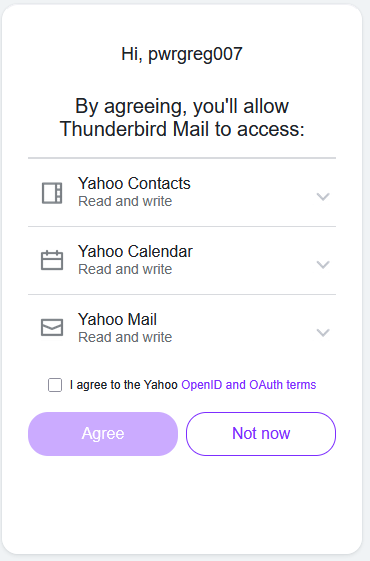
To install a Windows 10 update (I'm on extended support) I told it to update & shutdown. I fired it up this morning and Thunderbird is asking for credentials. It usually just runs & downloads emails. I enter my password, then a code from authenticator app. It shows the page below in an embedded browser window that has a checkbox and an "Agree" button. I check the box but the Agree button is still disabled. Dead end. I cannot connect & I'm stuck.
Chosen solution
I'm not sure what was happening, but it is working now. I restarted Thunderbird, repeated the process, and the Agree button WAS enabled after about a one-second delay after checking the "I agree" checkbox.
Ler a resposta no contexto 👍 0All Replies (1)
Chosen Solution
I'm not sure what was happening, but it is working now. I restarted Thunderbird, repeated the process, and the Agree button WAS enabled after about a one-second delay after checking the "I agree" checkbox.