


moving thunderbird emails

hello,
i am trying a second time to submit my question:
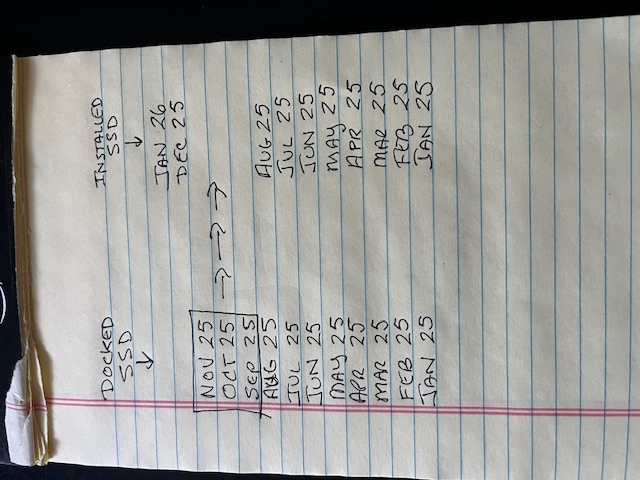
how can i migrate 3 months of prior thunderbird emails from a docked ssd to the ssd installed in my computer. please see attached photo.
the migration must be done without creating duplicate emails for the months of January 2025 through August 2025. more importantly, i don't want to disturb or lose the emails of December 2025 and January 2026 that are now on my computer. so my simplistic analysis is that i have to be able to move hand-selected emails from the docked SSD to the SSD installed in my computer. otherwise if i move an entire profile, it will erase my current profile that includes December and January emails.
thank you
All Replies (1)

Hi Eric,
I read the other discussion.
It seems that the three months of messages on the docked SSD are in an old Thunderbird profile. Is that right?
And those messages are not yet segregated by month. Is that right? Are they all in an inbox? Or where? Are they spread across many folders?
Do you know how to access that old profile with Thunderbird?
And you want to move those messages from that profile to a newer Thunderbird profile on your internal drive. Is that right?
What structure do you want the messages in on your internal drive? All in one folder? Segretated by month? Something else?
Do your old profile and new profile have the same name?
Rick modificouno o