


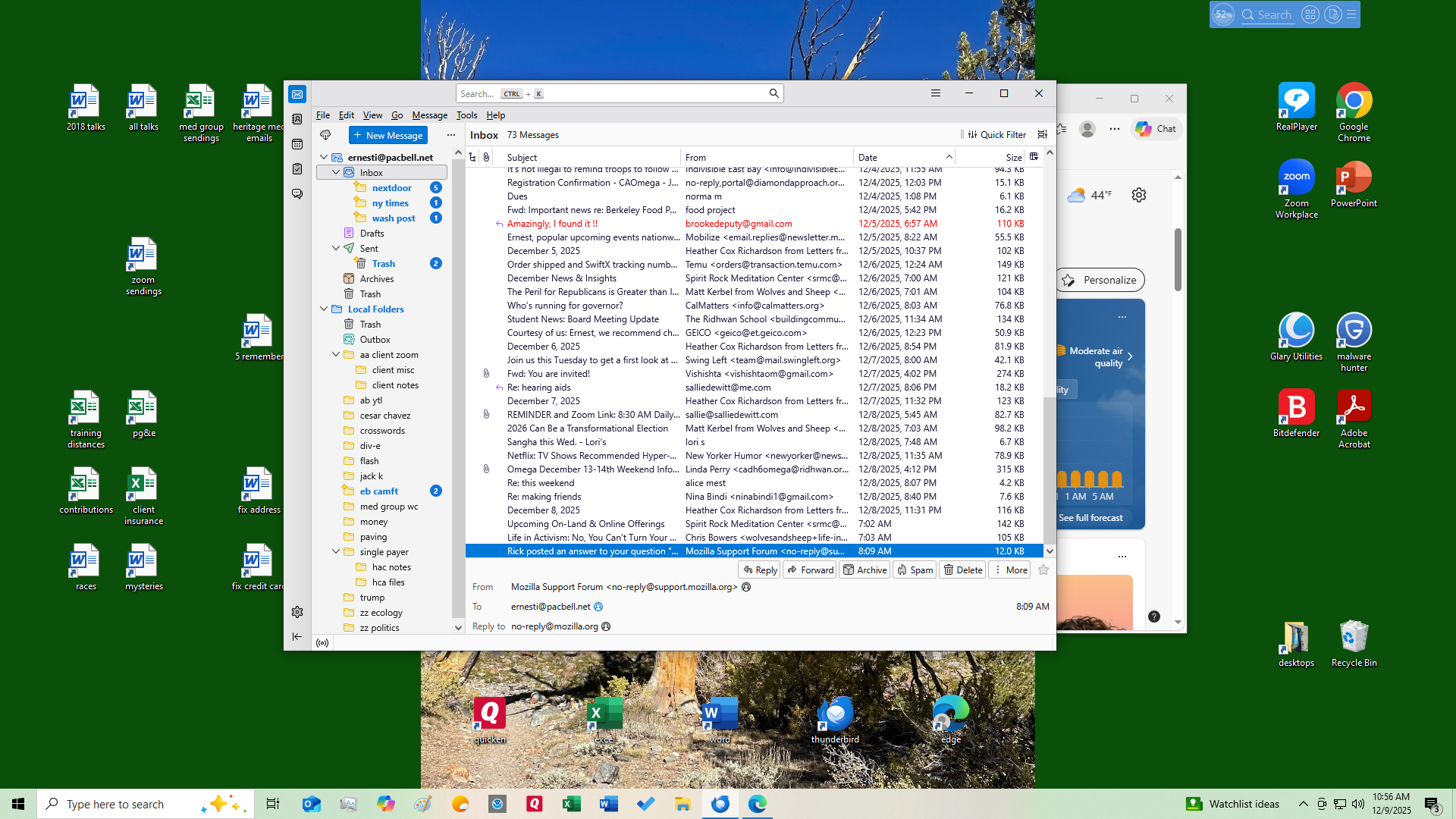
All of a sudden, when I sign on to Tbird, the bottom of my screen has the top six lines of the email I am looking at. I DON'T WANT THIS. How can I get rid of it?

Fix this change so I can get rid of it.
Chosen solution
There is a dividing line between the list of messages and the individual message that you see at the bottom. Click and drag that line to adjust the relative sizes of the top and bottom sections of the window. You can show more of the individual message so that the information is meaningful to you or you can choose not to show any part of an individual message at the bottom of the screen.
I put my dividing line in the middle.
To see more messages at once, you might also increase the size of your Thunderbird window. You might find that you have room for both many messages and part of an individual message. if you like that.
Ler a resposta no contexto 👍 0All Replies (3)

The bottom 6 lines just repeat what I already know about the email. I want to remove them to see more emails at once.
Chosen Solution
There is a dividing line between the list of messages and the individual message that you see at the bottom. Click and drag that line to adjust the relative sizes of the top and bottom sections of the window. You can show more of the individual message so that the information is meaningful to you or you can choose not to show any part of an individual message at the bottom of the screen.
I put my dividing line in the middle.
To see more messages at once, you might also increase the size of your Thunderbird window. You might find that you have room for both many messages and part of an individual message. if you like that.