

Este fío arquivouse.
Faga unha nova pregunta se precisa axuda.

Resolto
Arquivado
Emails will not delete
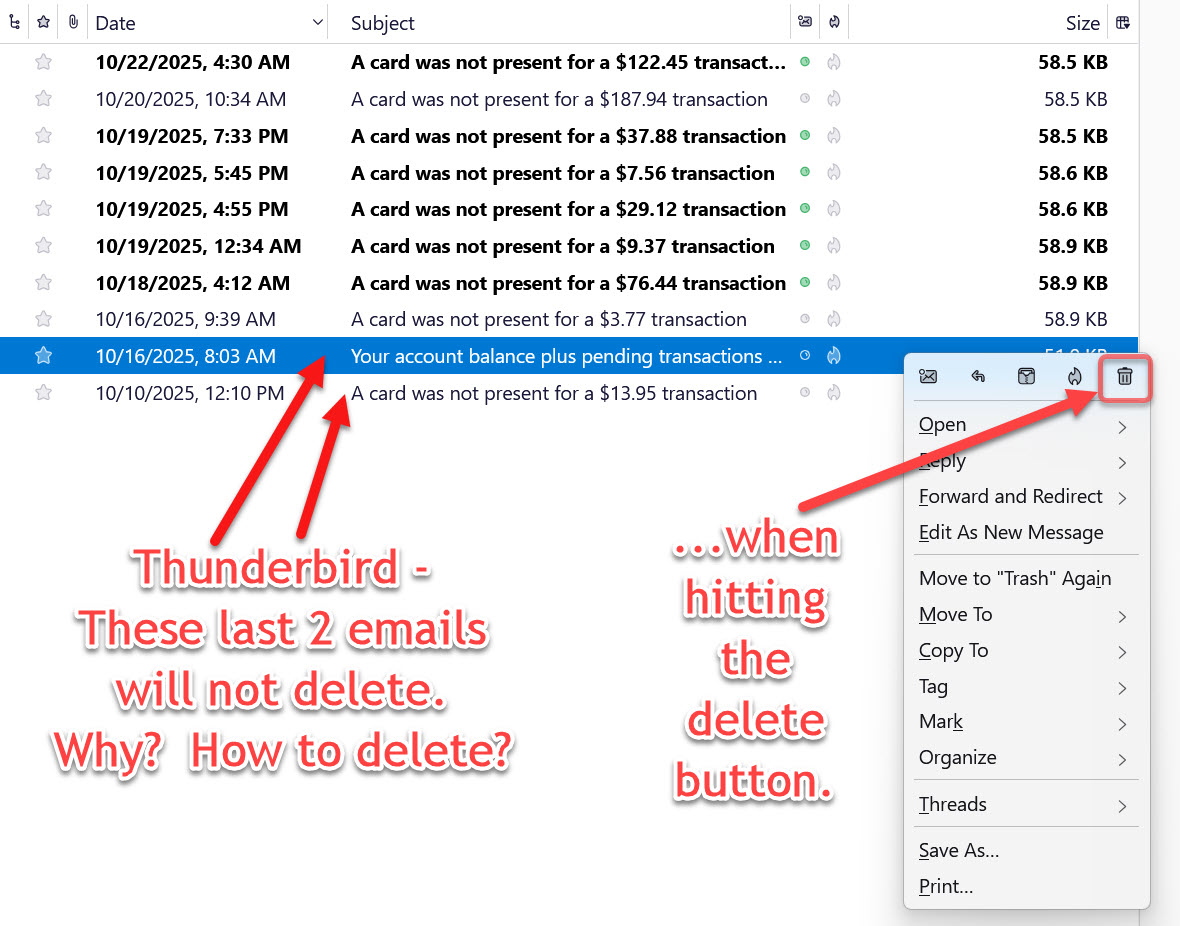
I have Thunderbird running on Win 11. I have several email accounts, and 4 local folders. In one of the local folders, there are several emails, and the bottom 2 emails (as shown in the image) will not delete when I hit the delete button. When I do an "open in new tab" in Thunderbird, it opens a view that shows blank. How can I get these 2 emails to delete? and what is preventing them from being deleted via the delete button?
I have Thunderbird running on Win 11. I have several email accounts, and 4 local folders. In one of the local folders, there are several emails, and the bottom 2 emails (as shown in the image) will not delete when I hit the delete button. When I do an "open in new tab" in Thunderbird, it opens a view that shows blank. How can I get these 2 emails to delete? and what is preventing them from being deleted via the delete button?
All Replies (2)

Chosen Solution
Try to rebuild the index file of the troubled folder.
Right-click the folder - Properties - Repair Folder
Crist1, that "Repair Folder" fixed it...thanks.