Windows 10 reached EOS (end of support) on October 14, 2025. For more information, see this article.

Search Support

Avoid support scams. We will never ask you to call or text a phone number or share personal information. Please report suspicious activity using the “Report Abuse” option.

Learn More

pinned tabs

more options

For a week my pinned tabs are lost every time I open Firefox. I have checked my settings, they were the same as always. I have de-selected them, closed and re-opened firefox, selected them again, closed and re-opened again, pinned my tabs again. Then closed and re-opened firefox and still they are not there. I have done this multiple time with the same results. This seems to have started after the last update.

For a week my pinned tabs are lost every time I open Firefox. I have checked my settings, they were the same as always. I have de-selected them, closed and re-opened firefox, selected them again, closed and re-opened again, pinned my tabs again. Then closed and re-opened firefox and still they are not there. I have done this multiple time with the same results. This seems to have started after the last update.

All Replies (2)

more options

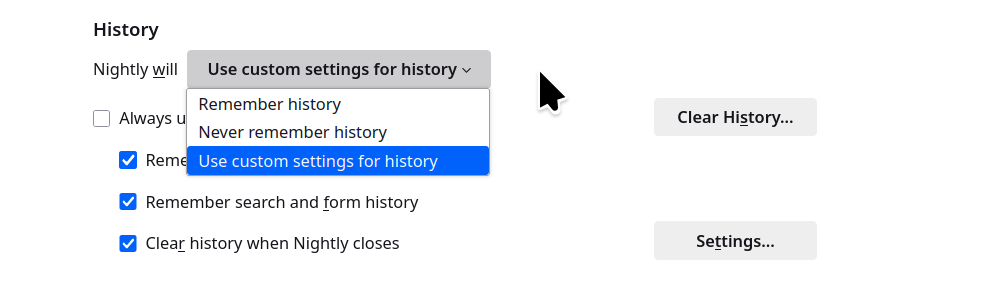
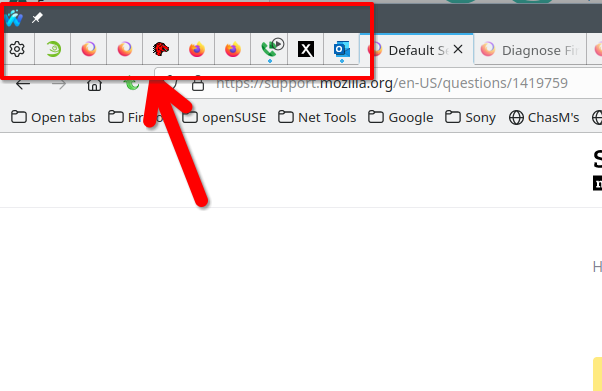
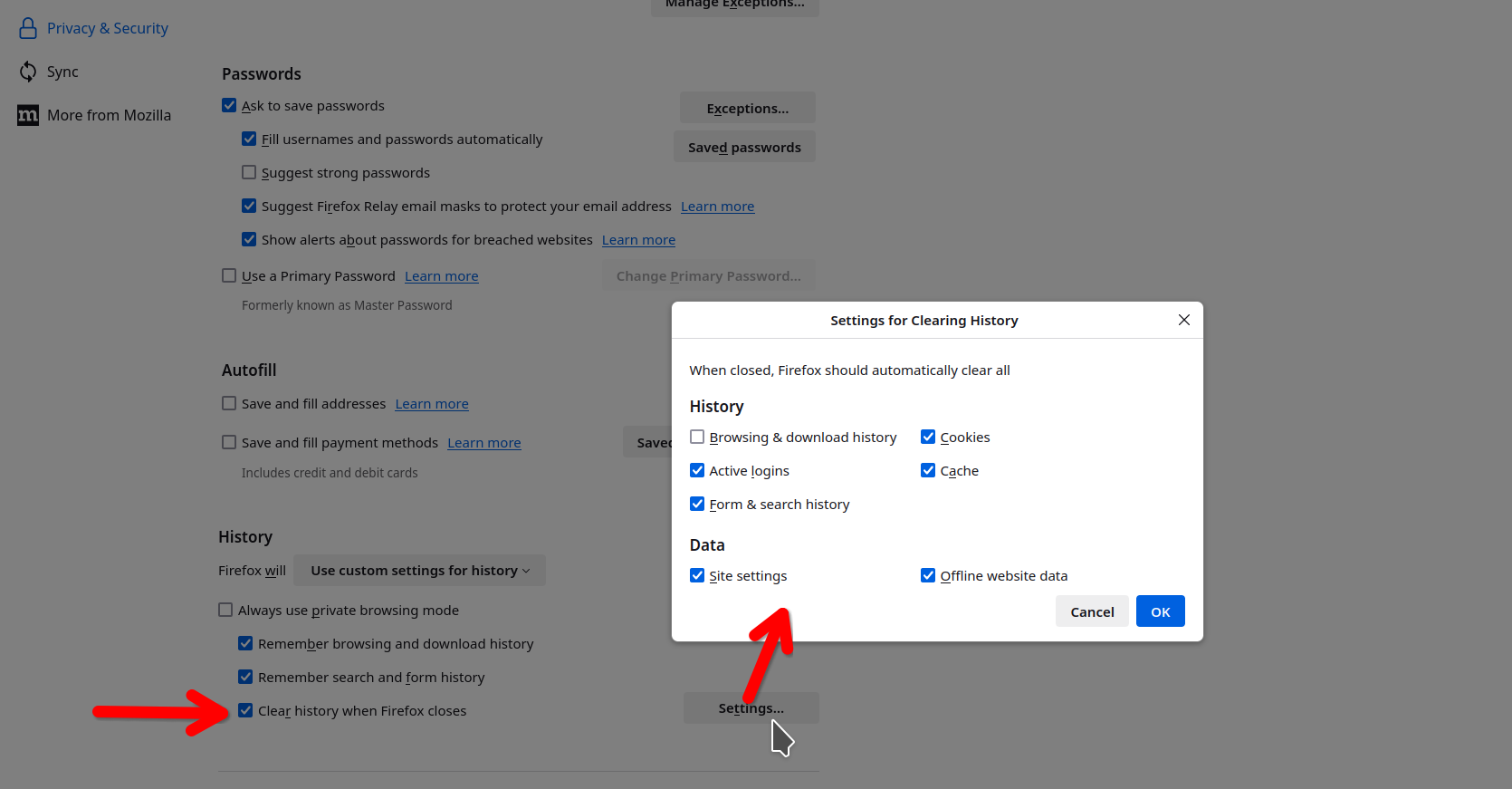
My pinned tabs are usually there, i have them in all versions that i run. see screenshot What do you have Firefox set to when you close the browser? see screenshot
jonzn4SUSE modificouno o

more options

I also face the same issue. I have three pinned tabs, and at least two of them disappear every time I open Firefox. What I do now is to Reopen Closed Tabs every time I see that pinned tabs have disappeared.

Ask a question

You must log in to your account to reply to posts. Please start a new question, if you do not have an account yet.