


Incoming mail

Hi, I would like my incoming mail list to show each individual email as a separate item and more importantly with it's own arrival date, not as they currently are; all under the first email with that subject heading.
Chosen solution
All Replies (8)
- highlight the folder - click view>sort by>unthreaded (if menu bar is not visible, press alt key prior to clicking view.)
Thanks for the reply David, sadly it doesn't help. The menu bar is visible but it doesn't contain 'View', when I try to costomise it, there is an option for 'View' but when I add it to the bar it's title only reads 'All' and clicking it doesn't display the commands you mention. 'View' doesn't appear anywhere else either.
Please post a screenshot of what you see when you activate the menu bar. the menu bar across the top should have words such as File, Edit, View, Go, Message, Events&tasks, Tools, Help
Yes I agree, that's what I'd expect to see. I'm not entirely sure I know how to post a screen shot, but I'll give it a try...
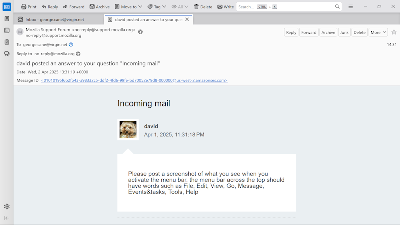
That screenshot is too small to read, but it appears you are not displaying the menu bar at all. Usually, pressing the alt key does that.
Thanks David, sorry about the size of the screen shot, I made it the size I use for ordinary emails. Thanks for the help, pressing the Alt key does show the menu bar, but pressing it PRIOR to highlighting the email group I didn't notice it because the highlighting removes it again. So, now I know how to get to the menu bar, it would be nice to have it there permanently as it always has been in the previous versions (All Windows until Windows 11). I've followed you suggestion and of course it has worked, thanks again.
Poppa
after clicking Alt key, press View>toolbars and tick 'menu bar.' That makes it permanent. :)
Chosen Solution
Thanks David, that's fixed it. I'll mark this as resolved .
Poppa