blinking typing cursor works everywhere

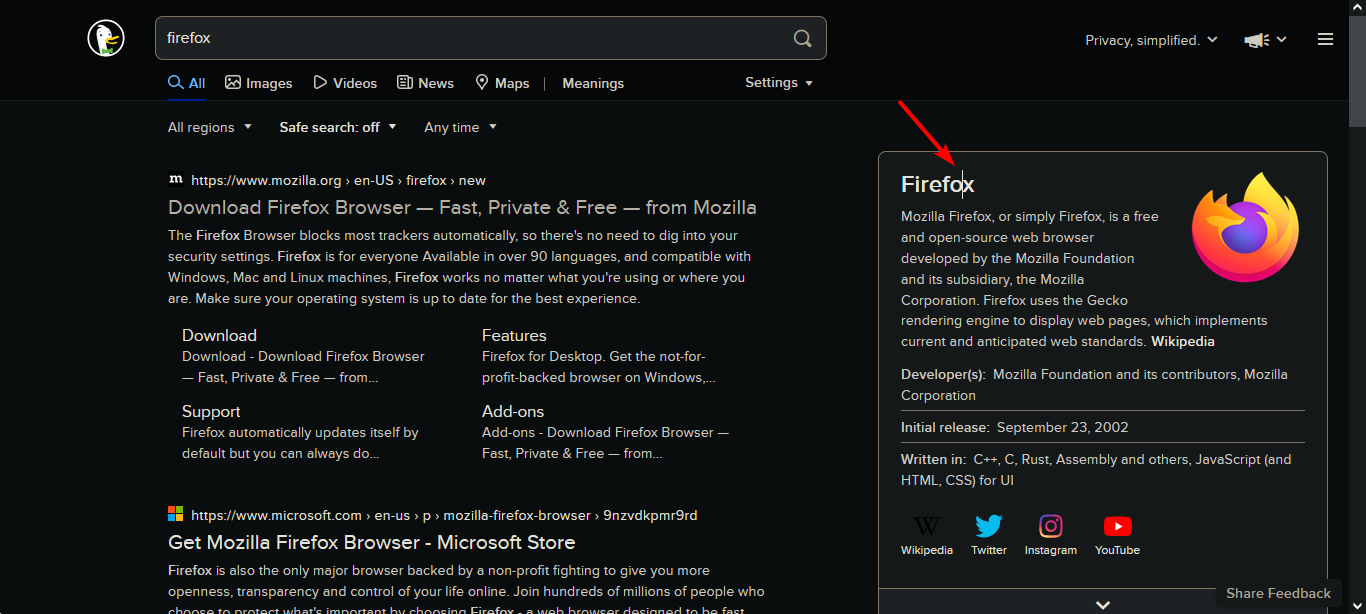
I am clicking on any object or text in the browser and the typing cursor appears, when it is actually supposed to show only in textboxes and this is getting annoying over time(check photos). So how can I fix this bug?
I am clicking on any object or text in the browser and the ''typing cursor'' appears, when it is actually supposed to show only in textboxes and this is getting annoying over time('''check photos''').
So how can I fix this bug?

Chosen solution
You may have activated caret browsing. F7 toggles it on and off. There is a setting in about:config to disable the shortcut.
Ler a resposta no contexto 👍 0All Replies (2)

Chosen Solution
You may have activated caret browsing. F7 toggles it on and off. There is a setting in about:config to disable the shortcut.
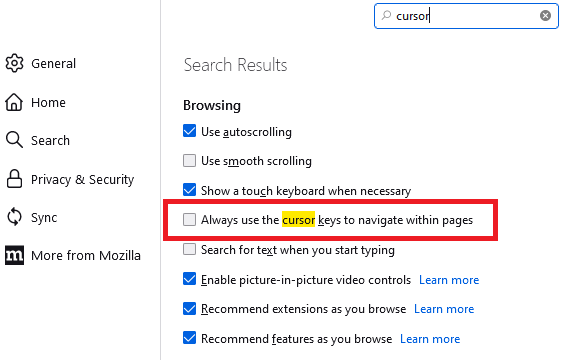
You also can uncheck the box on the Settings page -- search for cursor in the tiny search box at the top: