Windows 10 reached EOS (end of support) on October 14, 2025. If you are on Windows 10, see this article.

Search Support

Avoid support scams. We will never ask you to call or text a phone number or share personal information. Please report suspicious activity using the “Report Abuse” option.

Learn More
Arquivado

Firefox oprns an ancored URL at wrong position

gm040430

I've bookmarked the page

https://support.mozilla.org/en-US/kb/address-bar-autocomplete-firefox at the position of my interest: https://support.mozilla.org/en-US/kb/address-bar-autocomplete-firefox#w_changing-results-on-the-fly

When I go to this bookmark, Firefox positions the page correctly, than quickly jumps 1 screen upper.

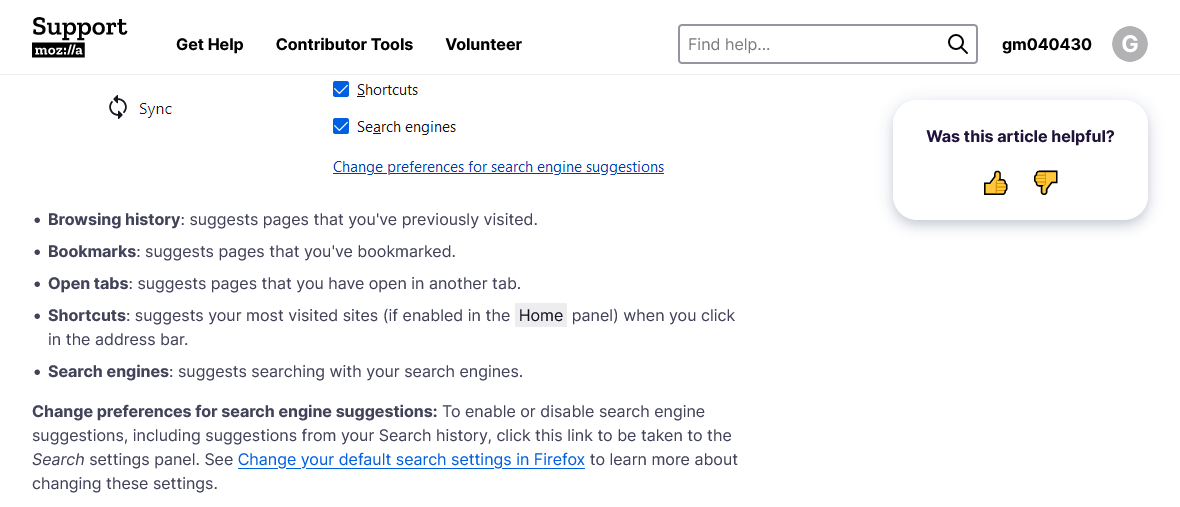
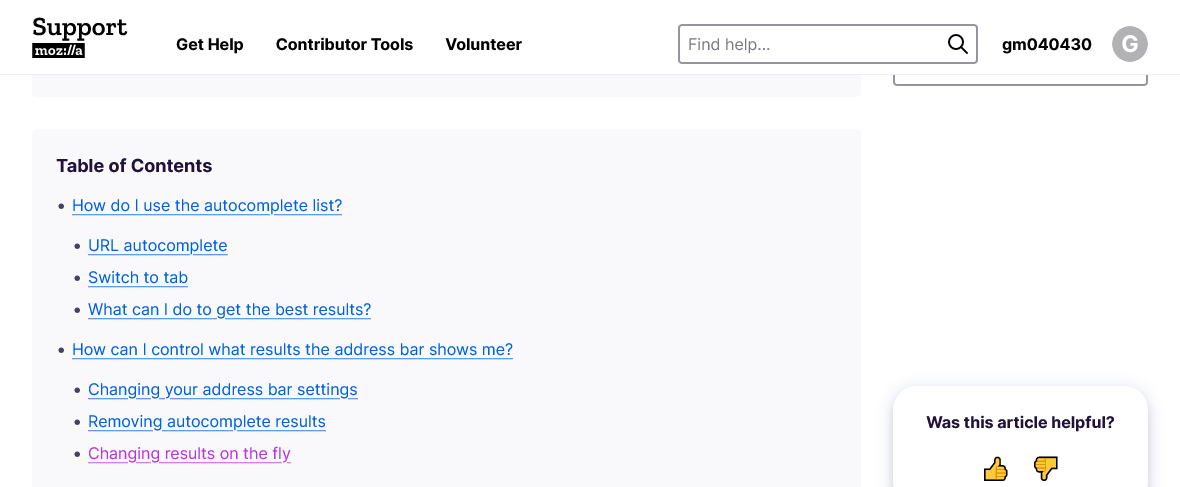
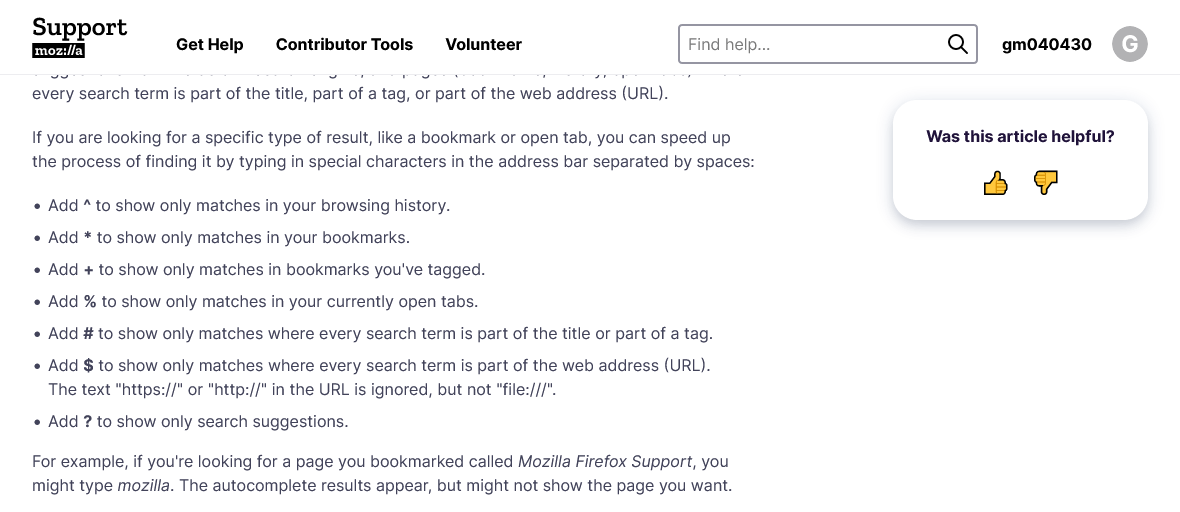
Fig. 1 (time-ordered): Top of the screen with the reference marked as visited. Fig. 2: What I see after clicking the reference (position is almost OK: the fixed at the top nav. bar hides the paragraph beginning). Fig. 3: What I see finally after clicking the bookmark (the same ref.!): 1 screen above target. Also, this position is shown after reloading the page, properly positioned when following the internal ref.

Firefox 95.0.2 (32-bit), Win10.
I've bookmarked the page https://support.mozilla.org/en-US/kb/address-bar-autocomplete-firefox at the position of my interest: https://support.mozilla.org/en-US/kb/address-bar-autocomplete-firefox#w_changing-results-on-the-fly When I go to this bookmark, Firefox positions the page correctly, than quickly jumps 1 screen upper. Fig. 1 (time-ordered): Top of the screen with the reference marked as visited. Fig. 2: What I see after clicking the reference (position is almost OK: the fixed at the top nav. bar hides the paragraph beginning). Fig. 3: What I see finally after clicking the bookmark (the same ref.!): 1 screen above target. Also, this position is shown after reloading the page, properly positioned when following the internal ref. Firefox 95.0.2 (32-bit), Win10.
Capturas de pantalla anexas

All Replies (1)