Screenshots are not downloaded on Firefox

I have a problem with Firefox screenshot taking feature. When I open the context menu (by right-clicking) on a webpage and choose "Take Screenshot", then I choose an element in the page, it gets selected. The problem is that when I click "Download", nothing happens! I went to the download folder and didn't see the image! How to fix this problem?
I have a problem with Firefox screenshot taking feature. When I open the context menu (by right-clicking) on a webpage and choose "Take Screenshot", then I choose an element in the page, it gets selected. The problem is that when I click "Download", nothing happens! I went to the download folder and didn't see the image! How to fix this problem?
All Replies (1)

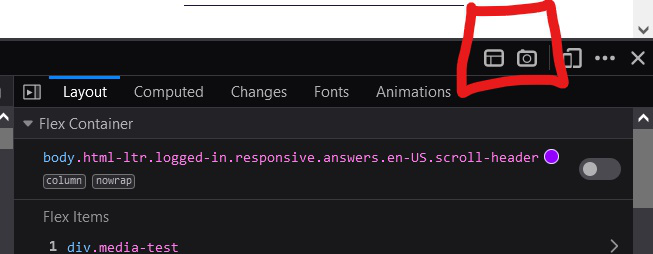
Hello There. Have you tried taking SS by right-clicking on the screen + Inspect (or simply press F12). There, you'll find an option to take SS of entire page. (Image is included below)
Other Alternatives include Installing seperate Extensions.