


Profile not working properly

Hello.
Has the profile logic been thought through?
When I set a default profile, I would expect
A) all new pages open into the default B) That firefox always opens the default without request.
This does not happen.
firefox.exe -P is set correctly.
Any ideas? I feel after the profile choice was improved, the basic logic may of been broken.
Thanks
Alle antwurden (6)
There's two separate systems. One is the command line, the other is the menubar — it sounds like you're using a mix of both… which, yes, might yield unexpected results.
jbr said
There's two separate systems. One is the command line, the other is the menubar — it sounds like you're using a mix of both… which, yes, might yield unexpected results.
Thanks @jbr . I did try about:profiles first. Neither work.
I suggest a simple way of this being fixed. Its only a fresh install recently, I think its a bug.
So you're implying you only have one "release–default" or similar in Profile Manager - Create, remove or switch Firefox profiles, and all your actually used profiles are in Manage Firefox profiles? In that system, unless you set the launcher to ask, you'll get started into the last used one: support.mozilla.org/kb/profile-management#w_choose-a-profile-at-firefox-startup
Thanks.
I have done everything correctly.
Is there instructions on building a fresh profiles ini for existing profiles.
Maybe it is corrupted.
All good wishes
Bewurke troch _MK_Peace op
Ok I checked.
It does not work as it should. Is there a way to check what the ini file should really be.
What happens.
A) I have a few profiles. I have the default profile set. I can get it to open on start by making the selection.
B) If I have another profile open, then I close all that profile LAST, then that profile becomes default.
Now the profile opened last will steal focus of links, and it will be the profile that is next opened when starting firefox.
It should always be default profile for everything.
This is not working as it should
I will try and delete all profiles and start again
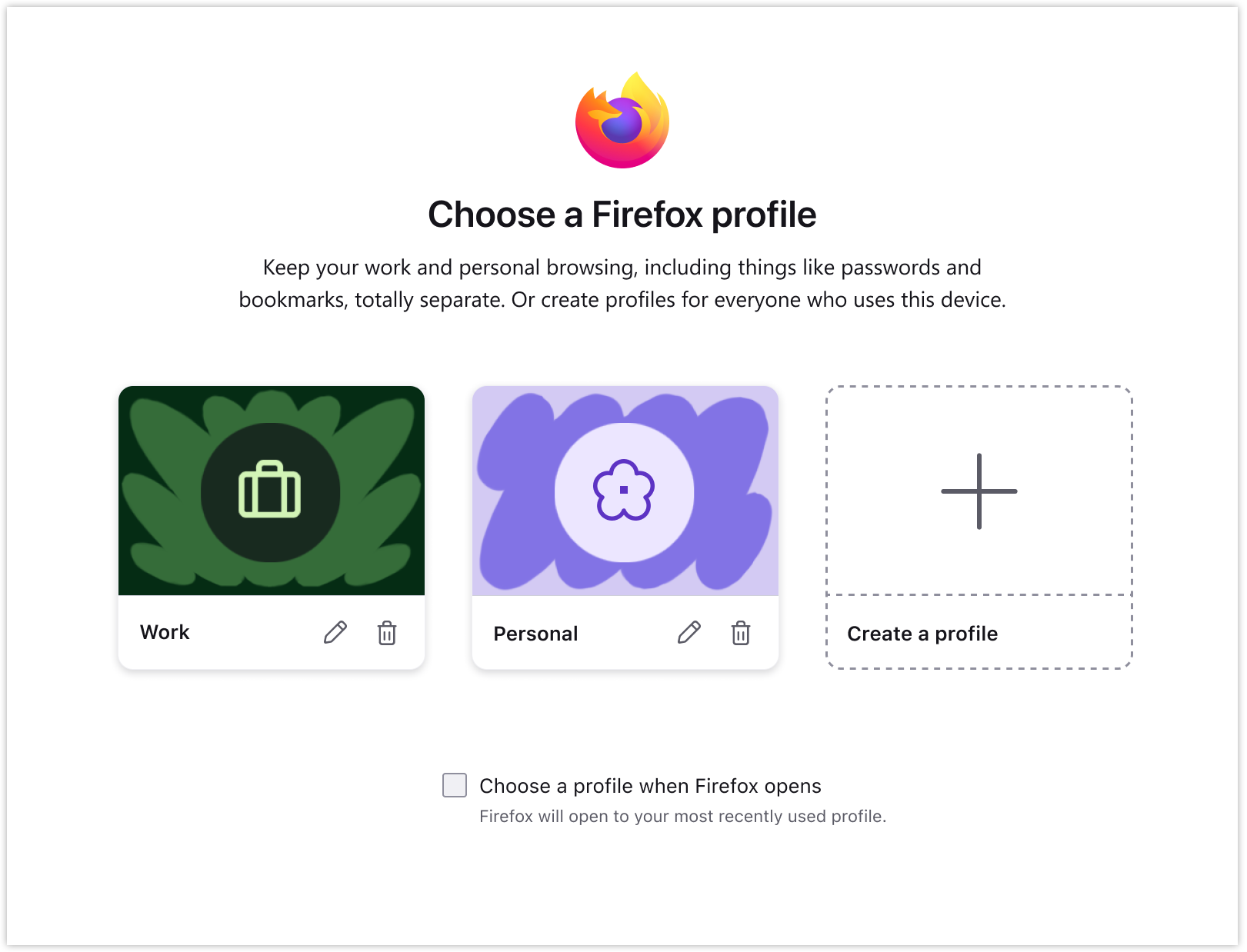
Old profile system has "default" concept that's set on the ini level.
New profile system (where the screenshot above comes from) has NO "default" concept, see the checkbox captured above — it either uses the last one, or you have to choose.