Turn off Firefox VPN

I have a VPN that is very easy to use according to MY wishes I want to TURN OFF FIREFOX VPN
I have been using this browser since Andreson first put it out there. Get out of my business or I will get out of yours
Alle antwurden (3)
Hi,
Please see the corresponding sections of this article.
Hello
For information https://www.firefox.com/en-US/firefox/149.0.2/releasenotes
Introduced a new enterprise policy that allows administrators to prevent the built-in VPN and IP protection features from being available to users. (Bug 2022365)
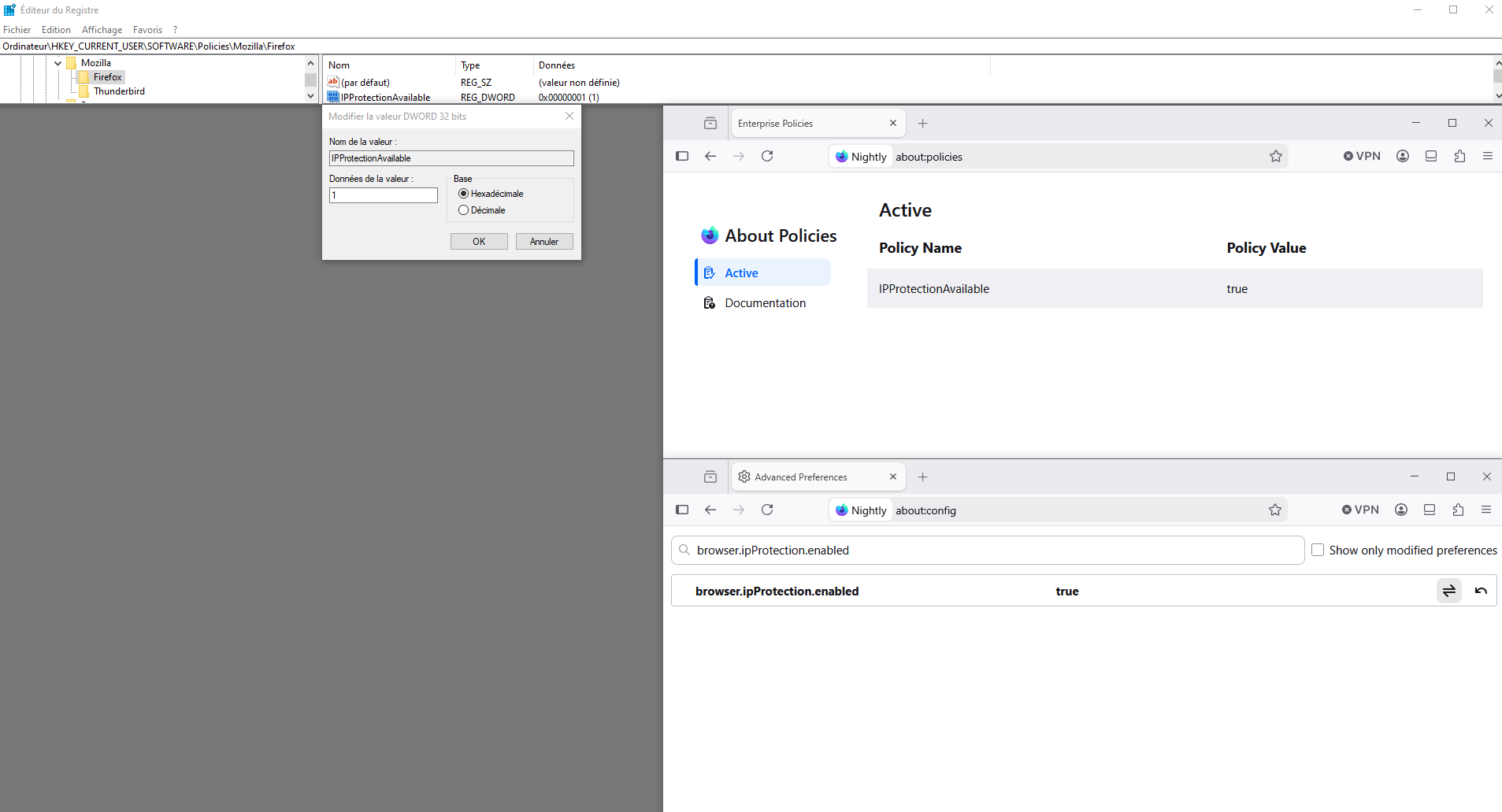
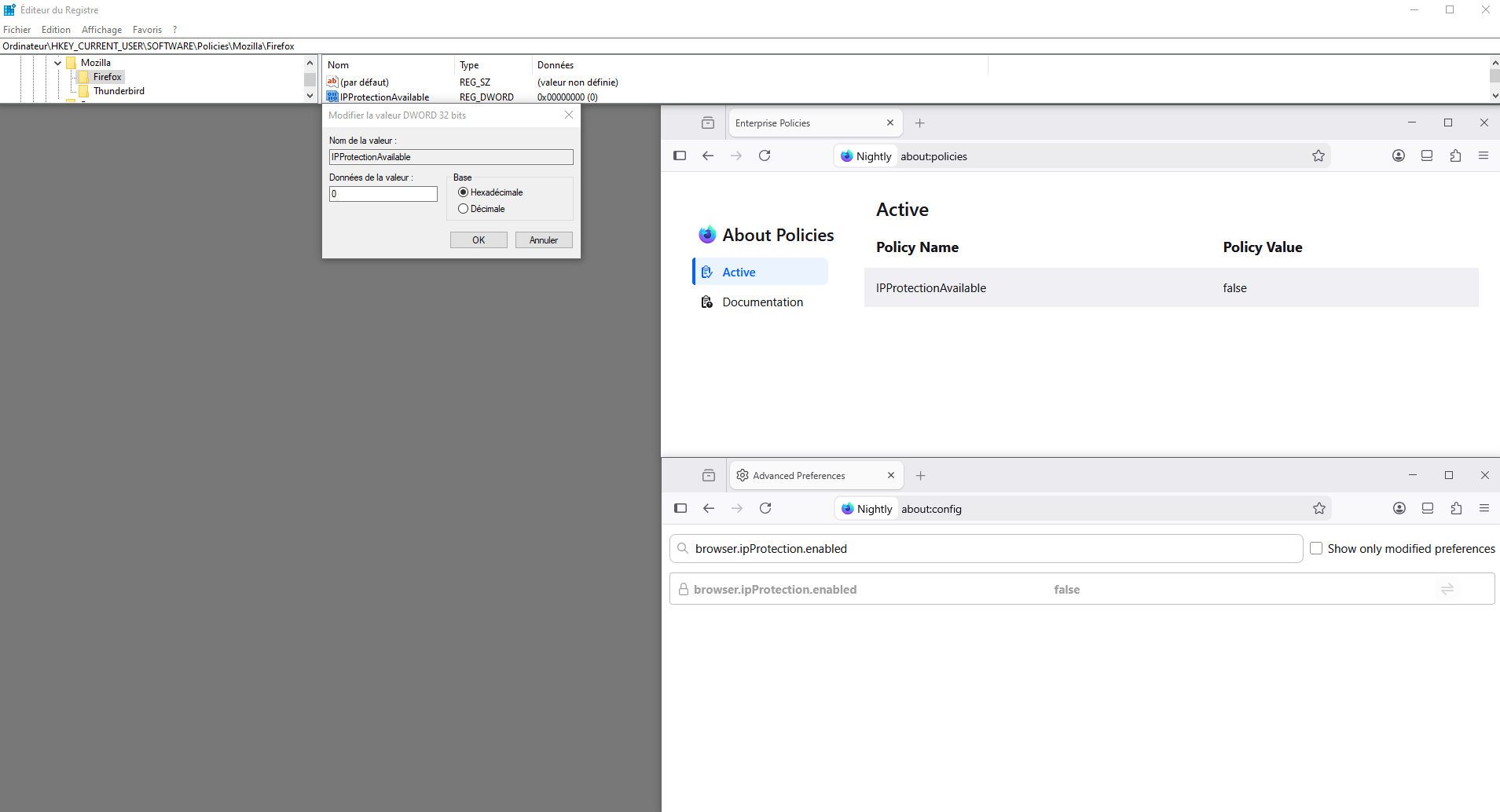
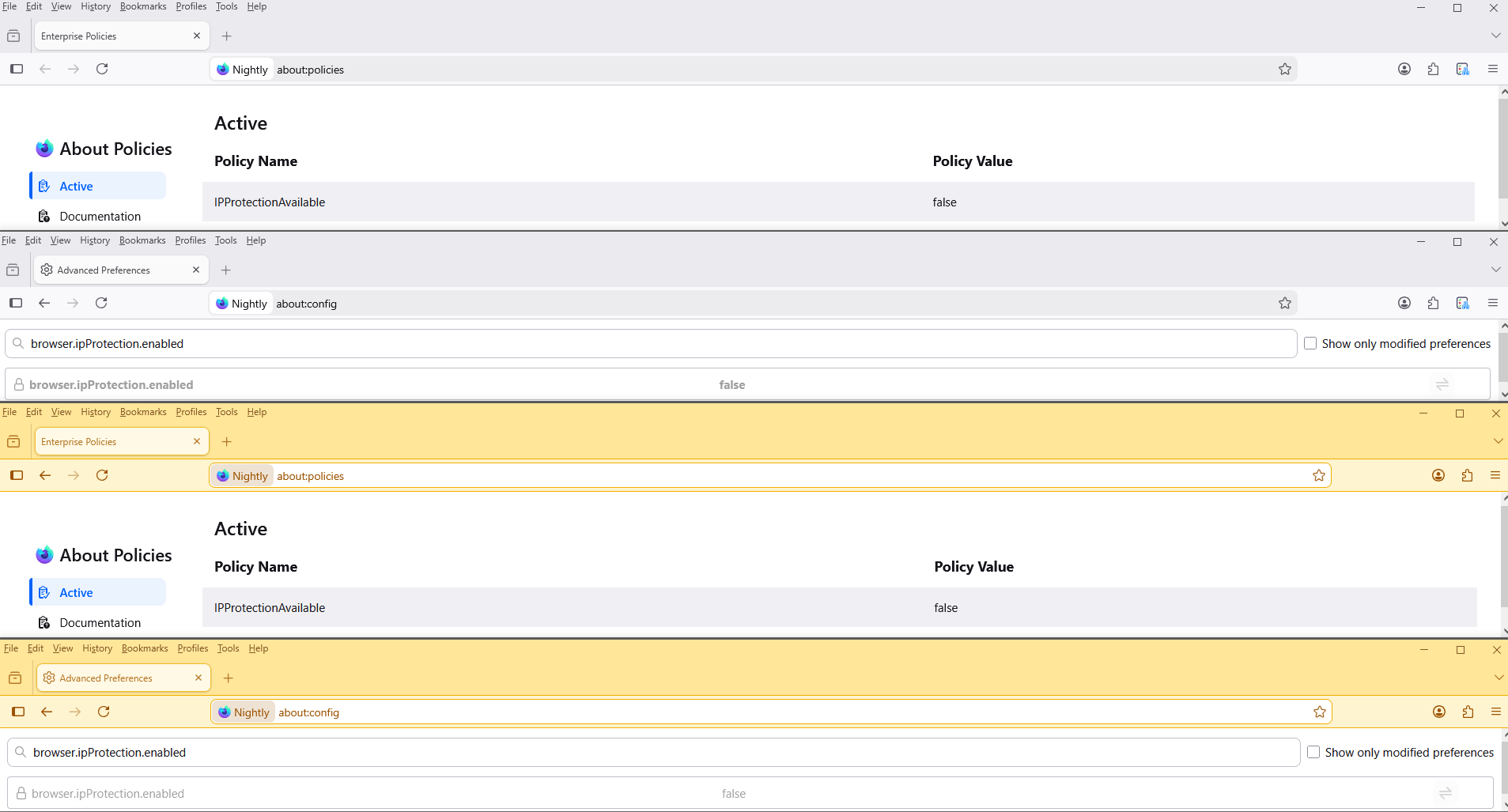
Firefox policies IPProtectionAvailable https://mozilla.github.io/policy-templates/#ipprotectionavailable Preferences Affected: browser.ipProtection.enabled
1 - Go to configuration editor https://support.mozilla.org/en-US/kb/about-config-editor-firefox 2 - Enter a search term browser.ipProtection.enabled
Other information Enterprise Policy Generator https://www.camp-firefox.de/artikel/1182-großes-update-enterprise-policy-generator-8-0-für-firefox-veröffentlicht https://addons.mozilla.org/firefox/addon/enterprise-policy-generator
Your browser is being managed by your organization. Firefox policies affect all profiles.
Hello
Another way, you can use the Windows registry. HKEY_LOCAL_MACHINE\SOFTWARE\Policies\Mozilla\Firefox Or HKEY_CURRENT_USER\SOFTWARE\Policies\Mozilla\Firefox