Outgoing email not working

When I try to send an email I get the following message...
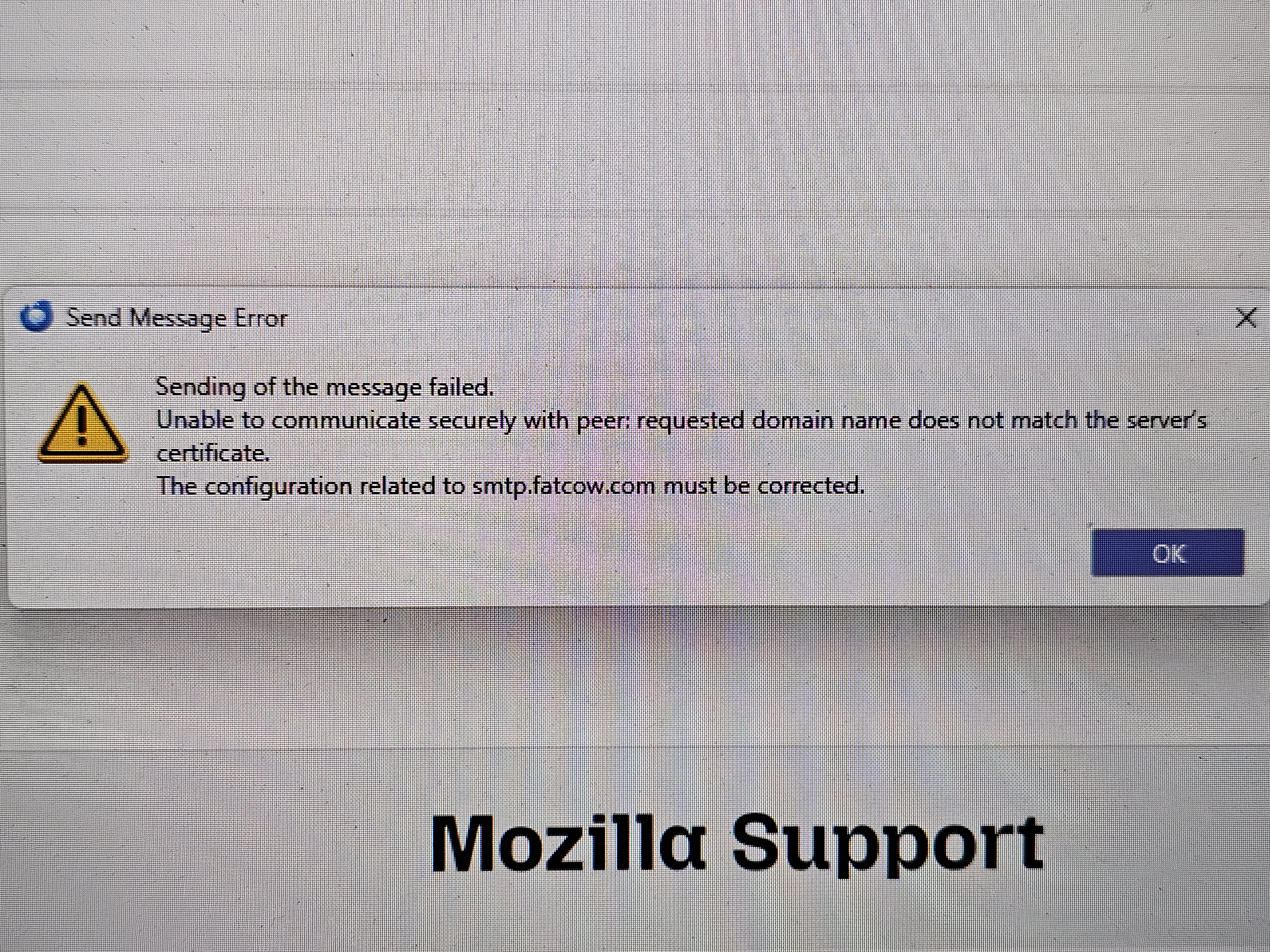
Sending of the message failed.
Unable to communicate securely with peer: requested domain name does not match the server’s certificate.
The configuration related to smtp.accountsupport.com must be corrected.
How do I fix this error?
When I try to send an email I get the following message...
Sending of the message failed.
Unable to communicate securely with peer: requested domain name does not match the server’s certificate.
The configuration related to smtp.accountsupport.com must be corrected.
How do I fix this error?
Alle antwurden (3)

Please post a screenshot of the error. https://support.mozilla.org/kb/how-do-i-create-screenshot-my-problem

error messages.
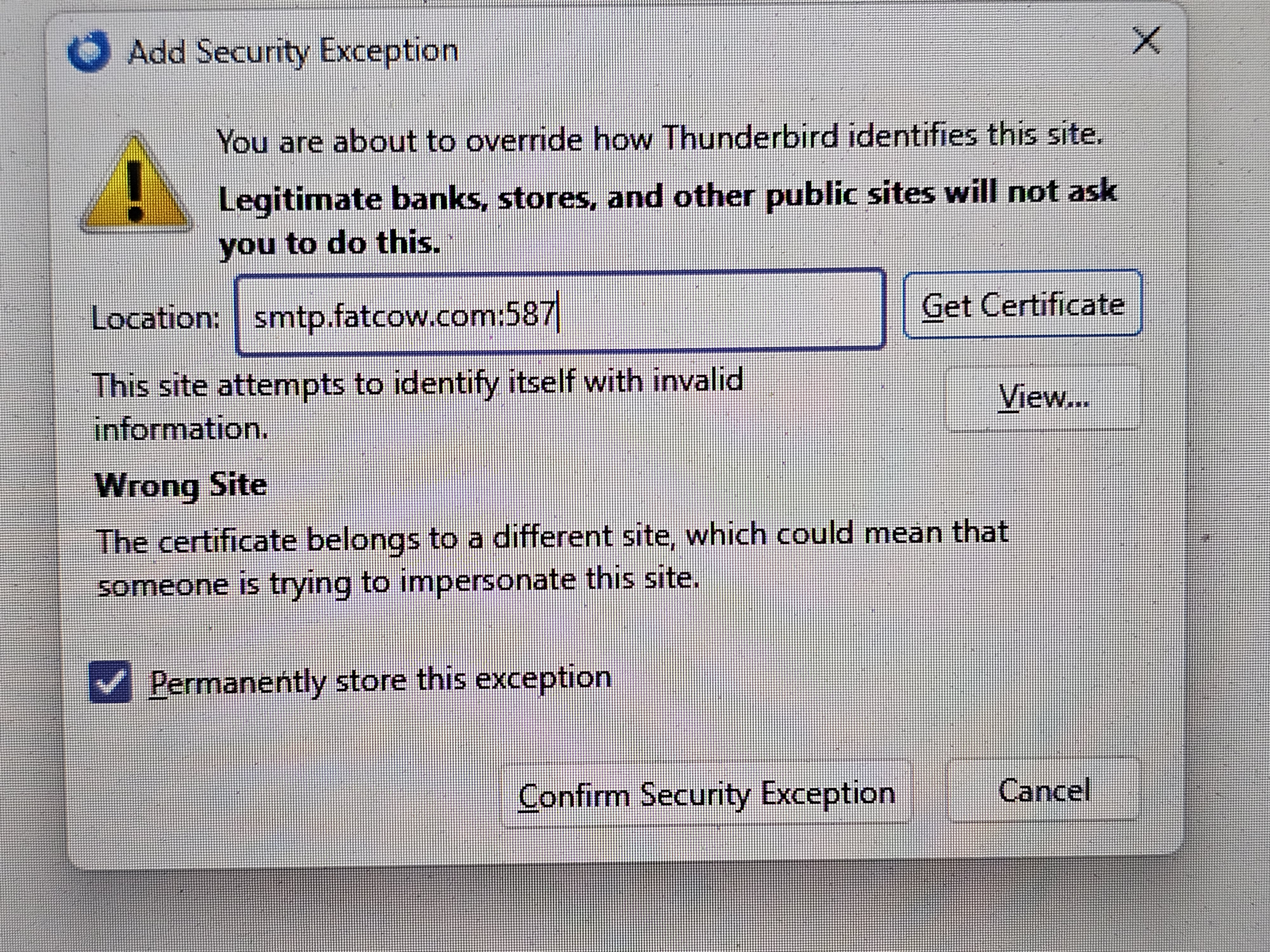
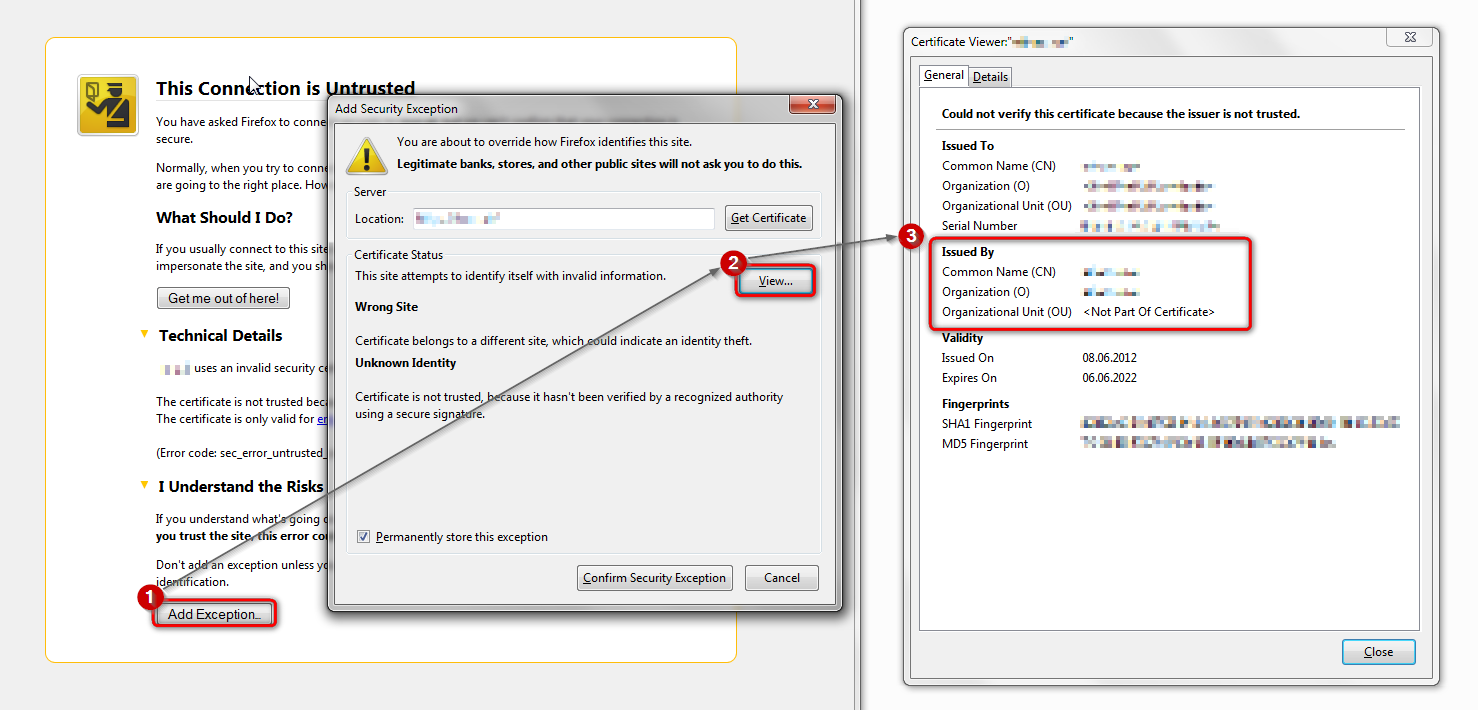
Click the 'View' button in the 'Add Security Exception' pop up, and inspect the certificate in the 'Certificate Viewer' window - see attached screenshot for instructions.
Please post a screenshot of the Certificate Viewer window showing the
- issuer,
- subject, and
- subject alternative name
fields of the cert.