


Windows 10 reached EOS (end of support) on October 14, 2025. If you are on Windows 10, see this article.

Sykje yn Support

Mij stipescams. Wy sille jo nea freegje in telefoannûmer te beljen, der in sms nei ta te stjoeren of persoanlike gegevens te dielen. Meld fertochte aktiviteit mei de opsje ‘Misbrûk melde’.

Mear ynfo
Dizze konversaasje is argivearre. Stel in nije fraach as jo help nedich hawwe.
Argivearre

sync to iphone

jastateh

Sync instructions on desktop browser include: Sync Firefox on your phone or tablet 1. Open Firefox on your mobile device. 2. Go to the menu ( on iOS or on Android) and tap Sync and save data 3. Tap Ready to Scan and hold your phone over this code

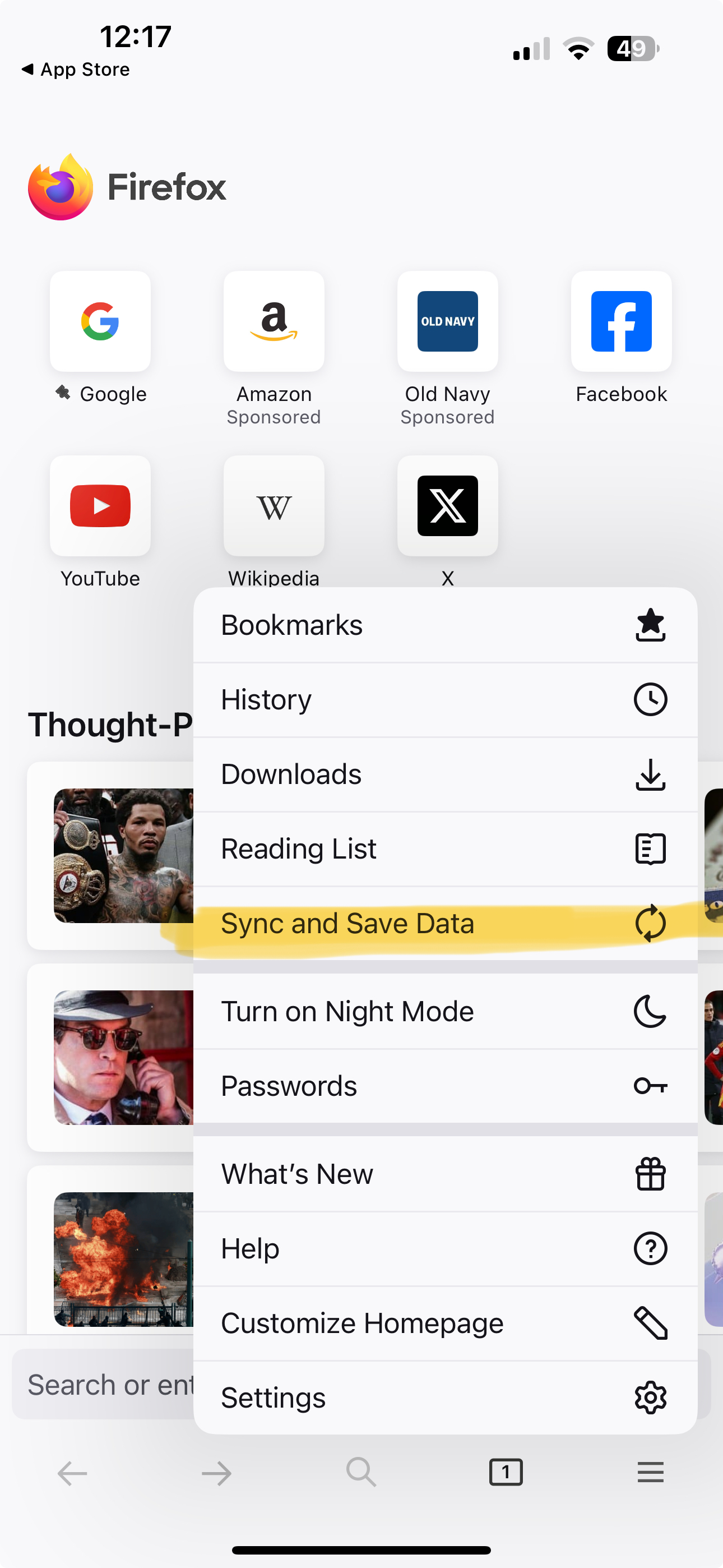
There is no "Sync and save data" that I can see on menu

Sync instructions on desktop browser include: Sync Firefox on your phone or tablet 1. Open Firefox on your mobile device. 2. Go to the menu ( on iOS or on Android) and tap Sync and save data 3. Tap Ready to Scan and hold your phone over this code There is no "Sync and save data" that I can see on menu

Alle antwurden (6)

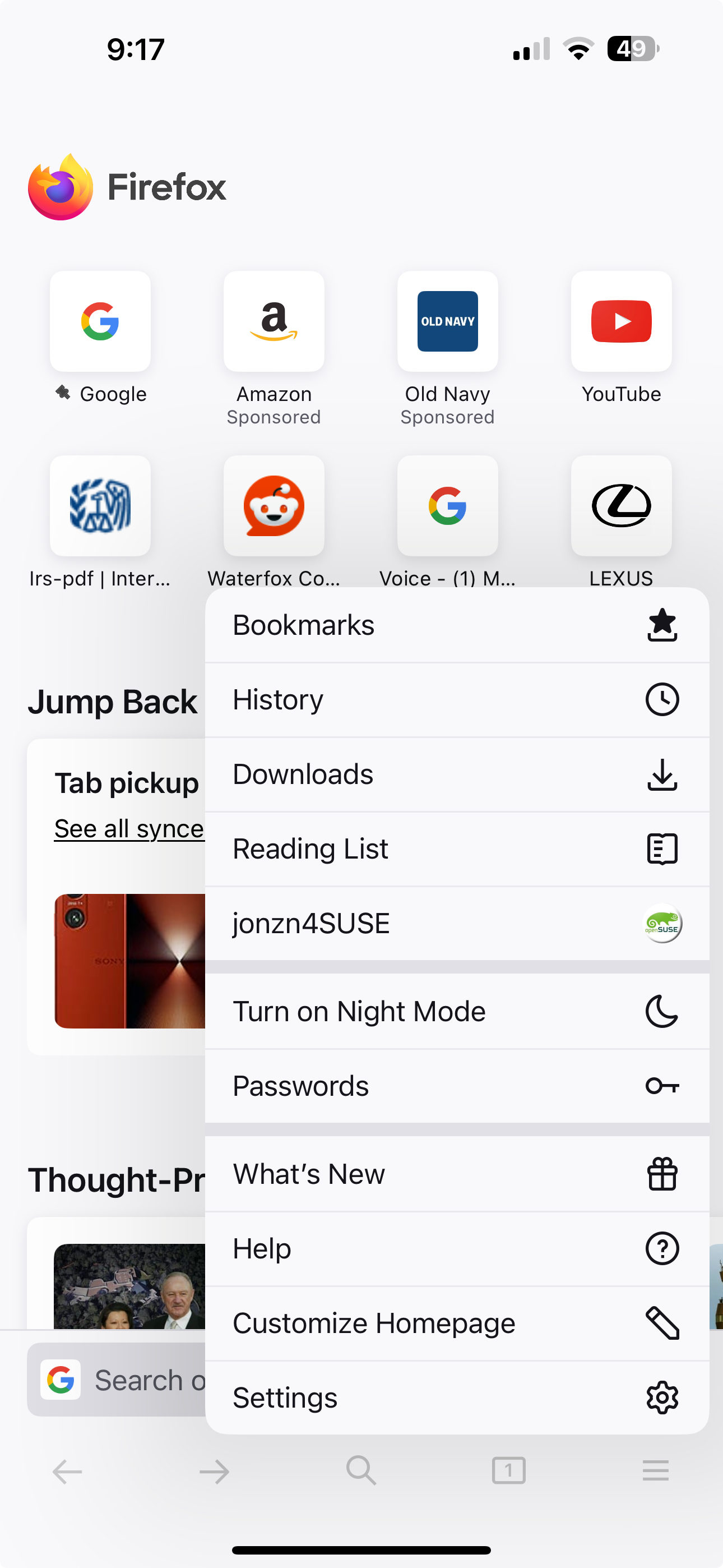
Post a screenshot of your menu from your phone. Just sign in with your account info. I found images from my wife iphone 15 pro. see screenshots
Bewurke troch jonzn4SUSE op

please see below
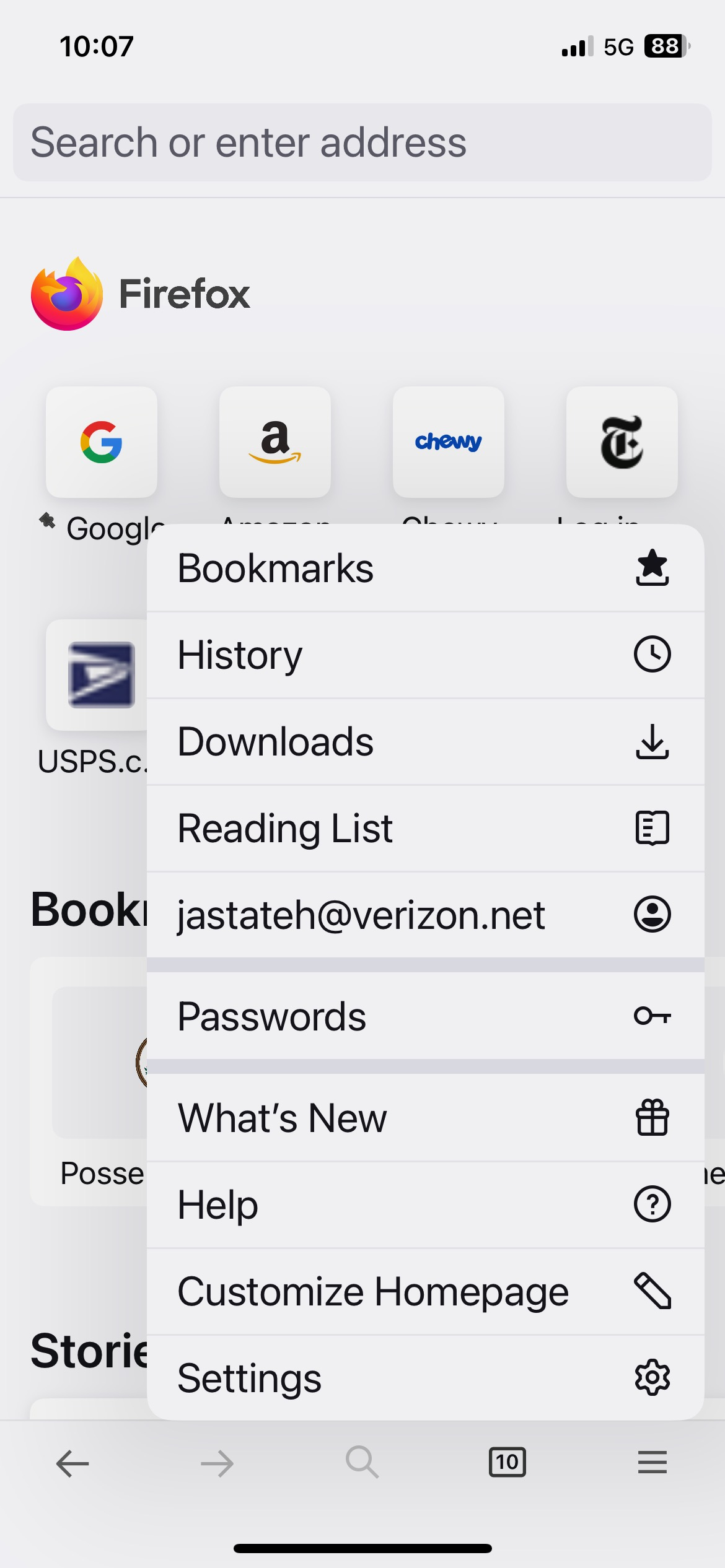
You're already logged in. see your screenshot
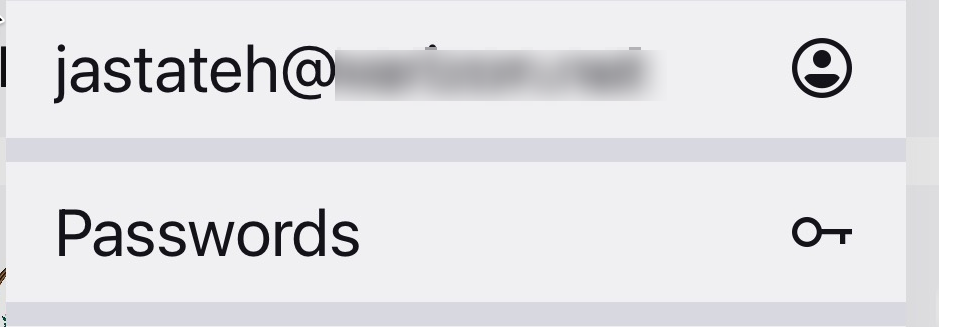
I'm not trying to log in, I'm trying to sync.

Hi

If you select your email address on the mobile app menu, you will be able to access the Firefox Sync settings.

It does look like you have already signed into Firefox Sync.

jastateh said

I'm not trying to log in, I'm trying to sync.

Bewurke troch jonzn4SUSE op