


New Google Sites home screen is unavailable--A RECENT ISSUE ONLY IN FIREFOX--it works in Chrome; (clearing history does not help) shall I switch to Chrome?

The problem developed recently. When I click on the bookmarked page, the message appears with my usual home screen image ghosted in the background. If I do a Google search for "New Google Sites" and select it, it takes me to my home screen, but the unavailable message is also there already. If I do a search for the name of one of my Google Sites, there is no problem--I can open the site and edit it without any issues. My impression is there is a compatibility issue with New Google Sites of some kind.
Keazen oplossing
Thank you for the prompt replies! The safe mode link includes the suggestion to refresh Firefox. Well, that was all it took--the problem appears to be resolved. Thanks again!
Dit antwurd yn kontekst lêze 👍 0Alle antwurden (4)
Separate Security Issue, please update your Flash 23.0 r0 & 30 by removing it with this tool : https://helpx.adobe.com/flash-player/kb/uninstall-flash-player-windows.html If you use it Reinstall with Flash Player Version: 30.0.0.134 Current Version https://get.adobe.com/flashplayer/otherversions/ Step 1: Select Operating System Step 2: Select A Version (Firefox, . . . .) Note: Other software is offered in the download. <Windows Only>
Hi what security software are you using please ? What new sites ? What have you tried to fix the issue, empty cache, clear cookies, accept 3rd party cookies ?
Please try this also : SAFE MODE
- https://support.mozilla.org/kb/Safe+Mode
- https://support.mozilla.org/kb/Troubleshooting+extensions+and+themes
In Firefox Safe mode these changes are effective:
- all extensions are disabled (about:addons)
- default theme is used (no persona)
- userChrome.css and userContent.css are ignored (chrome folder)
- default toolbar layout is used (file: localstore-safe.rdf)
- Javascript JIT compilers are disabled (prefs: javascript.options.*jit)
- hardware acceleration is disabled (Options > Advanced > General)
- plugins are not affected
- preferences are not affected
TEST''''is issue still there ?
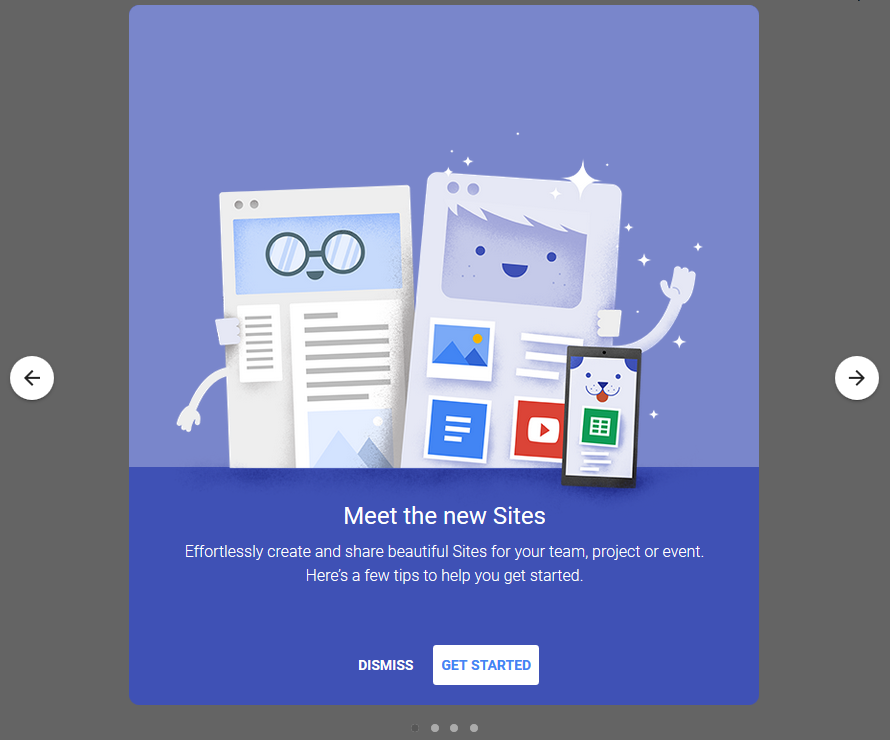
I created a test Google Site once. When I load that now, I get an overlay about the new Google Sites (see attached screenshot). If you already converted your site, you may not see that, I'm not sure. If you have the dark gray part but not the slides that appear in front of it, an ad blocker or other content blocker might be hiding that from you.
Keazen oplossing
Thank you for the prompt replies! The safe mode link includes the suggestion to refresh Firefox. Well, that was all it took--the problem appears to be resolved. Thanks again!