


Windows 10 reached EOS (end of support) on October 14, 2025. If you are on Windows 10, see this article.

Rechercher dans l’assistance

Évitez les escroqueries à l’assistance. Nous ne vous demanderons jamais d’appeler ou d’envoyer un SMS à un numéro de téléphone ou de partager des informations personnelles. Veuillez signaler toute activité suspecte en utilisant l’option « Signaler un abus ».

En savoir plus

The "Payment Methods" section has disappeared.

  • 3 réponses
  • 5 ont ce problème
  • 370 vues
  • Dernière réponse par Privato
  • Résolu

Good morning, the "Payment Methods" section has disappeared. In its place, I see a link called "Manage passkey in system settings," which takes me to the Windows 11 Passkey section, which I've NEVER enabled!

If I create a new profile, the "Payment Methods" section appears as normal, but when I link it to my Microsoft account for profile sync, the "Payment Methods" section disappears and "Manage passkey in system settings" reappears.

How can I fix this? Thanks
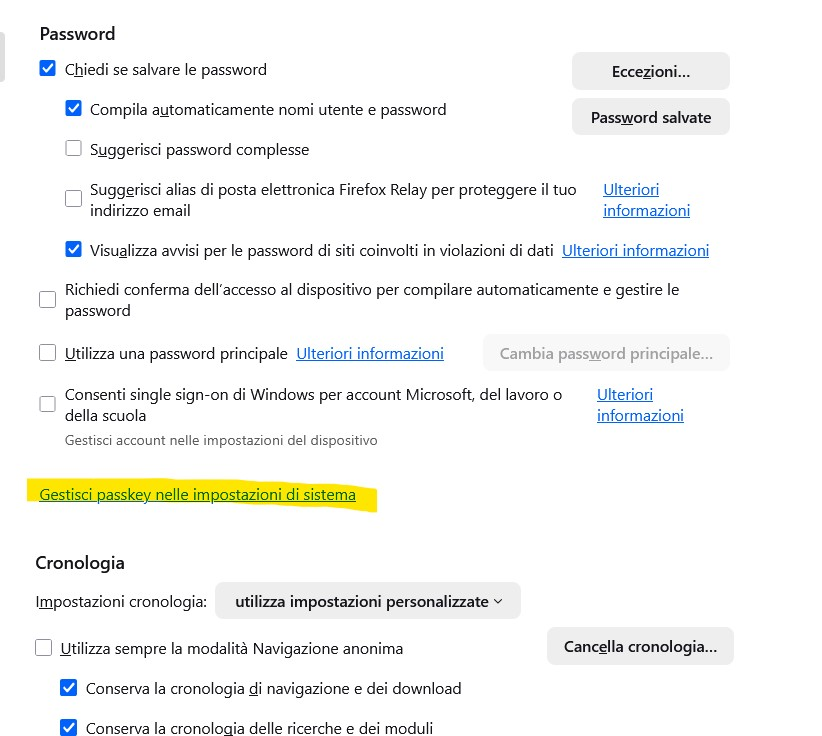
Good morning, the "Payment Methods" section has disappeared. In its place, I see a link called "Manage passkey in system settings," which takes me to the Windows 11 Passkey section, which I've NEVER enabled! If I create a new profile, the "Payment Methods" section appears as normal, but when I link it to my Microsoft account for profile sync, the "Payment Methods" section disappears and "Manage passkey in system settings" reappears. How can I fix this? Thanks
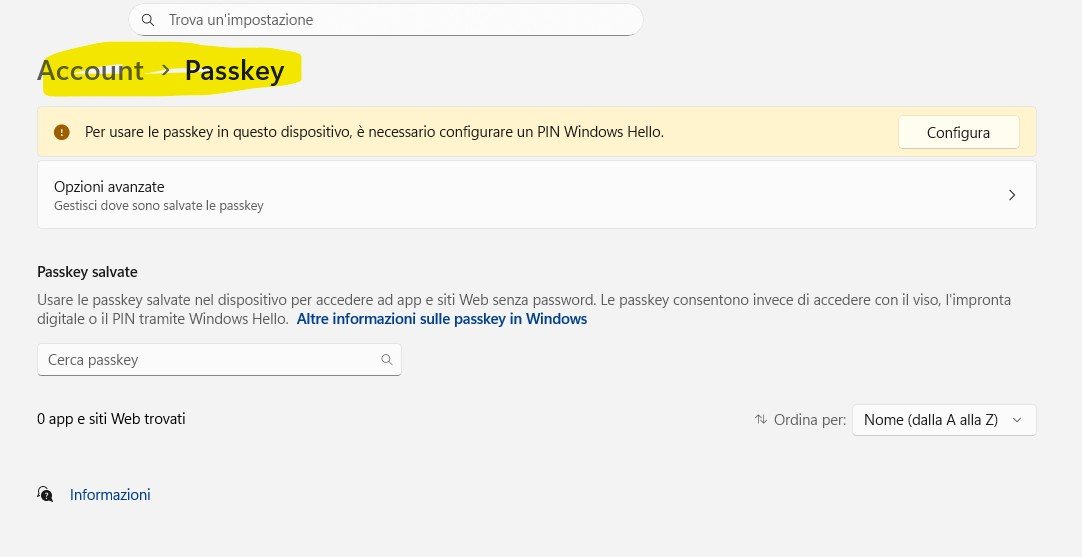
Captures d’écran jointes

Solution choisie

This bug is still there in 146.0.1

Edit: I was able to fix this by adding my country code to the list in about:config to BOTH of these lines: extensions.formautofill.creditCards.supportedCountries extensions.formautofill.addresses.supportedCountries

Lire cette réponse dans son contexte 👍 1

Toutes les réponses (3)

With version 144.0.2, payment methods reappeared unchanged. At this point, I think it's a bug in Firefox version 145.0.2!

Solution choisie

This bug is still there in 146.0.1

Edit: I was able to fix this by adding my country code to the list in about:config to BOTH of these lines: extensions.formautofill.creditCards.supportedCountries extensions.formautofill.addresses.supportedCountries

Modifié le par DJ_SANYEE

DJ_SANYEE said

This bug is still there in 146.0.1 Edit: I was able to fix this by adding my country code to the list in about:config to BOTH of these lines: extensions.formautofill.creditCards.supportedCountries extensions.formautofill.addresses.supportedCountries

Fantastic, thank you so much, you're truly a genius!!! You finally solved my problem!!! It works!!! THANK YOU!!!!

Poser une question

Vous devez vous identifier avec votre compte pour répondre aux messages. Veuillez poser une nouvelle question, si vous n’avez pas encore de compte.