

Ce sujet de discussion a été archivé.
Veuillez poser une nouvelle question si vous avez besoin d’aide.

Archivé
Thunderbird login

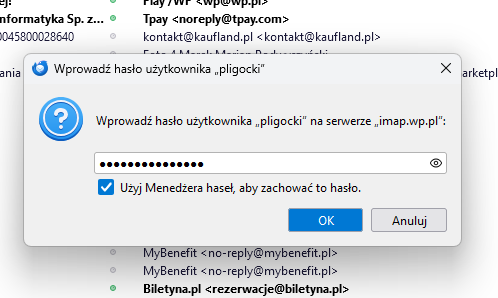
I changed my password on e-mail provider server. Mail works fine via browser, but i can't send and obtain any e-mails via Thunderbird. I have changed password but it doesn't work. Piotr
I changed my password on e-mail provider server. Mail works fine via browser, but i can't send and obtain any e-mails via Thunderbird. I have changed password but it doesn't work.
Piotr
Toutes les réponses (1)
re :I changed my password on e-mail provider server.
Did you then update/edit the stored password in Thunderbird ?
- Settings > Privacy & Security
- Scroll down to 'Passwords' section
- click on 'Saved Passwords'
- Click on 'Show Passwords'
You may get asked for a password.
- If you had previously setup to use a 'Primary Password' in Thunderbird then enter that password.
- If you have not set up to use 'Primary Password' then....when you start up computer and enter password to Logon to your User Account to see desktop - that is the password you need to enter.
Then you may have 2 lines for the mail account incoming (imap://... or mailbox://...) and also outgoing (smtp://...) -
- Right click on each line in turn and select 'Edit Password'
- Completely clear the contents and then carefully type in the new password you set up in the webmail account - email provider server.
- After doing both incoming and outgoing, clickon 'Close'
Exit Thunderbird and allow a few moments for background processes to complete Restart Thunderbird and it will use those new passwords.