


Firefox Slow to Load Youtube with Ublock Origin

As the title says, it is very slow with Ublock Origin. I have refreshed Firefox and without Ublock it obviously works but I would like to keep the extension because it is the only one that works with Youtube Ads right now.
Toutes les réponses (6)
Do you have the same issue with Firefox in Troubleshoot Mode?
If there is no issue in Troubleshoot Mode, then you will have to tweak Ublock to allow things until YT works. Does Ublock show what's being blocked like Ghostery. see screenshot This way you can get your tweak on.
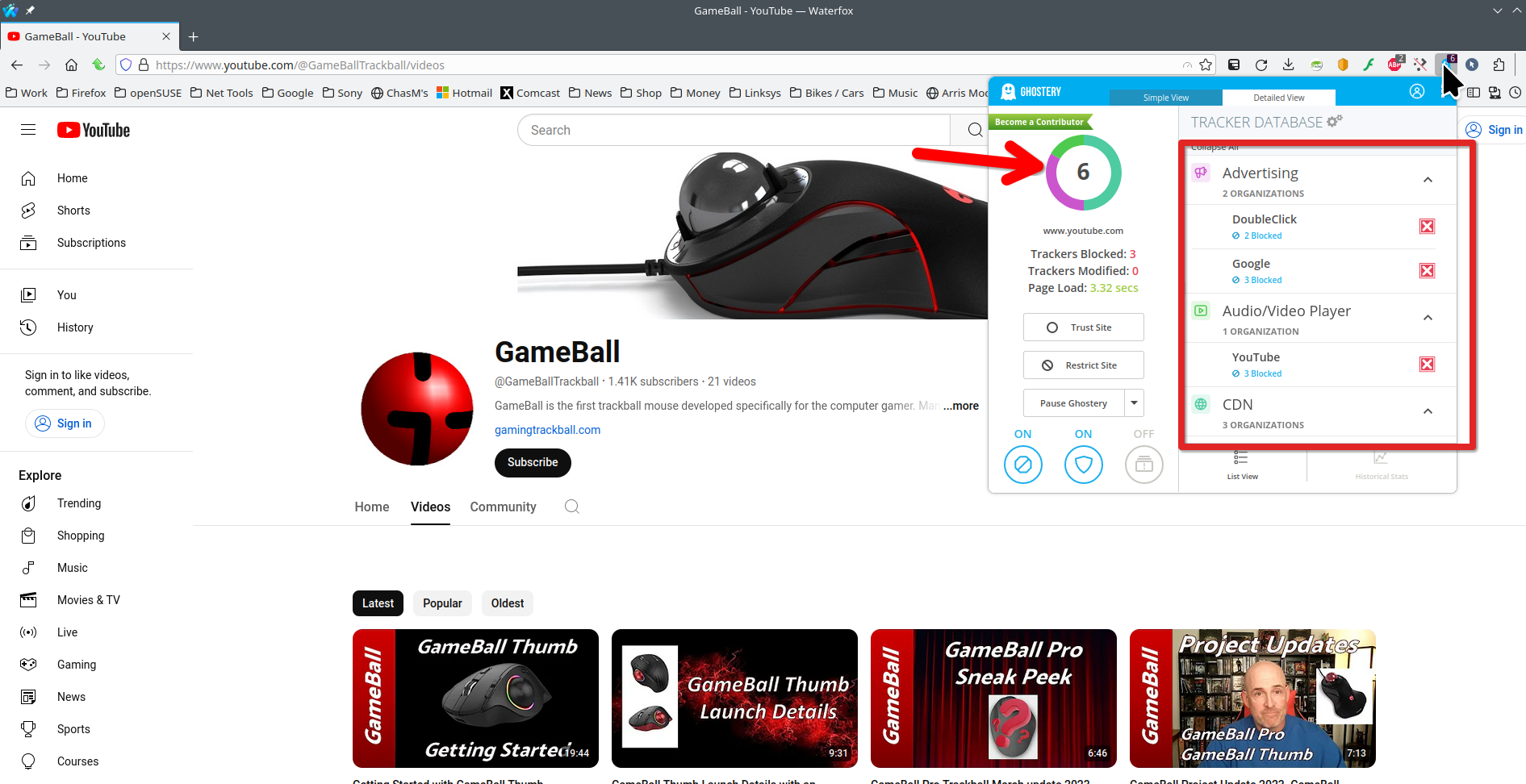
Modifié le par jonzn4SUSE
jonzn4SUSE said
Do you have the same issue with Firefox in Troubleshoot Mode? If there is no issue in Troubleshoot Mode, then you will have to tweak Ublock to allow things until YT works. Does Ublock show what's being blocked like Ghostery. see screenshot This way you can get your tweak on.
I actually do have the same issue in trouble-shooting mode. It usually happens when I open a video on a new tab but when I just click on the video normally it loads instantaneously.
allenjftipay10 said
jonzn4SUSE said
I actually do have the same issue in trouble-shooting mode. It usually happens when I open a video on a new tab but when I just click on the video normally it loads instantaneously.
When you click a link within a tab, YouTube fetches various resources to rebuild parts of the page without a full new page load. This feels much faster than starting from scratch in a new tab. I don't know why ad blocking works differently in the same-tab vs. new-tab scenarios.
There is a discussion board here you might check: https://www.reddit.com/r/uBlockOrigin/
jscher2000 - Support Volunteer said
allenjftipay10 said
jonzn4SUSE said
I actually do have the same issue in trouble-shooting mode. It usually happens when I open a video on a new tab but when I just click on the video normally it loads instantaneously.
When you click a link within a tab, YouTube fetches various resources to rebuild parts of the page without a full new page load. This feels much faster than starting from scratch in a new tab. I don't know why ad blocking works differently in the same-tab vs. new-tab scenarios.
There is a discussion board here you might check: https://www.reddit.com/r/uBlockOrigin/
That actually makes sense, I'm assuming this is a Firefox thing. Or is it a YouTube thing?
That's the current YouTube design, which facilitates auto-playing.
This question has been locked because the original author has deleted their account. While you can no longer post new replies, the existing content remains available for reference.