


Highlight color setting

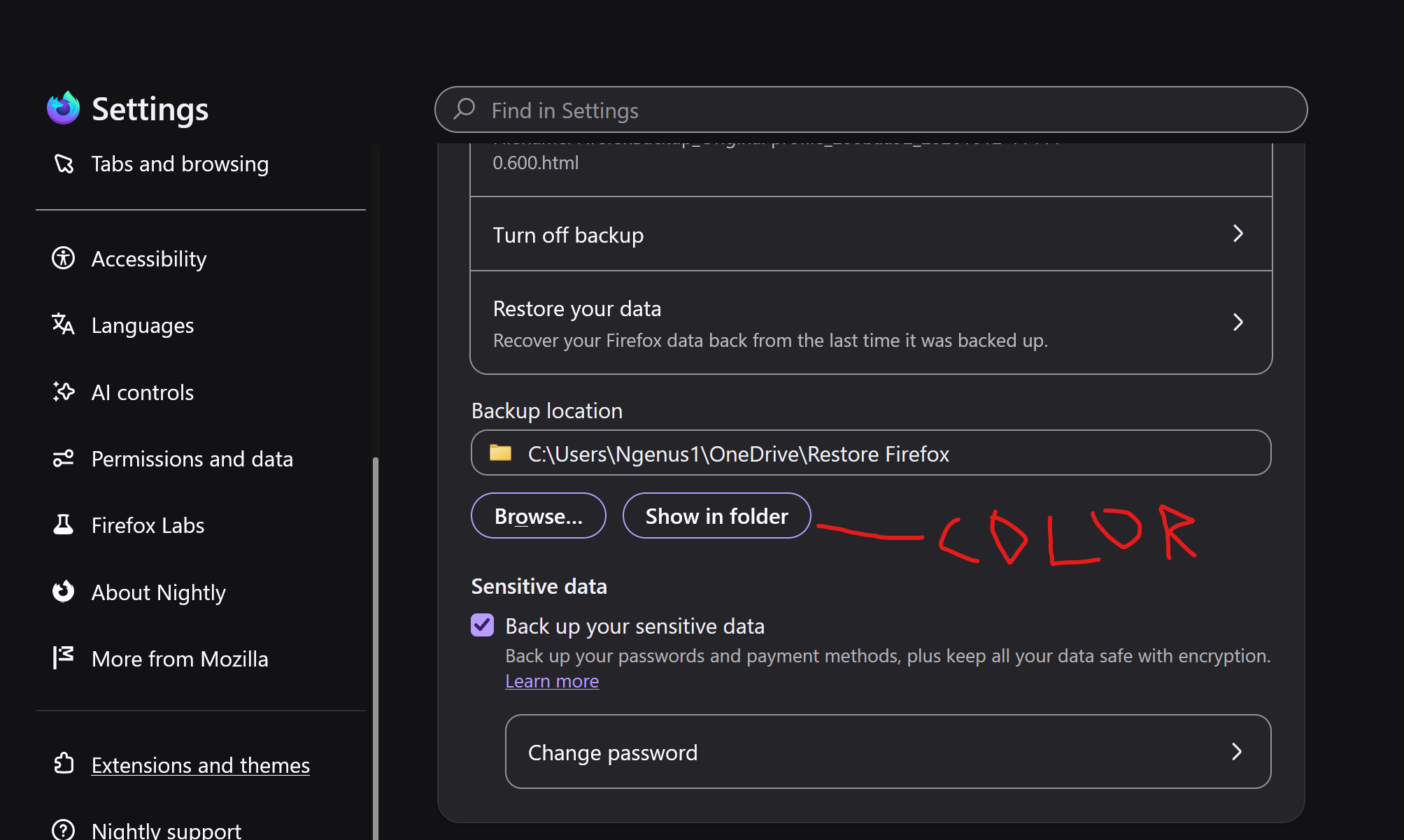
Hello, currently my highlight color is a funky purple color. I would like to change this to a dark grey hue. How can I change this?
پاسخها (7)
Bonjour
Introduction, please read, contributors guide on Firefox advanced customization with css https://support.mozilla.org/en-US/kb/contributors-guide-firefox-advanced-customization
A similar discussion thread https://support.mozilla.org/en-US/questions/1609524
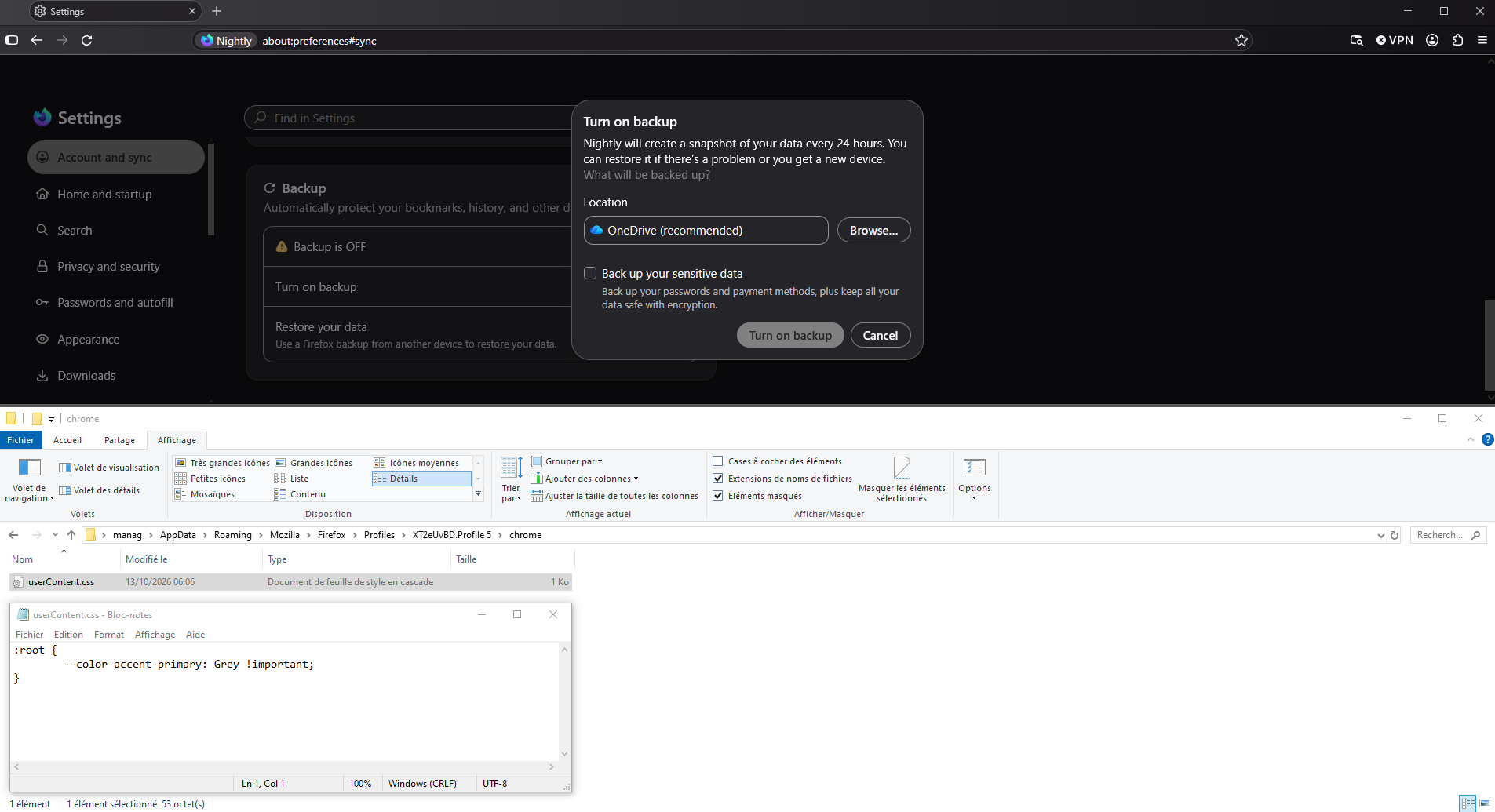
If you wish to test userContent.css
Hello,
I created the Chrome folder, and created the userContentcss.txt file. I've attached as well. Closed and reopened Nightly. No change.
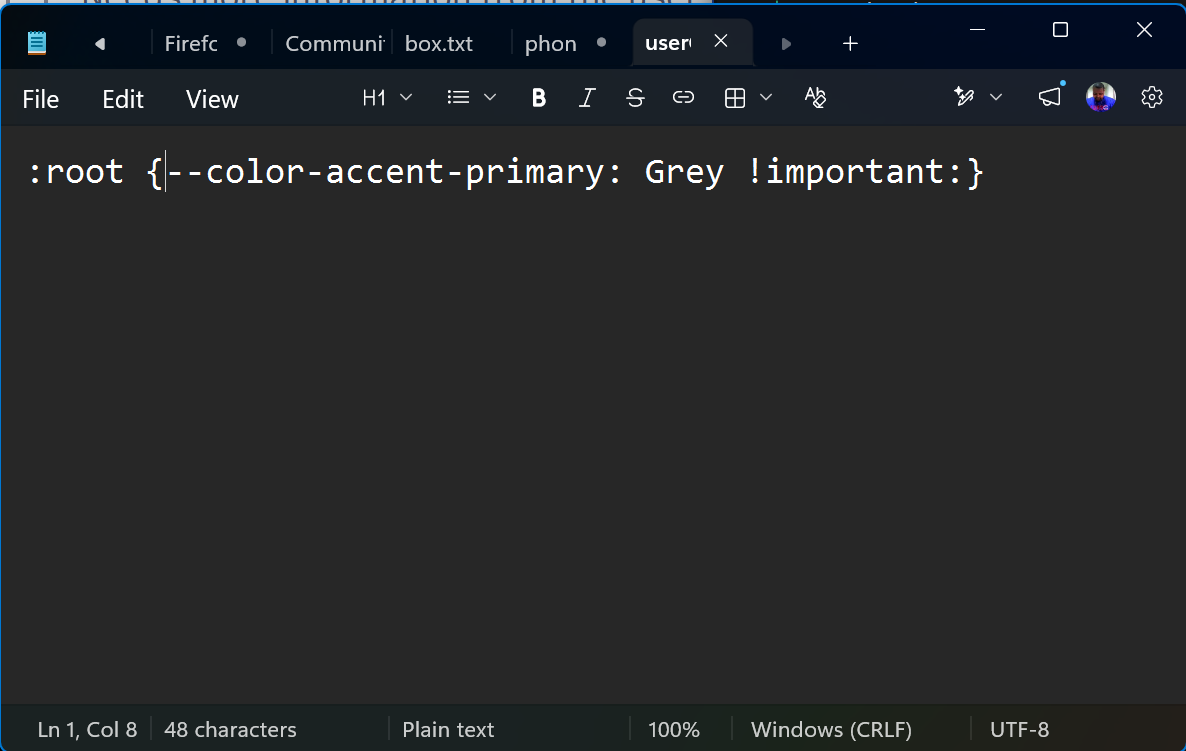
Bonjour
Similar support https://www.userchrome.org/how-create-userchrome-css.html
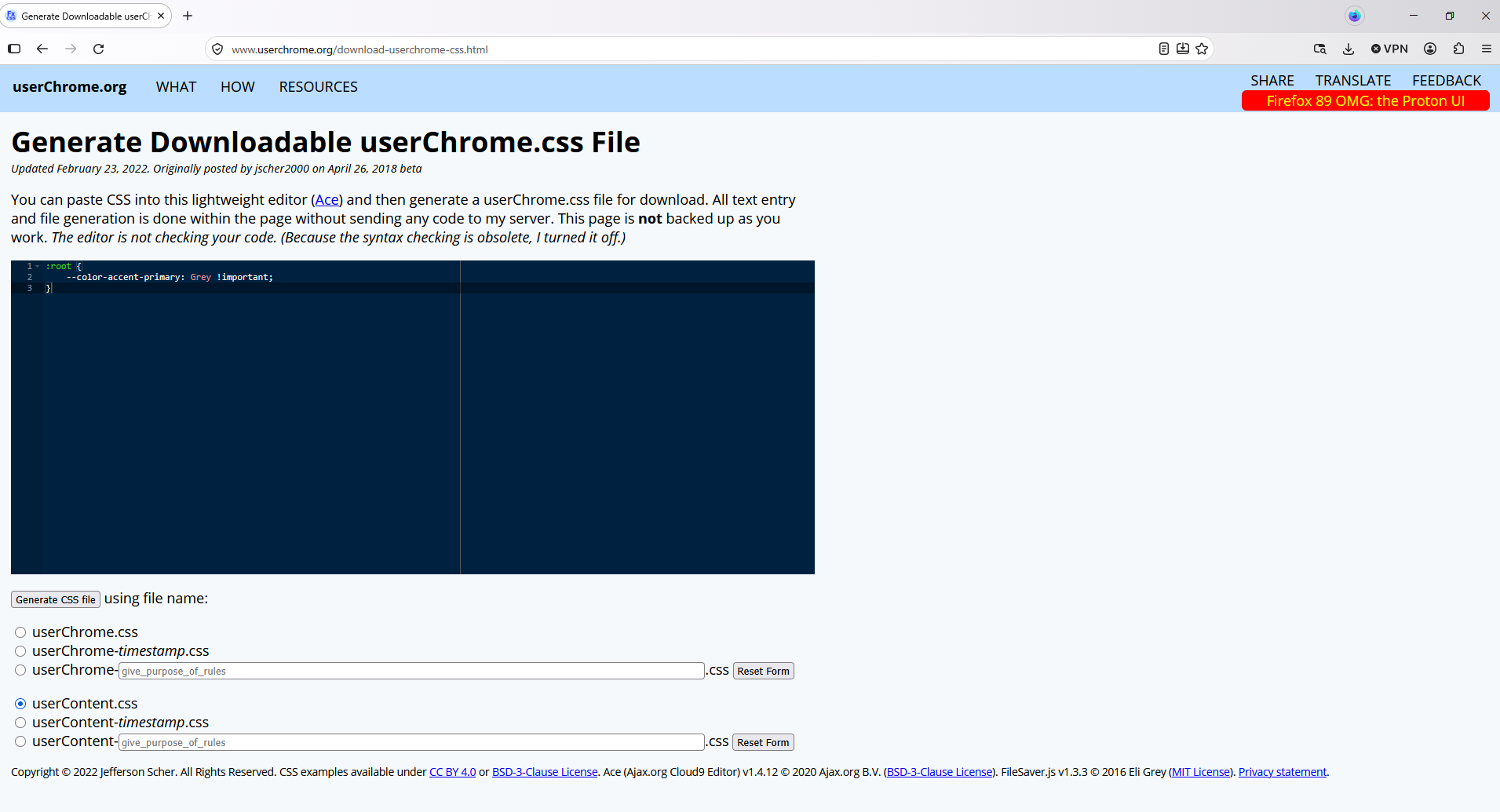
Alternately, if you have some CSS code ready to paste into a userChrome.css file, you can do that using the following page and download your userChrome.css file from there: Generate Downloadable userChrome.css File. https://www.userchrome.org/download-userchrome-css.html
Generate CSS file userContent.css
ویرایش شده توسط Agent virtuel
Thanks for your advice, I just did what you showed and still no change. Can you do a Microsoft Quick Assist session to see for yourself?
A Microsoft Quick Assist session, no. And see my answer modified
Hi Ngenus11,
This change was introduced as part of the recent UI redesign in 157. You can learn more about that in this blogpost.
If you'd like to advocate for the ability to change accent color, I’d suggest voting for this idea on Mozilla Connect, our feedback platform.
Bonjour
I voted.