


Not restoring tabs after accidental browser closure

Open previous windows and tabs is set to ON. Browser is not restore tabs.
All Replies (2)
Hello! I'm not sure why the issue of not restoring tabs after accidentally closing the browser occurs, but under normal circumstances, Firefox should display the option to restore previous tabs when reopened after an abnormal closure. If it doesn't display, you can click on "More" in the upper right corner (like this "☰"), then click on "History", and then click on "Restore Previous Browsing". This should solve your problem
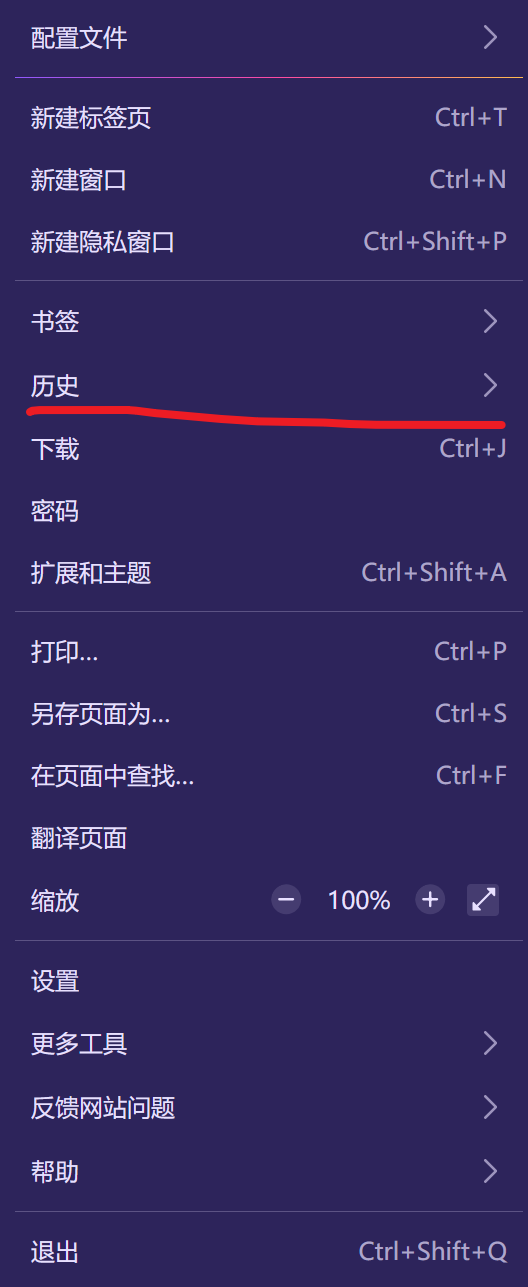

Open previous windows and tabs is set to ON, but its hit or miss whether accidentally closed browser or closed itself. I forget to check your somewhat hidden suggestion, which is after the fact. There should be a prompt to restore either upon closing and/or reopening. FYI running Windows 151.0.1 with expired Windows 10(enrolled in ESU program).