


Thunderbird is missing my email accounts, email folders, calendar, and contacts

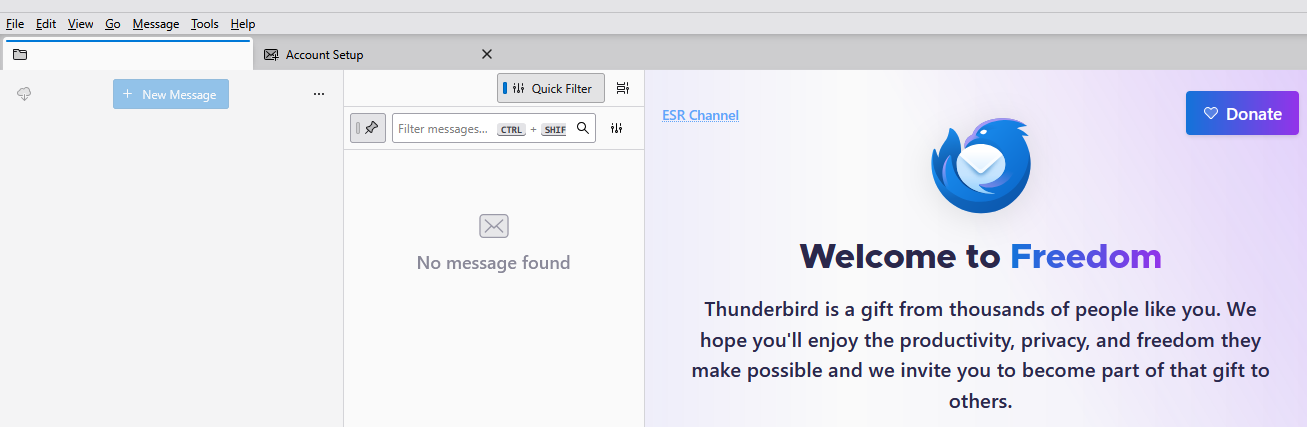
I'm on a Win 10 desktop. Version 140.3.1esr worked okay yesterday but when I started it this morning it is now missing my email accounts, folders, calendar, and contacts. Unfortunately I haven't done a backup in some time. The first image shows what I see.
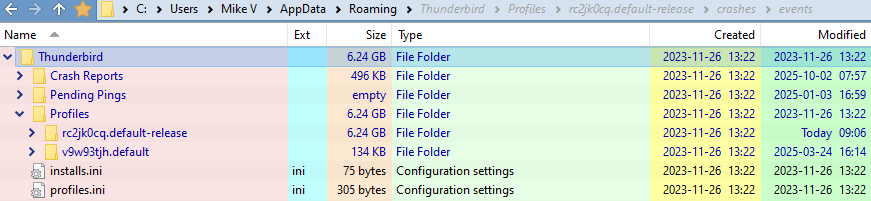
The 2nd image shows that there are 2 profiles in the Thunderbird folder. The rc2jk0cq.default-release profile was created today & appears to have all of my data; it's the default profile. The v9w93tjh.default profile has an extensions folder and 3 files.
How can I recover from this?
Thanks
Chosen Solution
I stashed a copy of the prefs files, deleted all but the prefs-36.js, and then renamed prefs-36.js to prefs.js.
Everything is now back to normal.
Thanks for pointing me in the right direction.
All Replies (7)
My first guess is that your Thunderbird profile has become a victim of a damaged prefs.js file. If this happens TB renames the damaged prefs.js file in prefs-1.js (or sometimes in invalidprefs.js) and creates a new virgin prefs.js file which doesn't contain any profile information. BTW your profile folder rc2jk0cq.default-release profile was not created today, but two years ago and modified today! But you're right in that it should contain all your data.
Open the rc2jk0cq.default-release profile folder and verify if it contains a small prefs.js with a size of 6 -to 7 kB and if you can find a bigger prefs-1.js file (or prefs-x.js where x is a number).
Thanks for answering.
The rc2jk0cq.default-release profile folder contains a prefs.js file, 7 KB, created today. There are prefs-1.js all the way up to prefs-53.js, and they're all empty except for prefs-36.js which is 41 KB in size. prefs-36.js was created in 2025-01-03. Would that be the valid profile?
Should I rename prefs-36.js to prefs.js and remove the others?
Chosen Solution
I stashed a copy of the prefs files, deleted all but the prefs-36.js, and then renamed prefs-36.js to prefs.js.
Everything is now back to normal.
Thanks for pointing me in the right direction.
Mike Vlasic said
The rc2jk0cq.default-release profile folder contains a prefs.js file, 7 KB, created today.
This is the confirmation of my "rotten prefs.js" file diagnostic.
Mike Vlasic said
Should I rename prefs-36.js to prefs.js and remove the others?
Yes, you can try this solution, but this is a bet and most of the times it won't work. TB closed remove all prefs-xx.js files except for prefs-36.js which you rename in prefs.js, then restart TB.
If this won't work we still have the solution to re-setup all accounts, and - if you use POP - link those re-created accounts with their old correspondent account folders in the Mail folder in the Profile
It worked and all my folders and current emails appeared. I use IMAP so that helped.
My only issue now is that my calendar is empty. I have to figure out that one.
Maybe when the prefs36.js. file was created in 2025-01-03 you did not yet use the Thunderbird calendar?
No, I'm pretty sure I was using the TB calendar at that time.