


Firefox had still saved some searches in spite of settings

I don't fully remember when this happened, but lately the browser has trouble clearing my search history even though I had it set so that it does so every time I close it. I only managed to fix it by making it so that it doesn't remember the search history, but some of the old searches are still there whenever I punch in part of what I was searching.
بخشها
Oh, the classic search bar. If you have "Remember search and form history" turned off at
- Settings page > Privacy & Security panel > History section
- with Firefox will: Use custom settings for history
then you shouldn't see suggestions from search history.
It may be possible to remove a displayed suggestion by arrowing down and pressing either Delete or Shift+Delete.
پاسخها (3)
In the address bar drop-down? Turning off "Remember search and form history" prevents Firefox from saving new search history but it should also prevent Firefox from displaying old search history. Note that this setting is specific to the suggestions with a clock icon; when you see the full URL of a search results page, that is a browsing history suggestion. I am attaching a screenshot to clarify what I mean by that distinction.
Are you still seeing those "clock" entries?

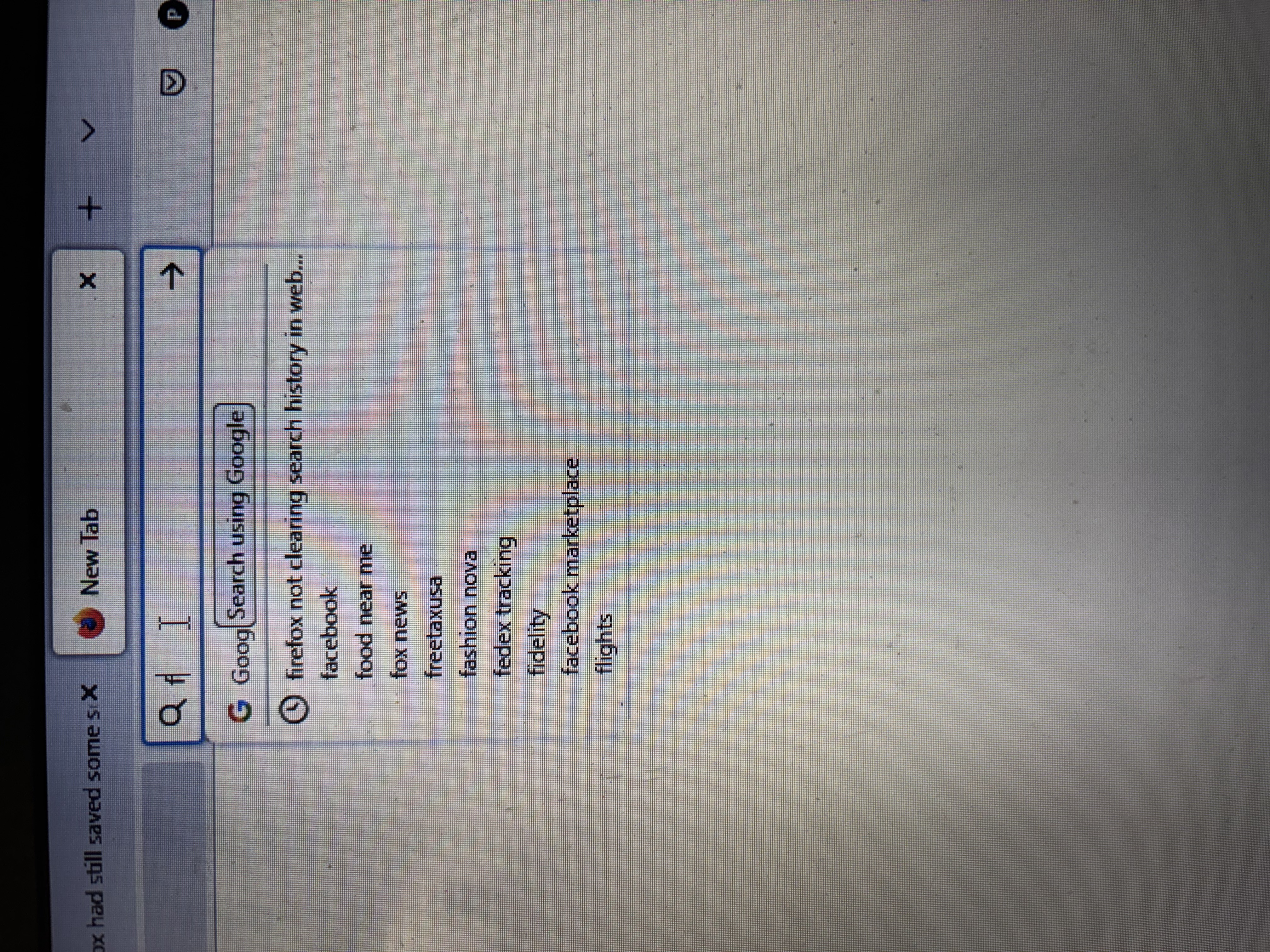
I should've been more specific, I used two different bars, one for just addresses and the other for searching Google. The one I use for just Google is showing some old results. I'm including a photo of what I mean and, fair warning, I had to use my phone because my browser wouldn't let me screenshot it.
بخشها
Oh, the classic search bar. If you have "Remember search and form history" turned off at
- Settings page > Privacy & Security panel > History section
- with Firefox will: Use custom settings for history
then you shouldn't see suggestions from search history.
It may be possible to remove a displayed suggestion by arrowing down and pressing either Delete or Shift+Delete.