


bookmarks toolbar enabled but won't display

My bookmark toolbar has disappeared. Even though it shows selected but it is not showing up. empty bar shown.
پاسخها (2)
I found the solutions
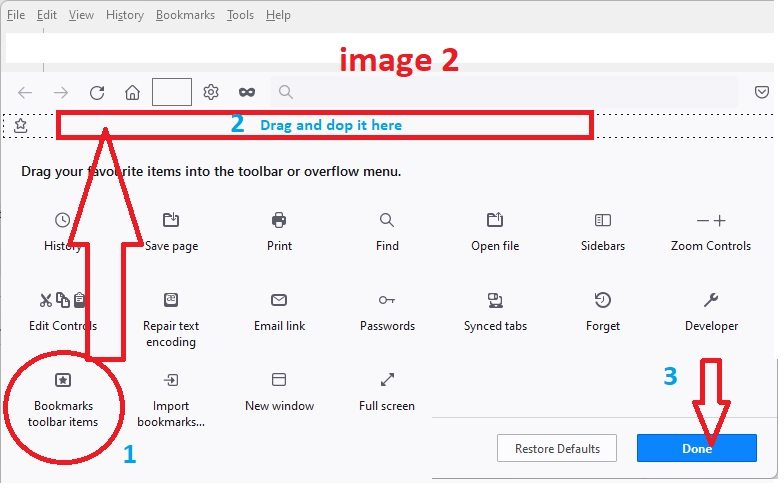
1-Right click on the empty space close to the Home button or Refresh (but not on them) and select Customize Toolbars Then you will see the tools bard in the middle of screen. See the attached image. 2-Drag the Bookmarks Toolbar Items from middle of screen (shown (1) in image) to the toolbar (2) 3-Click on Done at the bottom right of screen
One month suffering ended.

Open the Customize page and set what toolbars (Show/Hide Toolbars) and toolbar items to display. if you do not see an item on a toolbar and in the Customize palette then click Restore Defaults in the Customize palette window to restore the default toolbar set.