


Firefox Cleared History And Now Cannot Login to Live.com Hotmail

Yesterday I cleared my Firefox History including cookies and cache. Immediately could no longer Login to my live.com Hotmail account. Attempted multiple reset of live.com Hotmail PW and locked out. Of note: Firefox crashed when I cleared Firefox history so I had to force quit in Mac OS. More than coincidence I have this issue I believe. Help, thoughts? Thank you !
پاسخها (2)

ajdnewyork said
. . . . Immediately could no longer Login to my live.com Hotmail account.
Please explain the problem in detail. What happens? What is/are the exact error message(s) ?
Make sure you are not blocking content.
Diagnose Firefox issues using Troubleshoot(Safe) Mode {web link}
A small dialog should appear. Click Start In Troubleshoot(Safe) Mode (not Refresh). Is the problem still there?
https://support.mozilla.org/en-US/kb/enhanced-tracking-protection-firefox-desktop
Many site issues can be caused by corrupt cookies or cache.
Warning ! ! This will log you out of sites you're logged in to. You may also lose any settings for that website.
- How to clear the Firefox cache {web link}
ajdnewyork said
Firefox crashed when I cleared Firefox history
Many that report this had a very large places.sqlite file (History and Bookmarks).
In the address bar, type about:crashes<enter>.
Note: If any reports do not have BP- in front of
the numbers/letters, click it to submit them.
The crash report is several pages of data. We need the report numbers to see the whole report.
Using your mouse, mark the most recent 7 - 10 Submitted crash reports, and copy them. Now go to the reply box and paste them in.
Please, Do not post a screenshot ! !
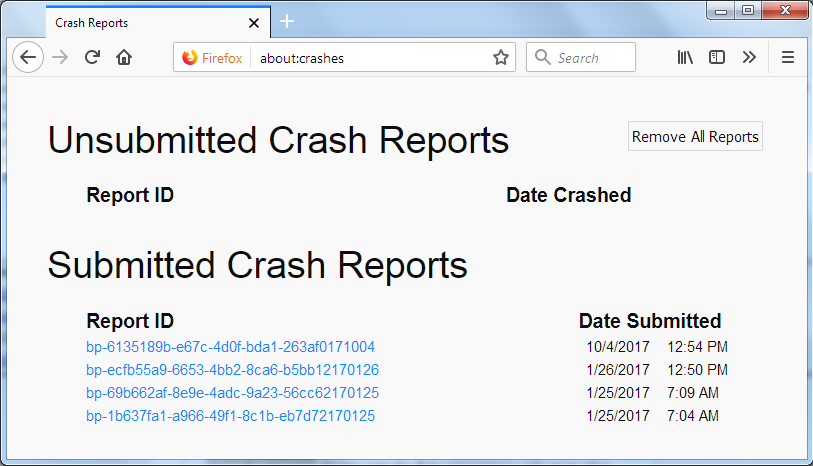
For more help on crash reports, see; https://support.mozilla.org/en-US/kb/firefox-crashes-asking-support