


Getting uninformative "Some add-ons have been disabled"

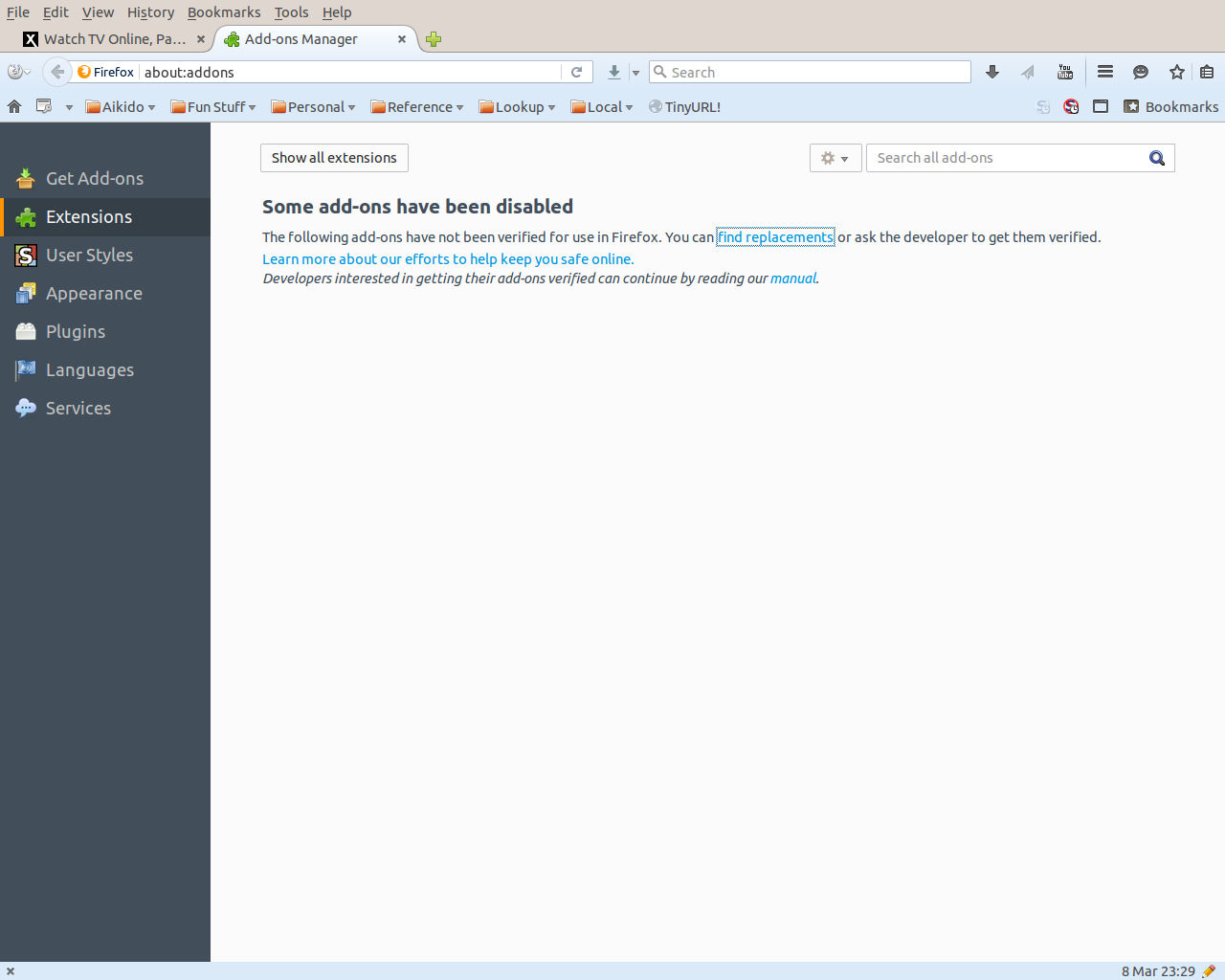
Running Firefox 44.0.2 on Ubuntu 14.04 LTS. I am occasionally being shown a tab with the extremely uninformative message "Some add-ons have been disabled". The displayed text then suggests that it is going to list the disabled add-ons, but as you can see from the attached screenshot, it doesn't actually identify any add-ons. I will shortly take a look at the installed add-ons to see which ones have been disabled, but is there any useful information that should actually be appearing on this tab? If so, any suggestions for how I go about finding it?
All Replies (4)
Could you try clicking that "Show all extensions" button? I don't recognize it, but that seems like a thing to try.
Actually, the Question Details > More System Details next to your question shows a list of enabled and disabled extensions. If the Add-ons page won't show them, there are a couple possible reasons, such as an interfering add-on or corrupted program files.
You see the "Show all extensions" button if you click "Some Extensions could not be verified" when there are extensions that were disabled. Then you only see the extensions that were disabled. I don't know why that list is only showing the message and not extensions that were disabled.
It is possible that that are extensions that are installed globally by Ubuntu.
Some additional information -- There are two disabled extensions shown: Ubuntu Modifications, which I disabled some time ago, and Restartless Restart, which is labeled with "Restartless Restart is incompatible with Firefox 44.0.2" in the complete list of extensions. I am about to remove Restartless Restart, and I will update this thread if I get the "Some add-ons have been disabled" screen again.
I suspect that Firefox is confused, because the hover pop-up for Restartless Restart says "Restartless Restart 9.1-signed", which presumably means that it should be verifiable, and that appears to be the only add-on that has been disabled by Firefox.

Hidden Add-on On Firefox. How To Check Yours https://support.mozilla.org/en-US/forums/support-forum-contributors/711335
chrome://mozapps/content/extensions/extensions.xul?