


Right click menu not displayed correctly

I'm using firefox 17.0.9 ESR and extended display on windows, I have two screens one is on 1440x900 and the other one on 1920x1080, if I right click anywhere on the browser when it is on the small screen everything works as expected, if I move the browser to the bigger screen and right click I sometimes get the menu, sometimes it shows and hide immediately and sometimes just won't show, if I move the mouse over the menu it shows up again and then hides, this only happens when I move the browser to the bigger screen
All Replies (2)
Chosen Solution
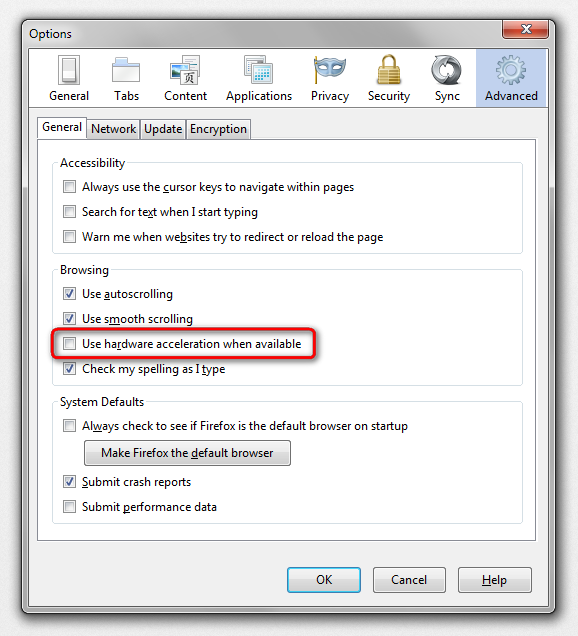
hello, maybe it's an issue with hardware acceleration - please try updating your graphics driver, or in case this doesn't solve the issue or there is no new version available at the moment, disable hardware acceleration in firefox > options > advanced > general.
Thank you worked like a charm!