


Open
开启选项 --remote-debugging-port=1234,导致翻译功能失效

OS:DEBIAN 13 FIREFOX:159.0B5 我正在使用翻译功能,但是当我添加选项 --remote-debugging-port=1234,再启动浏览器,发生了以下这些事情 1 屏蔽翻译功能 2 删除文件 {profile-dir}/storage/permanent/chrome/idb/3870112724rsegmnoittet-es.files/* 问什么会这样?
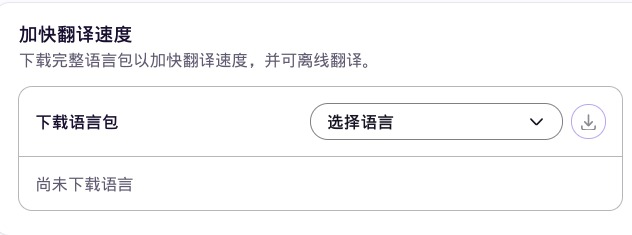
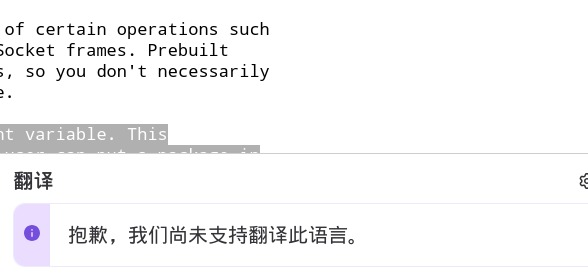
然后我又开启翻译功能,下载翻译语言包,下载完成后 使用右键翻译文字,提示不支持. 是的,不支持任何语言的翻译(包括英语) 请问一下,为何能支持中文繁体,而不支持中文简体?
OS:DEBIAN 13
FIREFOX:159.0B5
我正在使用翻译功能,但是当我添加选项 --remote-debugging-port=1234,再启动浏览器,发生了以下这些事情
1 屏蔽翻译功能
2 删除文件 {profile-dir}/storage/permanent/chrome/idb/3870112724rsegmnoittet-es.files/*
问什么会这样?
然后我又开启翻译功能,下载翻译语言包,下载完成后
使用右键翻译文字,提示不支持.
是的,不支持任何语言的翻译(包括英语)
请问一下,为何能支持中文繁体,而不支持中文简体?

All Replies (1)
添加选项 --remote-debugging-port=1234,历史记录也消失不见了 关闭 --remote-debugging-port , 浏览器把书签栏显示出来.以前是禁用书签栏的.
--remote-debugging-port,开启或关闭这个选项,会导致奇怪的事情发生.