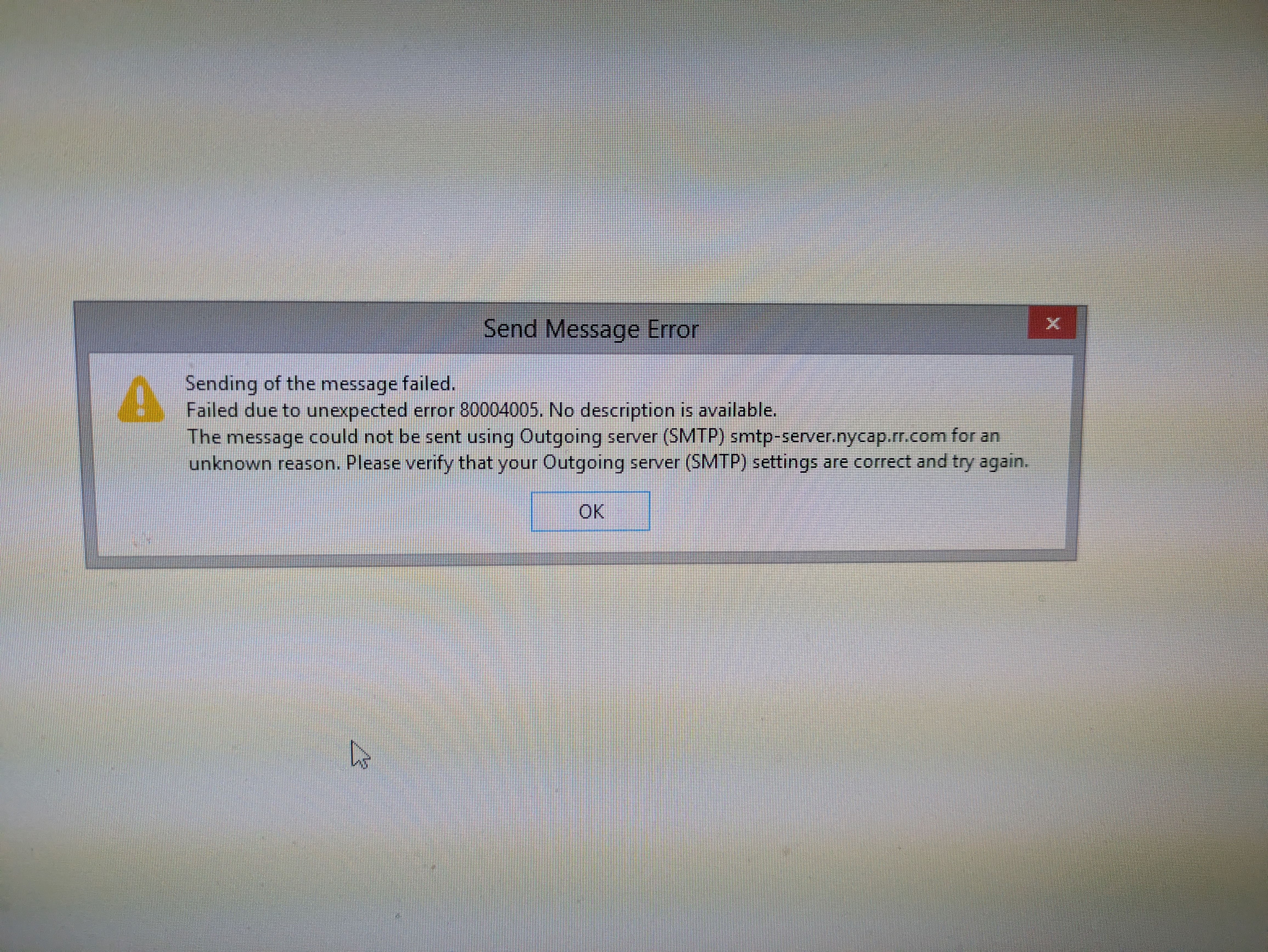
I am unable to send email.

I am able to receive but not send messages. I get an error (photo included), sometimes it asks me to sign in again and then the error appears.
Running Thunderbird(78.14.0)/Firefox with Windows 8.1. Purchased a new computer and I would like the Email to be working before switching. Pop account. Application Basics Name Thunderbird Version 78.14.0 Build ID 20210901192859 Distribution ID Update Folder C:\ProgramData\Mozilla\updates\8216C80C92C4E828 Update History Update Channel release User Agent Mozilla/5.0 (Windows NT 6.3; Win64; x64; rv:78.0) Gecko/20100101 Thunderbird/78.14.0 OS Windows_NT 6.3 Application Binary C:\Program Files (x86)\Mozilla Thunderbird\thunderbird.exe Profile Folder (Local drive) Build Configuration about:buildconfig Memory Use about:memory Performance about:performance Registered Service Workers about:serviceworkers Launcher Process Enabled Multiprocess Windows 0/0 Disabled Remote Processes 0 Enterprise Policies Inactive Google Location Service Key Missing Google Safebrowsing Key Missing Mozilla Location Service Key Missing Safe Mode false Profiles about:profiles Telemetry Data about:telemetry Mail and News Accounts ID Incoming server Outgoing servers Name Connection security Authentication method Name Connection security Authentication method Default? account1 (pop3) pop-server.nycap.rr.com:110 None Normal password smtp-server.nycap.rr.com:587 None Normal password true account2 (none) Local Folders None Normal password Crash Reports for the Last 3 Days Report ID Submitted