


Upgrade to Thunderbird 78.2.0 and 78.2.1 - Folder Icons missing
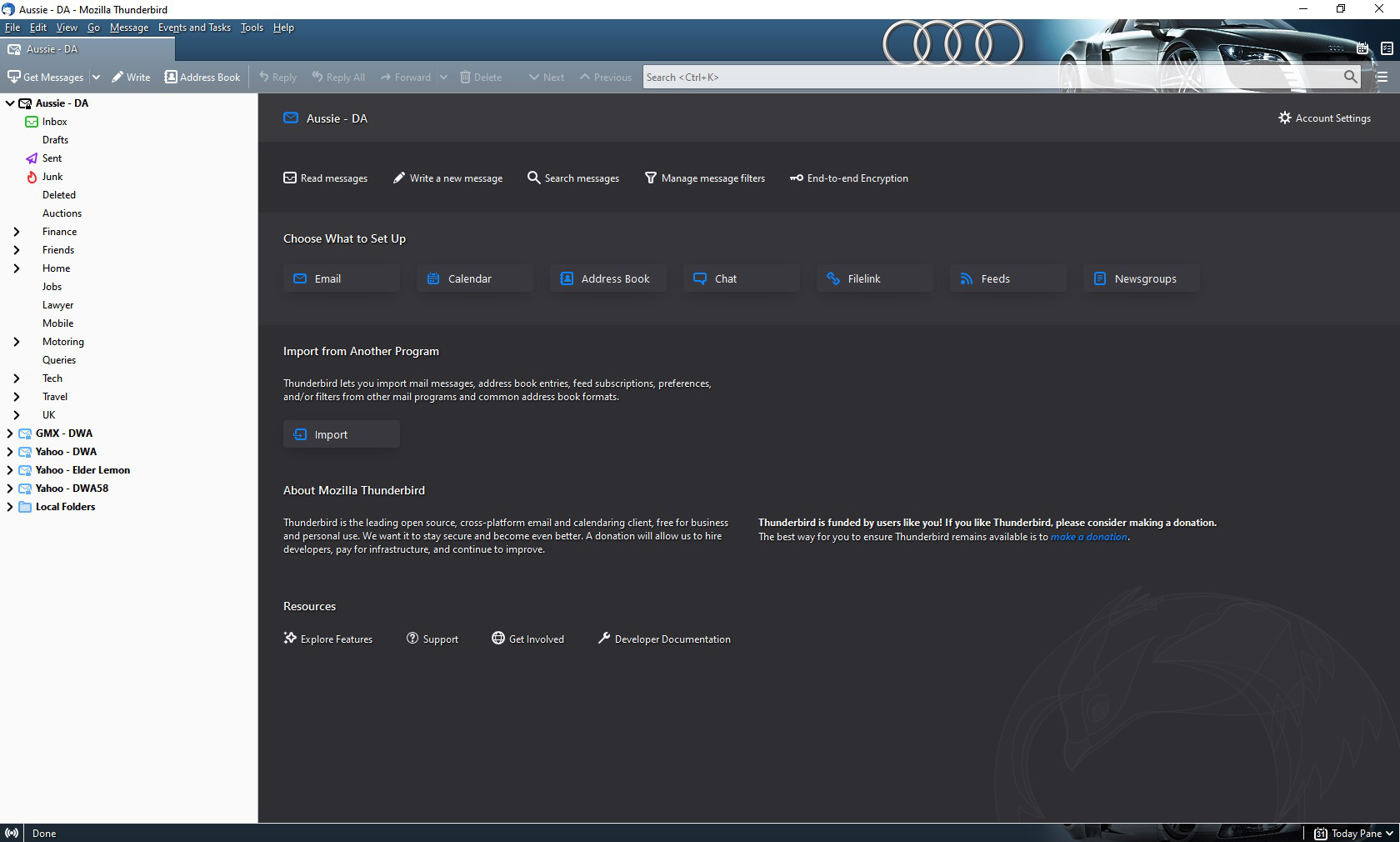
I upgraded from Version 78.1.1 (32-bit) to 78.2.0 and when I opened Thunderbird, the icons for most of the folders are missing.
I have attached a screenshot of the problem.
I then was prompted to upgrade to 78.2.1 so I did as I thought that this problem might be fixed but it has the same problem which must be linked to version of 78.2
I then re-installed 78.1.1 again and everything is okay again but there is obviously something wrong with 78.2.0 and 78.2.1.
Has anyone got any ideas on whether this is a bug or is there something I can do to fix it in my setup?
Thanks.
Chosen Solution
This appears to have been solved by a Thunderbird update.
All Replies (4)
Does the problem go away if you start Thunderbird in safe mode https://support.mozilla.org/en-US/kb/safe-mode-thunderbird ?
Yes and I have identified that iti is a Theme named audi_r8 which I had enabled that causes the icon issue.
What I don't understand is why Thunderbird doesn't say that this Theme is not compatible with Version 78.2.0 onwards as it dies with other types of Add-ons?!?
Perhaps caused by lack of https://bugzilla.mozilla.org/show_bug.cgi?id=1661216
Chosen Solution
This appears to have been solved by a Thunderbird update.