


Version 45.7, where is search box?

Thunderbird version 45.7, where is the search bar? None of the suggestions work. How do I search emails? Windows 10
Chosen Solution
OK, I found it. I had to customize the toolbar to add the search box. Thanks
All Replies (4)
In order to better assist you with your issue please provide us with a screenshot. If you need help to create a screenshot, please see How do I create a screenshot of my problem?
Once you've done this, attach the saved screenshot file to your forum post by clicking the Browse... button below the Post your reply box. This will help us to visualize the problem.
Here is a screen shot of my Thunderbird screen. I don't see a search box.
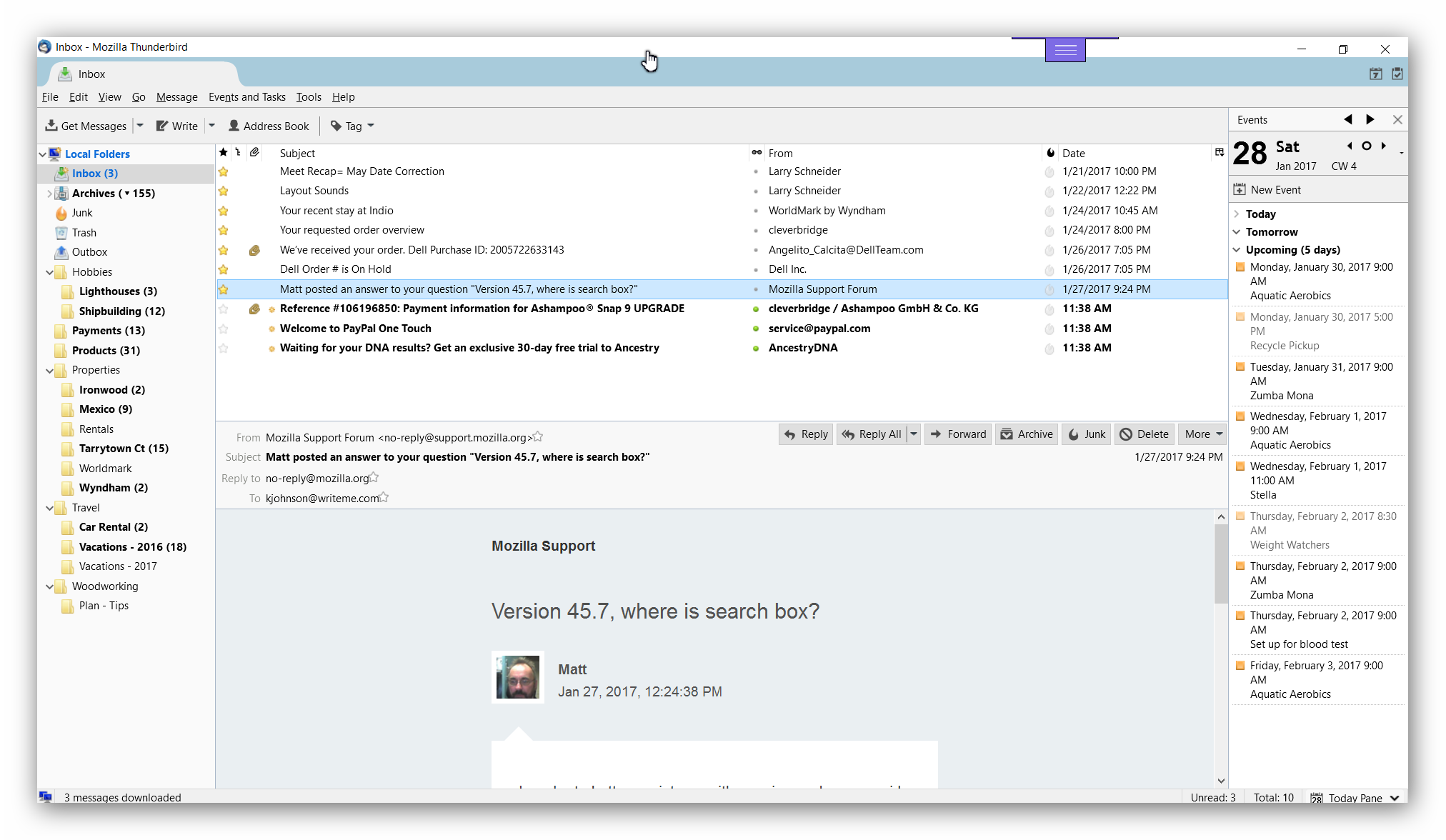
It's on the toolbar, which you can't see.
Right-click on the blue bar just below where your cursor is in your screenshot, and select the Mail Toolbar.
Or in your menu, go to View|Toolbars and enable it there.
Chosen Solution
OK, I found it. I had to customize the toolbar to add the search box. Thanks