


Combined inbox shows icons (forward, delete etc) when scrolling over messages

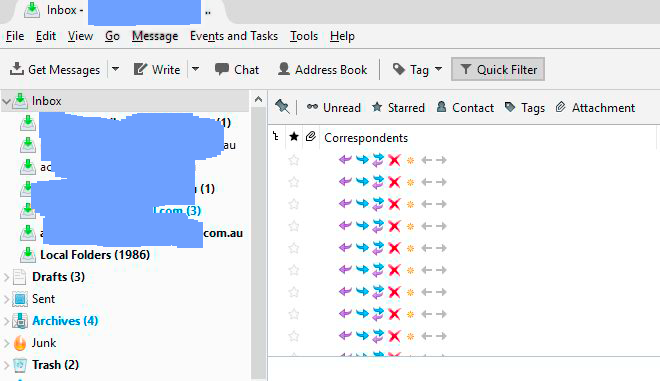
When I click on my combined inbox, all messages show in the message list. Then when I go to click on any or hover over any message within the inbox, I get this (see photo).
When I click on my combined inbox, all messages show in the message list.
Then when I go to click on any or hover over any message within the inbox, I get this (see photo).
All Replies (2)
Photo ...
Please try this: 'View' > 'Folders' > 'All' OR 'Menu icon' > 'Folders > 'All
Make hidden files and folders visible:
In Thunderbird
- Help > Troubleshooting Information
- click on 'show Folder' button
a new window opens showing your Profile folder
- Close / Exit Thunderbird now - this is important.
Look for and delete these files:
- foldertree.json
- panacea.dat
- session.json
- xulstore.json
- click on 'Mail' folder
- delete this folder: 'smart mailboxes'
- Close window - top right X
- Restart Thunderbird.
Check all Inboxes are showing correctly.
Change the view back to 'Unified' 'View' > 'Folders' > 'Unified' OR 'Menu icon' > 'Folders > 'Unified'
Report back on results.