How to make Firefox "warn" me when it's opening a new tab?

When I am reading some academic material on Firefox, suddenly I may get an urge to search for something unrelated to the topic I wanted to study. I open a new tab and search it. THis process goes on for quite a few times and I lose my focus on the page I wanted to read in the first place.
Is there an add-on which will warn me when I am opening a new tab. It could act like a gentle reminder in order to better focus.
All Replies (3)

Chosen Solution
Hi, you could see if this does what you want -
https://addons.mozilla.org/en-US/firefox/addon/noise/?src=ss
If your question is resolved by this or another answer, please take a minute to let us know. Thank you.
Do you mean that you open that many new tabs that you aren't able to locate that previous tab among all tabs that you have on the Tab bar?
Note that you can consider to pin a tab via the right-click context menu to make it appear at the far left
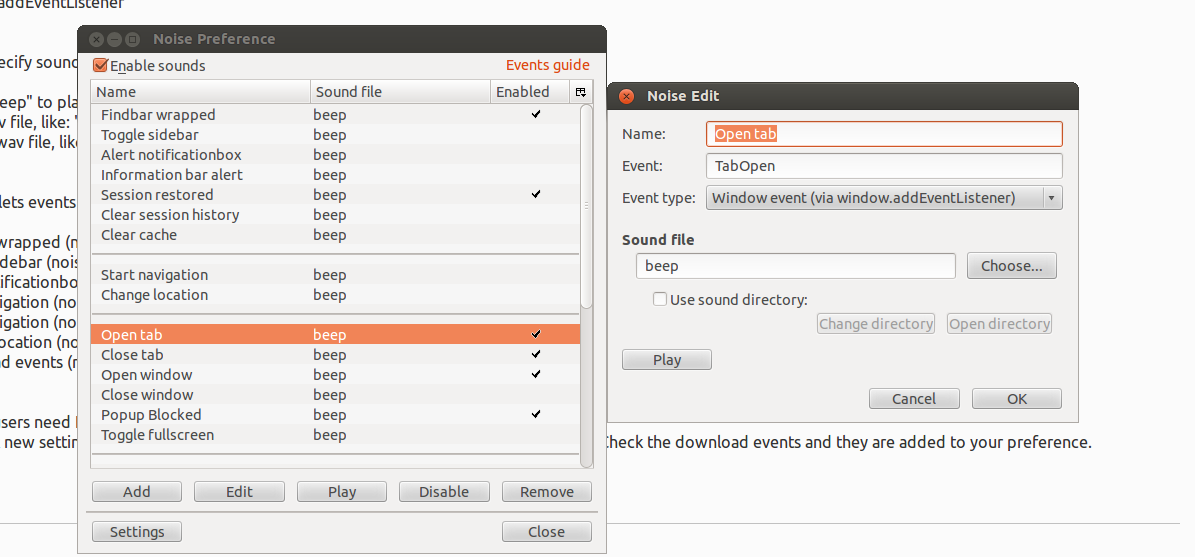
Solution by @Scribe worked. Here were the settings of that addon (see image)