


I need to permaneltly remove a choice in the search bar menu

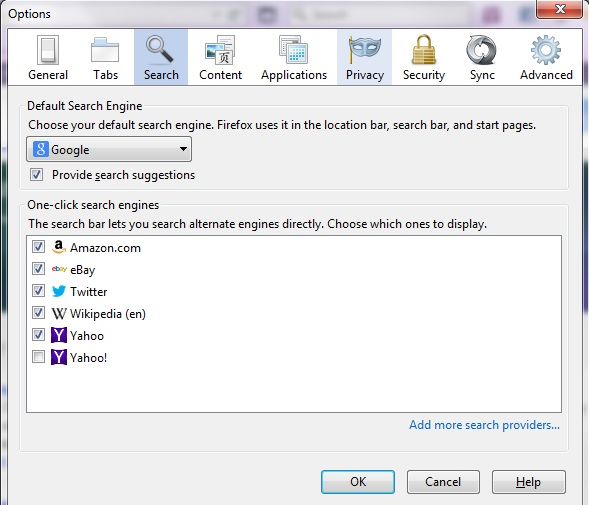
Hi, The other day I somehow ended up with two choices of yahoo in my search bar choice. I unchecked the one with the exclamation point which is actually the homepage. I want to be able to remove it out of there PERMANENTLY Can you give me step by step instructions? I really feel bothered by this..thank you so much.
I've enclosed a screen shot - This will explain everything. I know I can ignore it but it's bothering me . I went into the about:config to see what to do , but nothing helped.
Please help!
All Replies (3)
Chosen Solution
Hello,
On Windows:
- Go to C:\Program Files(x86)\Mozilla Firefox\searchplugins
- All you have to do is delete the XML file for the search engine you wish to remove (for example google or yahoo) and restart Firefox.
Deleting the file may require administrator permission. just click continue if windows asks for it.
Hope it helps.
Modified by Talha
Thank You!
You can use this chrome URI in the location/address bar to open the previously used window to manage search engines and possibly bookmark this page.
- chrome://browser/content/search/engineManager.xul