


How do i revert the new graphical interface? its AWFUL! plz no rounded corners

How do i revert the new graphical interface? I do not like the new rounded corners and the new themes that are shoved down our throat.
Why does mozilla like to do this to us ?
I had to find and download firefox 156. BUT Because 157 already installed itself in the bg, it also updated the user PROFILE which OFCOURSE it is not recognised by previous vers 156. Its corrupted by 157 and wont work with 156.
After 2 h of messing around with installs and profiles i COULDNT MAKE IT WORK. And now i have to watch this stupid UNPROFESIONAL GUI and i had to make an account on the forums to post this and try anbd find a way around and ofcourse i did because theres smarter ppl out there than those who work at mozilla. ( im reffering to the sollution with the browser.nova.disabled)
All Replies (5)

For now, you can go to about:config, search for browser.nova.enabled, and set it to false. That has been reported to restore the older UI on Firefox 157. However, Mozilla says this preference is temporary and may be removed in a future update.
WARNING from the moderator team: Changing Firefox preferences from the about:config page can sometimes break Firefox or cause strange behavior. You should only do this if you know what you're doing. Please read Firefox advanced customization and configuration options to learn more.
Muudetud Paul poolt

I like the new look. Just thought I'd say that for balance. ;-) If anything I just want the snap to update on latest/stable, why hasn't it when it has through the other main channels? Yes I've switched to latest/candidate but why should I?
(Someone from Mozilla will be along soon to tell you not to change flags in about:config... ;-))
But if you don't like the new look... Some have complained at the purple, but you can switch colour theme easily enough, including from the "Customize" button on the new tab page. That seems to correspond to the "Firefox Themes" sub-box in the addons theme page, and "Ash" is a nice monochrome one.
But, and there is a but:
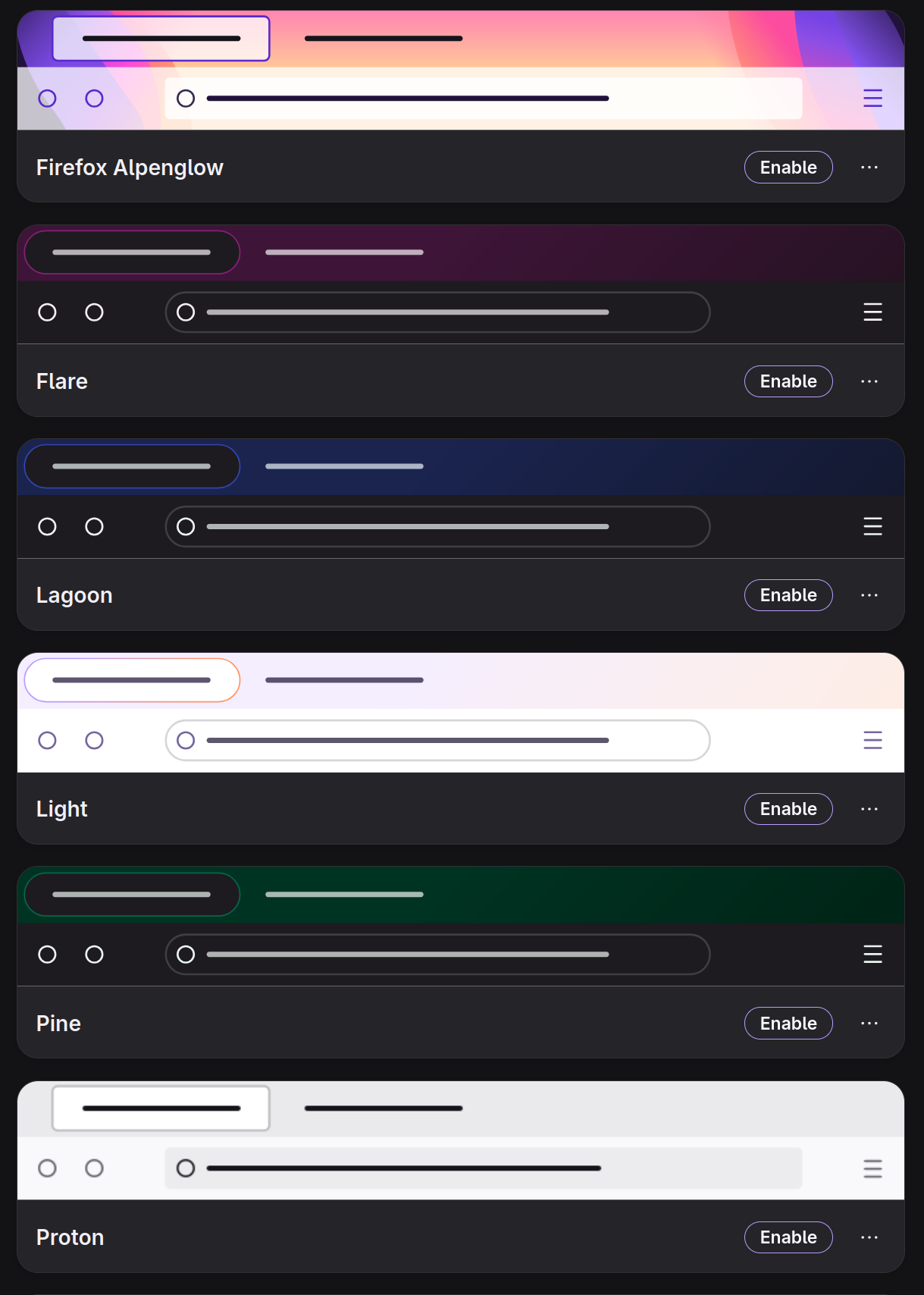
Some prominent themes in the main Themes list have a preview image that indicates it still has "square" tabs, like Proton, and Firefox Alpenglow. (Shown in screenshot.) But when you select them, they don't. That seems like a broken promise that should be resolved, one way or another. Either update the preview images, or make them work as advertised, so people who really do hate the rounded tabs do have an option via selecting a theme that doesn't have them.
(Of course the "square" above is in scare quotes because the tabs there, as in versions up to 156, do have rounded corners... just with a smaller corner radius. Corner radius does seem like it should be a themeable attribute tbh)
malcolmparked said
For now, you can go to about:config, search for browser.nova.enabled, and set it to false. That has been reported to restore the older UI on Firefox 157. However, Mozilla says this preference is temporary and may be removed in a future update.
That'll kill Firefox for me, if they remove this option. I would have uninstalled it today if it wasn't for this fix, the new UI is repulsively ugly and the rounded corners trend is just idiotic but seems irresistible to designers. If I have to live with stupid, ugly, rounded UI then I might as well just throw the towel in and switch to Chrome full-time. I already use it from time to time as more and more sites don't work properly with Firefox. Firefox market share is abysmal already and Mozilla blindly continues towards oblivion.
ADZ said
malcolmparked said
For now, you can go to about:config, search for browser.nova.enabled, and set it to false. That has been reported to restore the older UI on Firefox 157. However, Mozilla says this preference is temporary and may be removed in a future update.That'll kill Firefox for me, if they remove this option. I would have uninstalled it today if it wasn't for this fix, the new UI is repulsively ugly and the rounded corners trend is just idiotic but seems irresistible to designers. If I have to live with stupid, ugly, rounded UI then I might as well just throw the towel in and switch to Chrome full-time. I already use it from time to time as more and more sites don't work properly with Firefox. Firefox market share is abysmal already and Mozilla blindly continues towards oblivion.
Same exact feelings here mate.
Hi
Yes, I would not recommend that about:config preference as it is likely to be removed in the near future.
If you wish, you can install and sync your data across to Firefox ESR. This will get security updates, but you will not get any feature updates and it will update next year to the new design in Firefox 157.
The theme settings in Firefox will help you change the colours used and you can install a theme of your choice from the add-ons web site. An example is https://addons.mozilla.org/en-US/firefox/addon/firefox-proton/
If you wish, you can leave feedback for developers on the Mozilla Connect website. Click the Firefox Menu  button in the toolbar, click Help and select Share ideas and feedback…. Alternatively, you can use this link. Your feedback is collected by a team that reads it and gathers data on the most common issues.
You can also file a bug report or feature request. See File a bug report or feature request for Mozilla products for details.