


Secondary (gmail) Account Works on Android App But Not On Win Desktop App

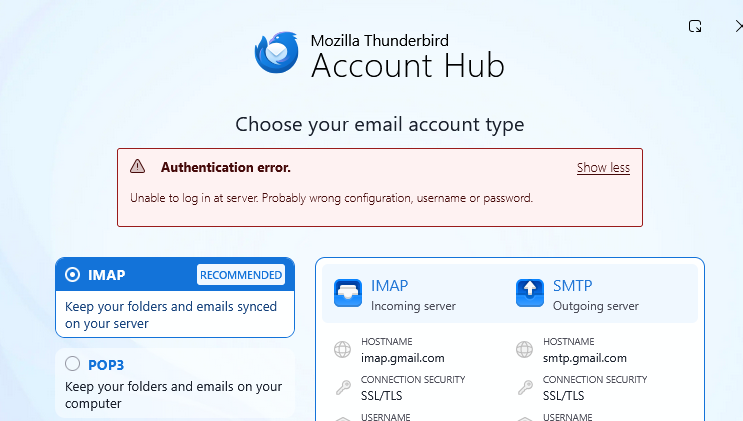
I have Thunderbird on my Win 11 Pro Laptop and on my Samsung Android phone. My primary email account works fine on both devices. My secondary account with the domain name otakorp.org works fine on the Android Thunderbird app, but when I try to set it up on the Windows version it sees that it's a gmail server and sets both incoming and outgoing servers to Oauth2 authentication, but generates an unspecific error (see included image). Any suggestions?
All Replies (7)
did you include your full email address? A common problem is that people often omit the domain part of the address.
I did. I didn't include the full email address here because spiderbots are everywhere looking for email addresses to add to their spam generators. I tried using the exact same steps for the Windows version - which failed - as I did for the Android version - which worked. The only thing I can think of is there is a difference between the Windows Thunderbird and the Android Thunderbird. I never even get to the part where I add the password and the error message appears.
I am using version 140. at settings>general I have the account hub unticked. when I click new email account, I enter john doe, with email address of xxx@otakorp.org and then click DONE. Then, there is a google prompt for password. Check your version and be sure he account hub is unticked, because it's working for me.
I had the Account Hub setting checked, but when I unchecked it, the error still appeared when I tried creating the account.
you're doing something, but I don't know what. Just enter two items: name and email address. DO NOT enter password until prompted. What version are you using?
It's in the tags... 151.0 Here's what happens:
- I go into Tools|Account Settings| and click on the blue "New Account" button above my existing account;
- I select "Email account..." from the drop-down list;
- The pop-up window has two data fields to be filled in: Full name and Email address (of the new account). I enter both then click the "Continue" button (I do NOT click the "Manual Configuration" link;
- The screen shown in the included image then shows except where the error message is located is the message "Configuration found in Mozilla ISPDB". I do NOT change anything on the screen and I do NOT click on the "Edit Configuration" link. I DO click on the "Continue" button;
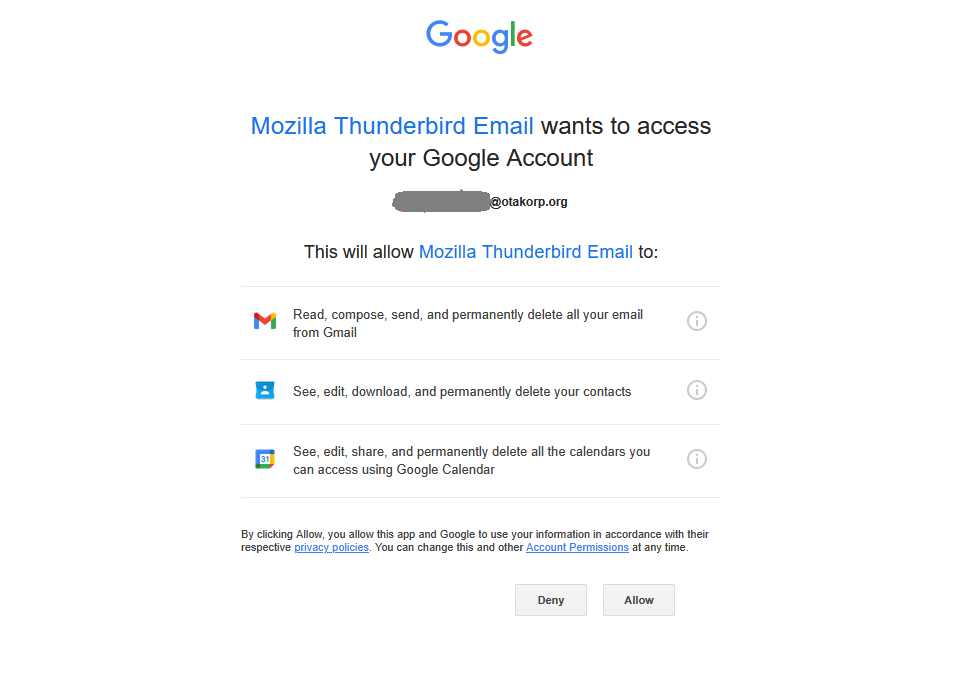
- I left a screen image out: the image I just uploaded then appears asking for permission for Mozilla to access my Google Account. I click the "Continue" button;
- The previous screen returns except with the Authentication Error Message.
OK, maybe the setup for that domain while using google is misconfigured. do again and click the manual setup option . Google accounts are normally SSL/TLS and OAUTH2. The SMTP server is usually port 465