


'Unable to connect'!!!
It's been almost a week now, and my 2 Microsoft email accounts will not connect to Thunderbird anymore. All was fine for years, but something changed that I can't figure out!?! I have gone to my Microsoft email server and checked that my passwords still work. I even updated one and it works on Microsoft server but not Thunderbird's!?!? I even deleted one email account from Thunder bird to re-install it, but when I tried a fresh re-install Thunderbird still won't connect to Microsoft server??? I'm at my wits end, and may abandon Thunderbird completely if someone there doesn't help me connect!!!
All Replies (7)
Hi Bernie,
please take a look at this question here and see if that helps: I am unable to add outlook.com using new account hub
I tried your suggestion. My outlook is IMAP enabled I went to Thunderbird and entered the info manually. But when I clicked on advanced configuration, it came back with 'error creating account, incoming server already exists'? there is no place to click 'ok'. Even when I click 'continue' it resets to the manual configuration
Any other suggestions?
Bernie
I suggest you post you current settings and the actual error message you get, verbatim as if you do not clearly understand what is says interpretation usage garbles the message.
BTW the last thing I would suggest is removing an account as a diagnostic tool. The add process has more issues than simply managing the current failure and it complicates everything. There logs that can be created to follow what is happening if necessary, but first what are the settings that fail and the actual error
If you have an antivirus scanning email disable that in the first instance. They tend to be the root cause of most connectivity errors with their self signed certificates to enable their hacking.
Thanks Matt for additional suggestions. Funny thing happened, the one email account i deleted and then re-installed is now working properly??? But the other one still isn't connecting, and the error window has also not come back?! So can't get a screen shot of it to share! I have shut down my firewall as you suggested but nothing changed. I have shut down and re-opened Thunderbird several times with not other changes. I will now try to delete the non working account and re-install it.
How do I get Thunderbird to ask for my password to my outlook email account. I deleted then re-installed the wayward outlook email account - but at no time has it asked for my password (the other one that I deleted and reinstalled did)? Can I force Thunderbird to have me re-enter my password? (I changed it in my efforts to resolve this ongoing problem). Or do I have to delete and reinstall it and hope it sticks this time?
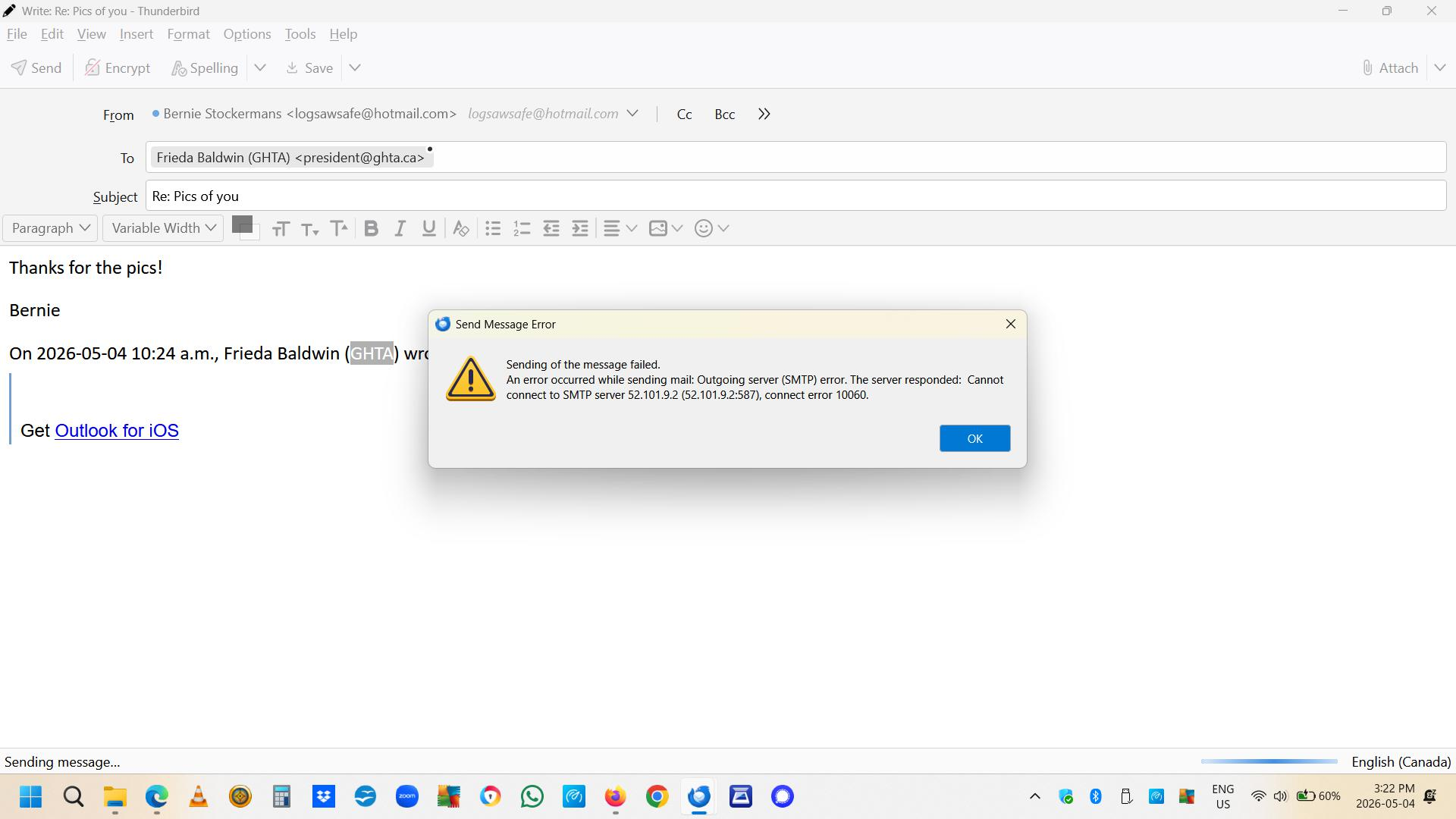
Follow-up. I have 2 outlook email accounts. One can get new messages, but cannot send any??? The other doesn't connect at all? Does anyone have a suggestions? I have attached the 2 error messages I've gotten so far?
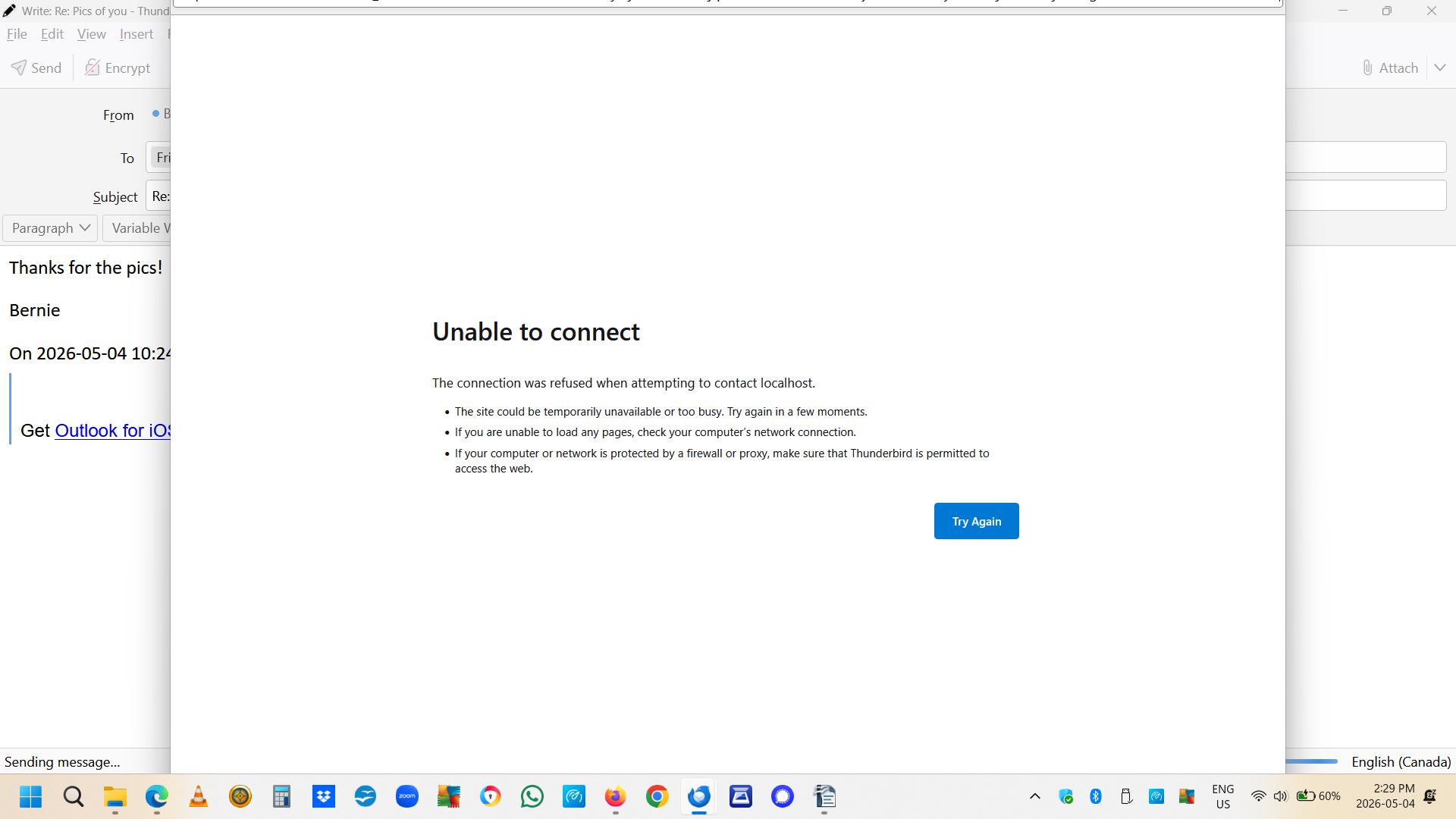
As localhost is your computer sitting on your desk, I would guess you have issues with your security software or other server type software installed that is using localhost like a web server or development environment.