All my emails have disappeared

After an email update this morning, I went in to look at an old email and nothing was there. Checked all my other folders and they were all empty. How and/or can I get them back. Some were ones that I did not need to loose.
After an email update this morning, I went in to look at an old email and nothing was there. Checked all my other folders and they were all empty. How and/or can I get them back. Some were ones that I did not need to loose.
All Replies (1)

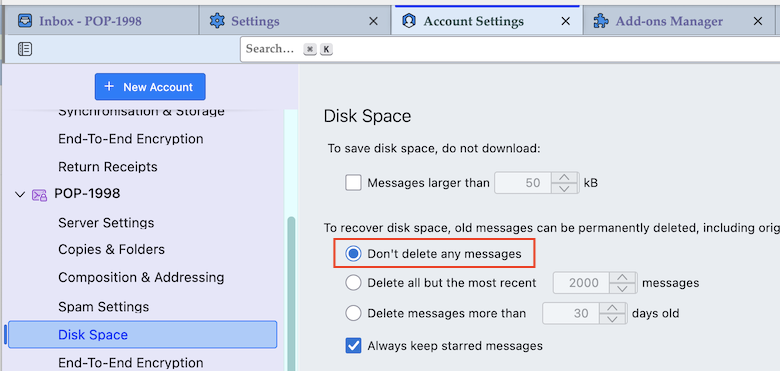
More information about your Thunderbird installation is needed. What should we understand when you write "after an email update...."? Was it a Thunderbird update or just a download of new emails? How are your mail accounts set up? Using the POP or the IMAP protocol? Do do have a recent backup copy of your Thunderbird profile folder? Go to Account Settings > account name > Disk Space (or Synchronisation & Storage if IMAP) > and verify if ◉ "Don't delete any messages" is checked